

Word Themes
Change and Customize Microsoft Word Themes to Enhance Your Document’s Design and Consistency
Try this Course with a Free Trial

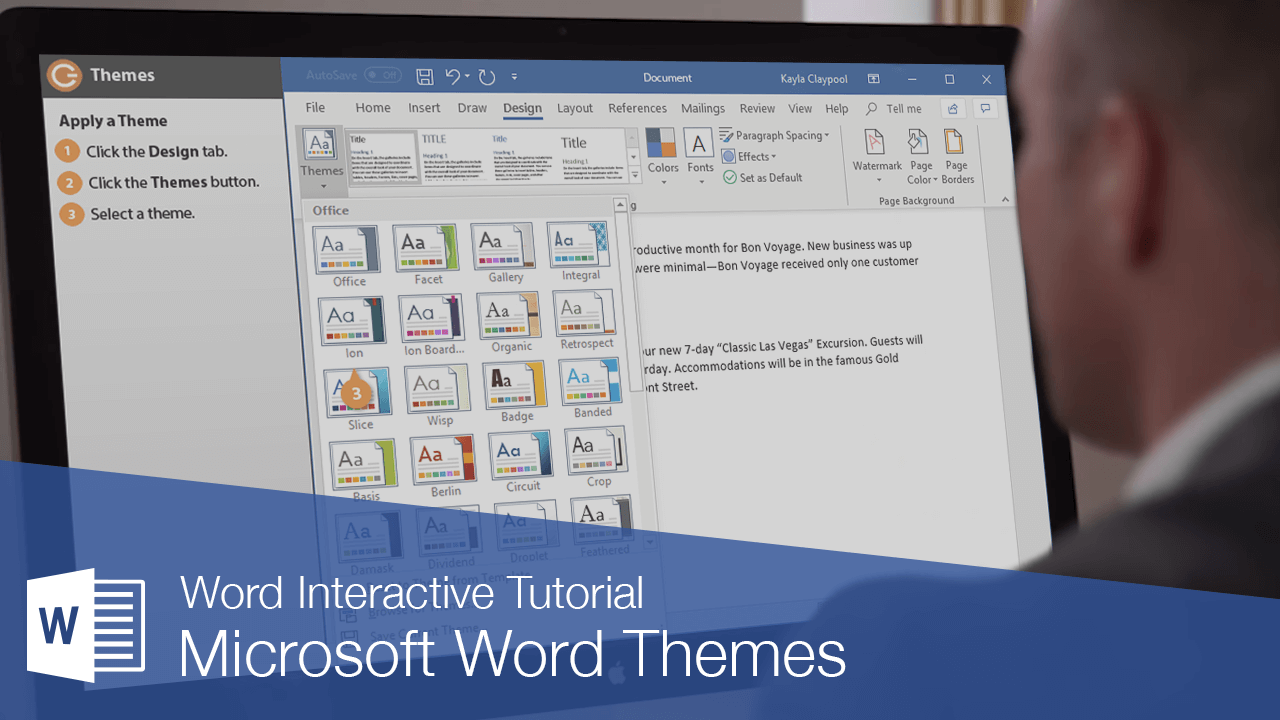
Word’s document themes provide a consistent and professional look for your documents. Each document theme consists of three design elements:
- Theme Colors: A set of coordinated colors used in formatting text and objects in the document. These colors define what you see when you open the Color menu.
- Theme Fonts: A set of coordinated heading and body font types.
- Theme Effects: A set of coordinated formatting properties for shapes and objects.
Apply a Theme
- Click the Design tab.
- Click the Themes button.
- Select a theme.
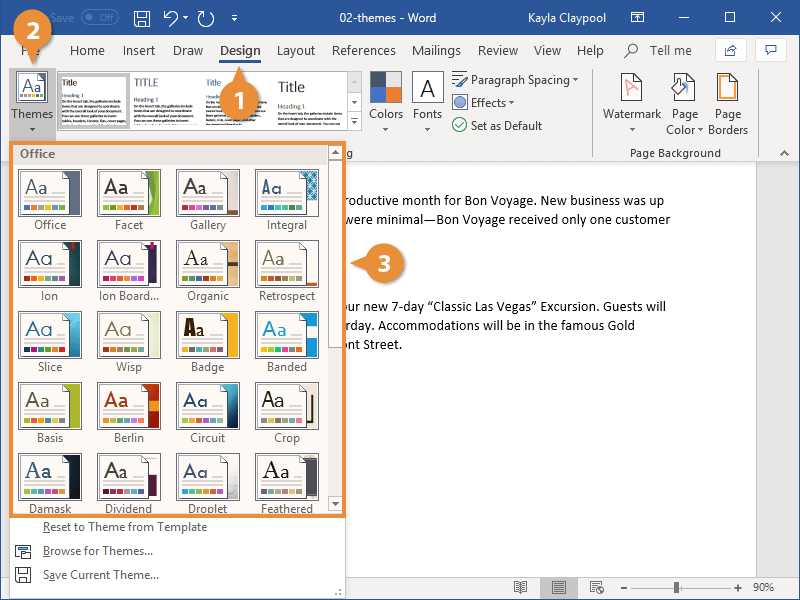
The Themes gallery opens. Each thumbnail previews the theme’s fonts and colors.
The theme is applied, and the colors, fonts, and effects of the document are changed.
If some text or graphics aren’t changing with the theme the way you expect, make sure the text is using Theme Fonts and the objects are using Theme Colors.
If a theme is saved elsewhere on your computer or network location, click Browse for Themes to locate the theme.
Customize a Theme
If you like most of a theme's look, but still want to change something about it, you can change color and font sets as well.
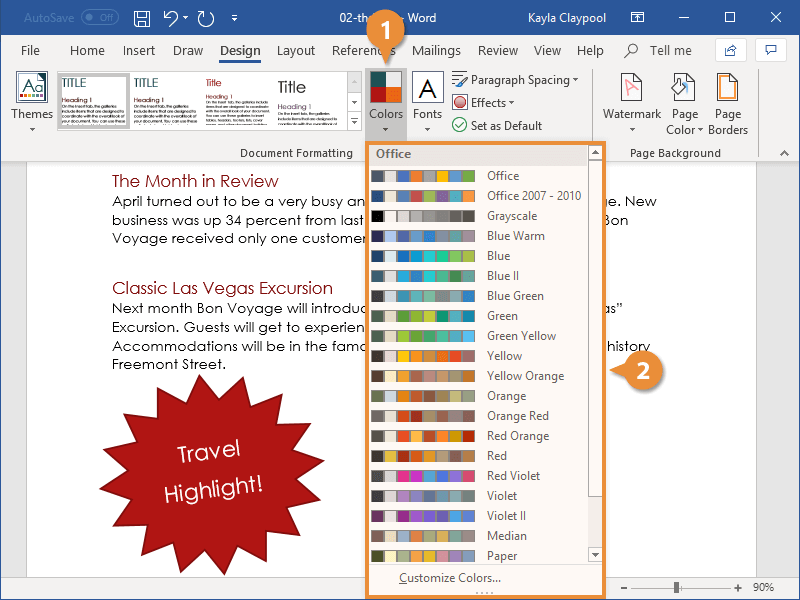
- Click the Colors button on the Design tab.
- Select a color set.
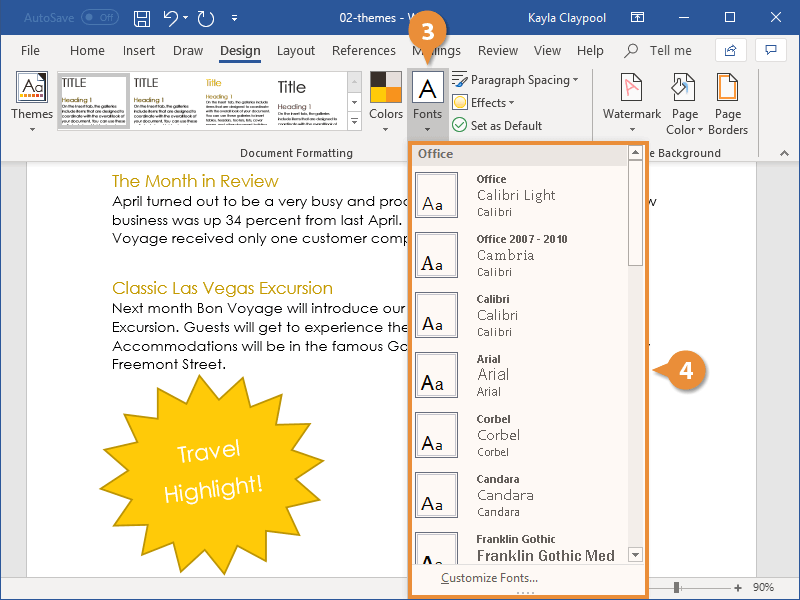
- Click the Fonts button.
- Select a font set.
Each color set listed here shows a small preview of the text, background, and accent colors in that set. Any text and shapes that are using theme colors will be affected by a change here.
Anything set to use theme colors, such as heading text or shapes, will be updated.
Changing font sets works the same way.
Each font set shows the Heading and Body font it contains. Any text using theme heading and body fonts will be updated.
Both the body text and the headings are updated.