Tutorial interactivo

Work with Customers

Manage customer relationships, log interactions, and turn follow ups into qualified opportunities

  • Aprender haciendo

  • LMS listo

  • Obtenga certificados

Users love us
4.9 stars out of 5 on G2

4.9 clasificación 2454 estudiantes

Pruebe este curso con una prueba gratuita

Work with Customers

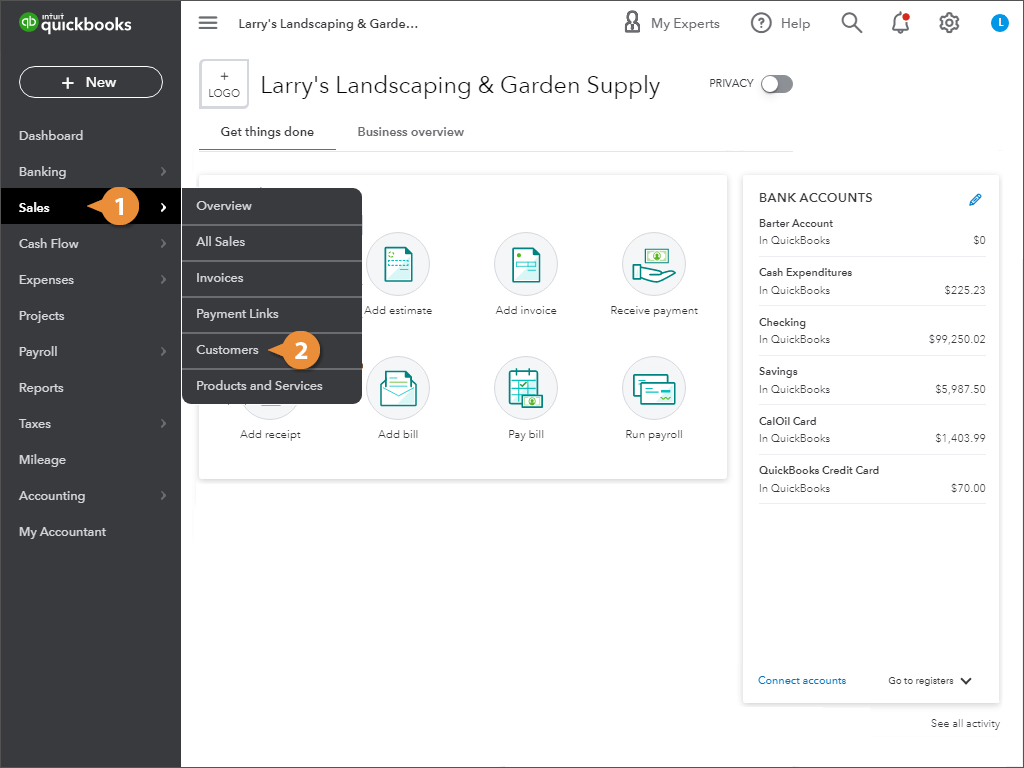
View Customers

  1. Click Sales in the left navigation bar.
  2. Select Customers.
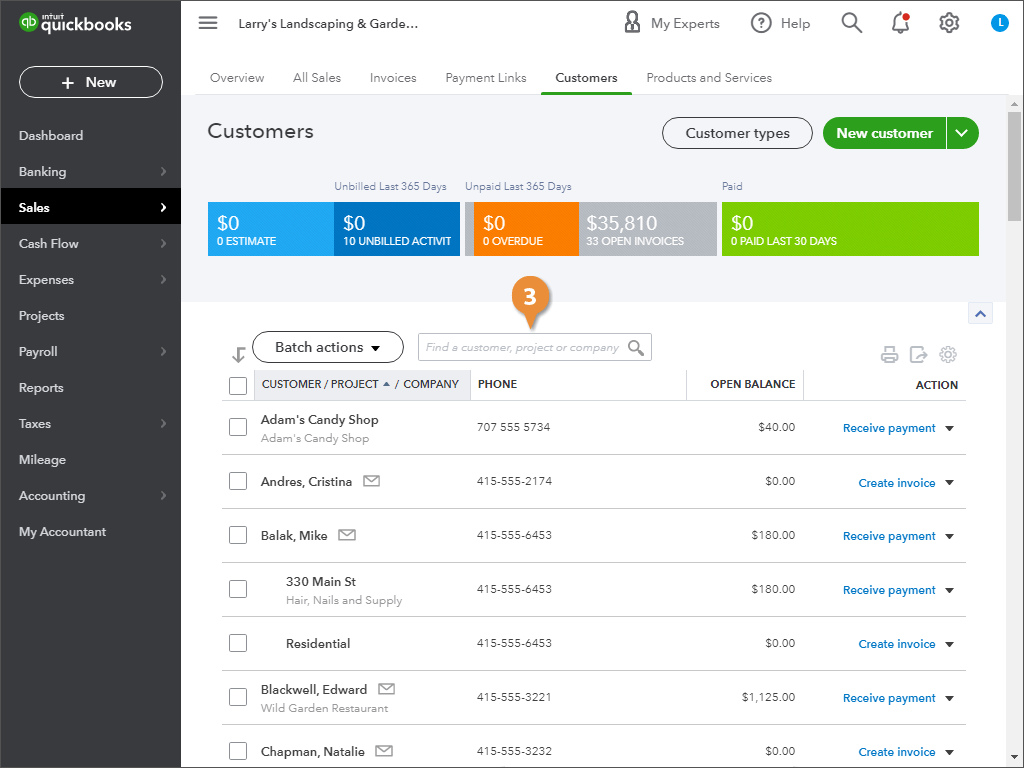
    View Customers
  3. (Optional) Search for the customer, company or project, if necessary.
    View Customers

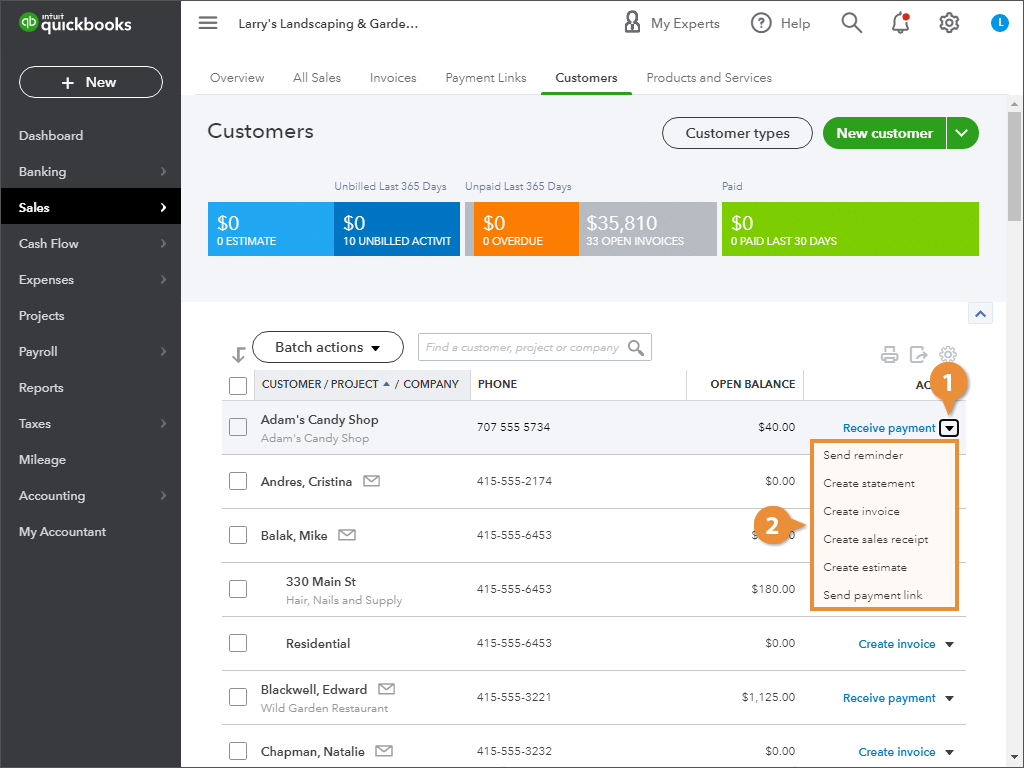
Customer Actions

  1. Click the Action menu for the desired customer.
  2. Select an option from the menu
    Customer Actions

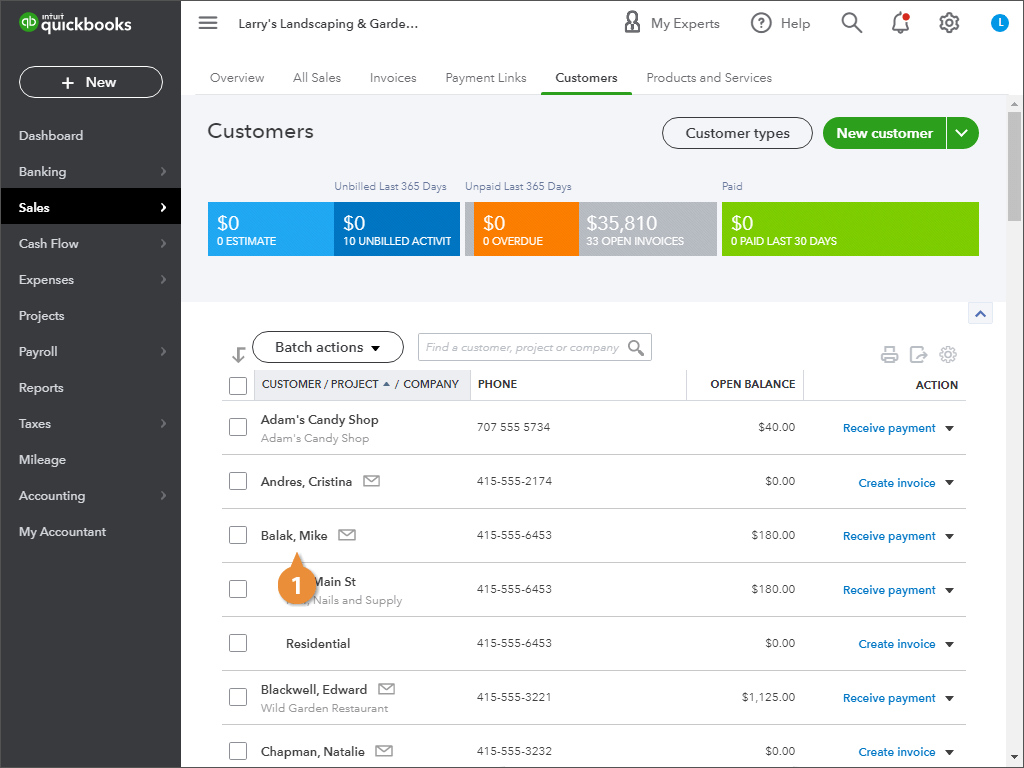
View Customer Details

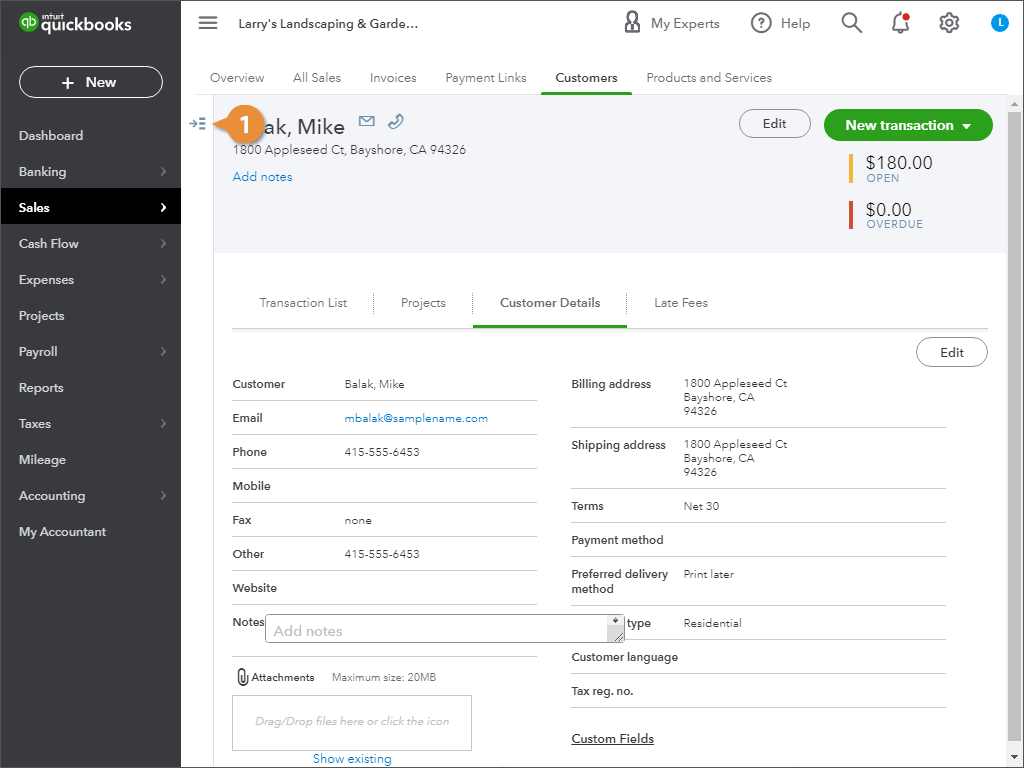
  1. Find and click the customer.
    View Customer Details
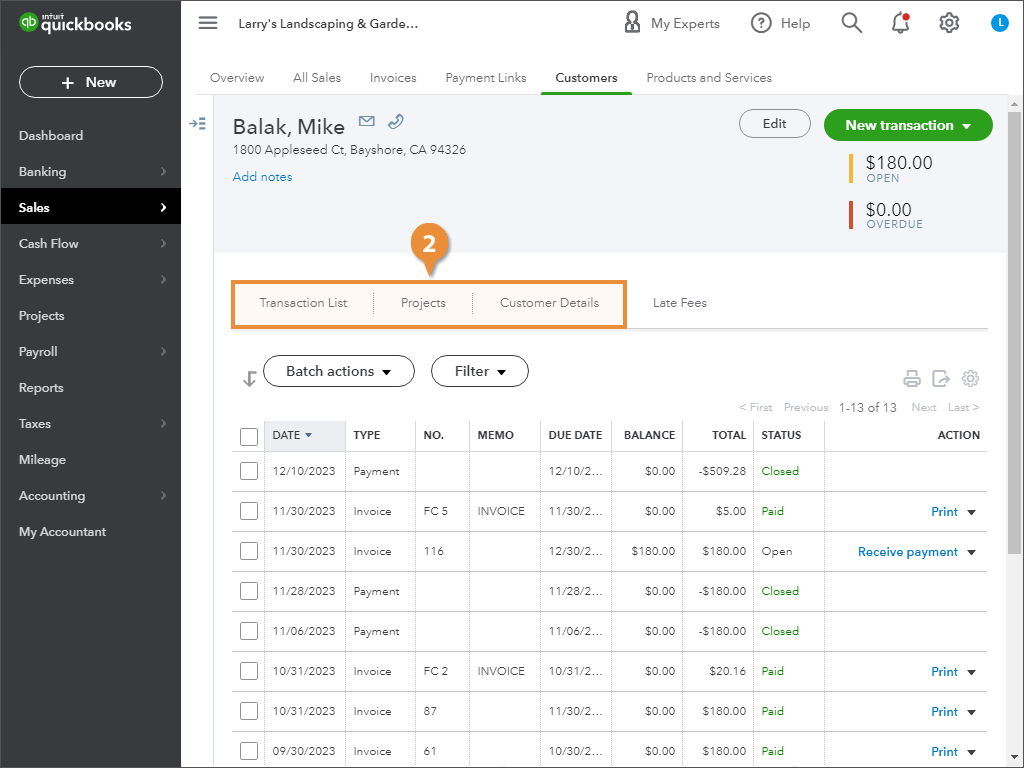
  2. To see the customer’s details, click an option:
    • Transaction List
    • Projects
    • Customer Details
    View Customer Details

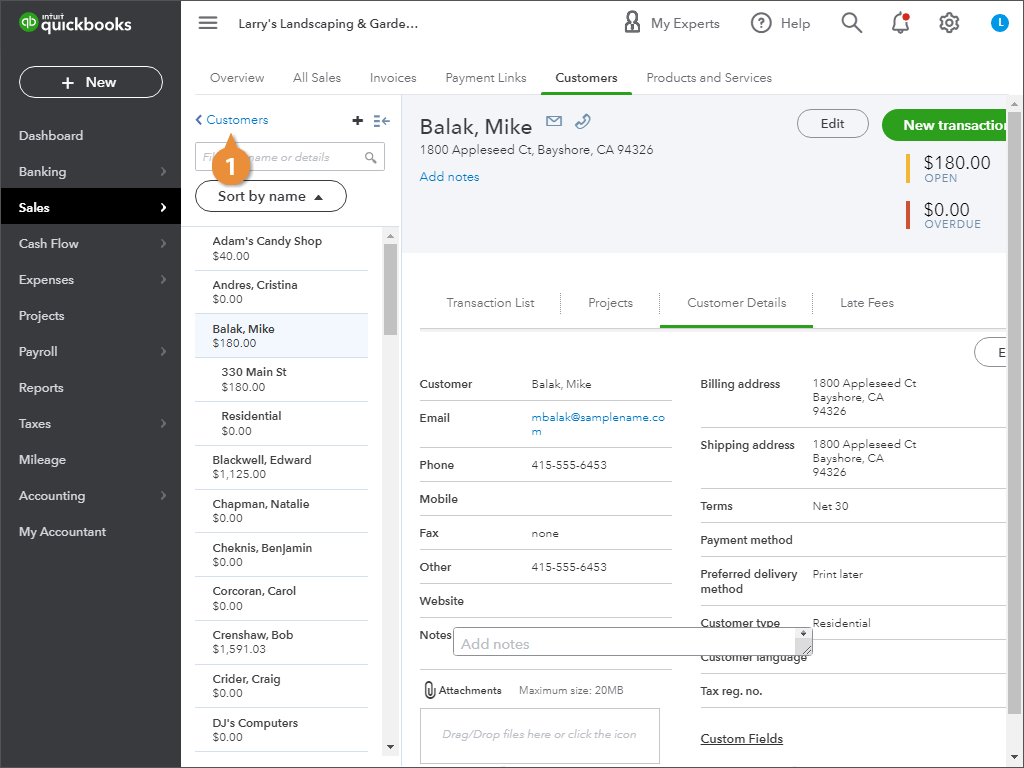
Go Back to the Customer List

  1. Click the Customers arrow.
    Go Back to the Customer List
    Go Back to the Customer List