

View and Edit Transactions
View and edit transactions quickly, open records, adjust details, and keep your ledger accurate
Try this Course with a Free Trial


Account registers provide a summary of your transactions; if you want to see more details about a specific transaction, you need to edit it.
View and Edit a Transaction
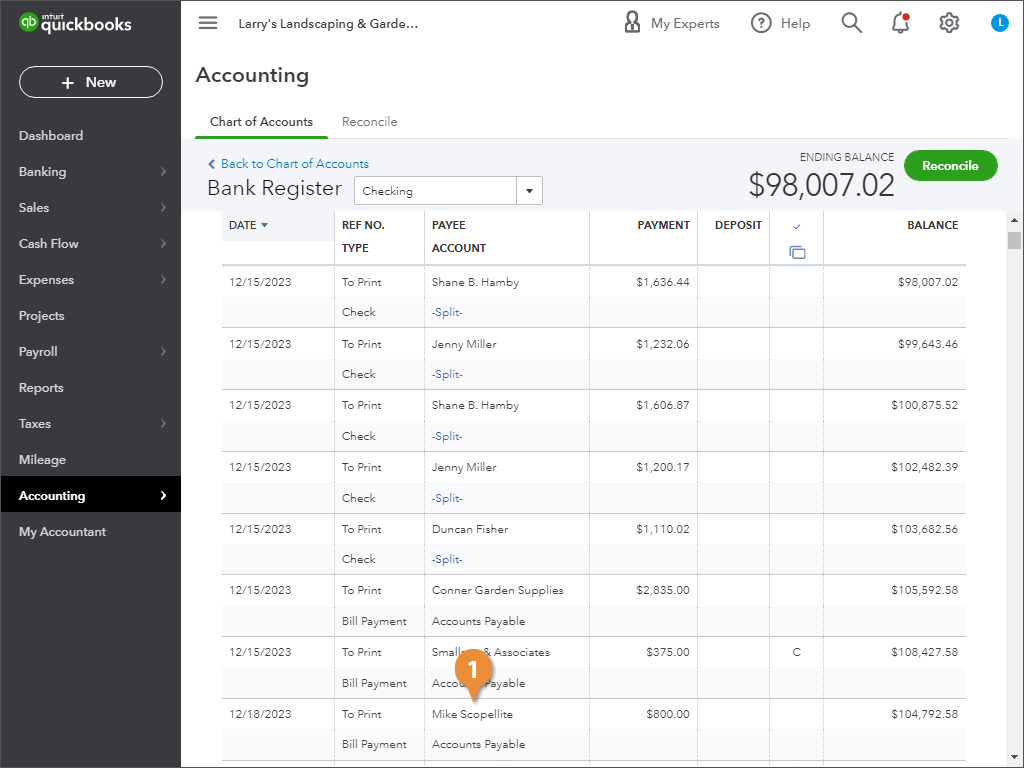
- Click the transaction you want to view or edit.
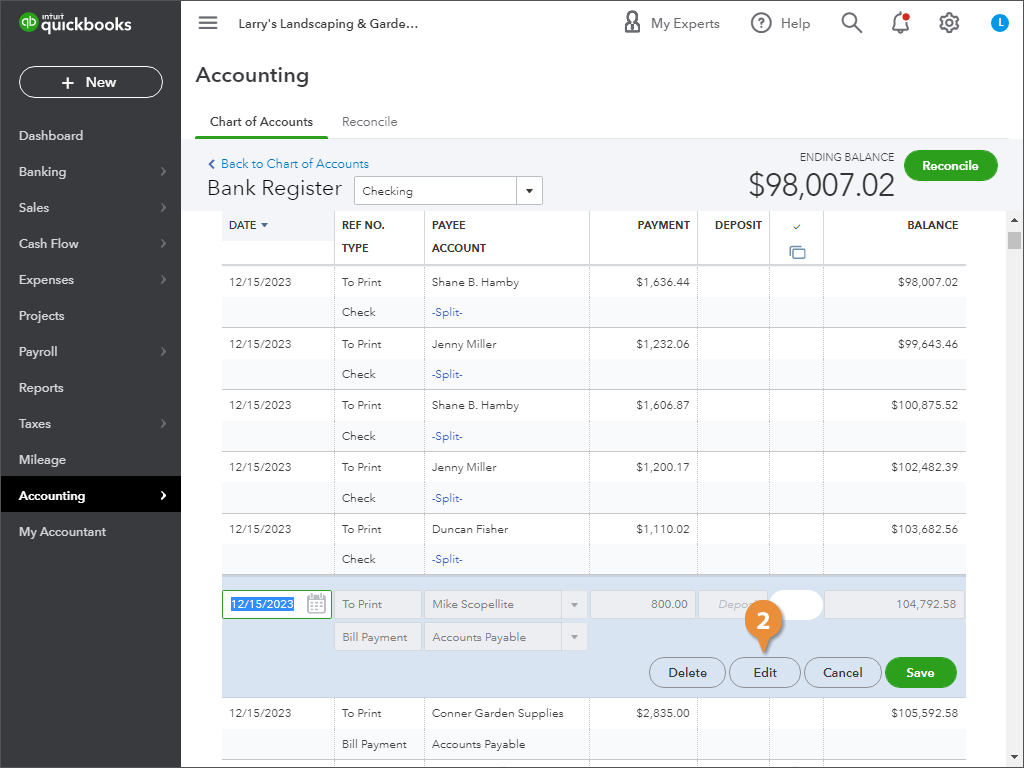
- Click Edit.
- (Optional) Make any changes to the transaction.
- Click either Close (no changes) or Save and close (changes made).
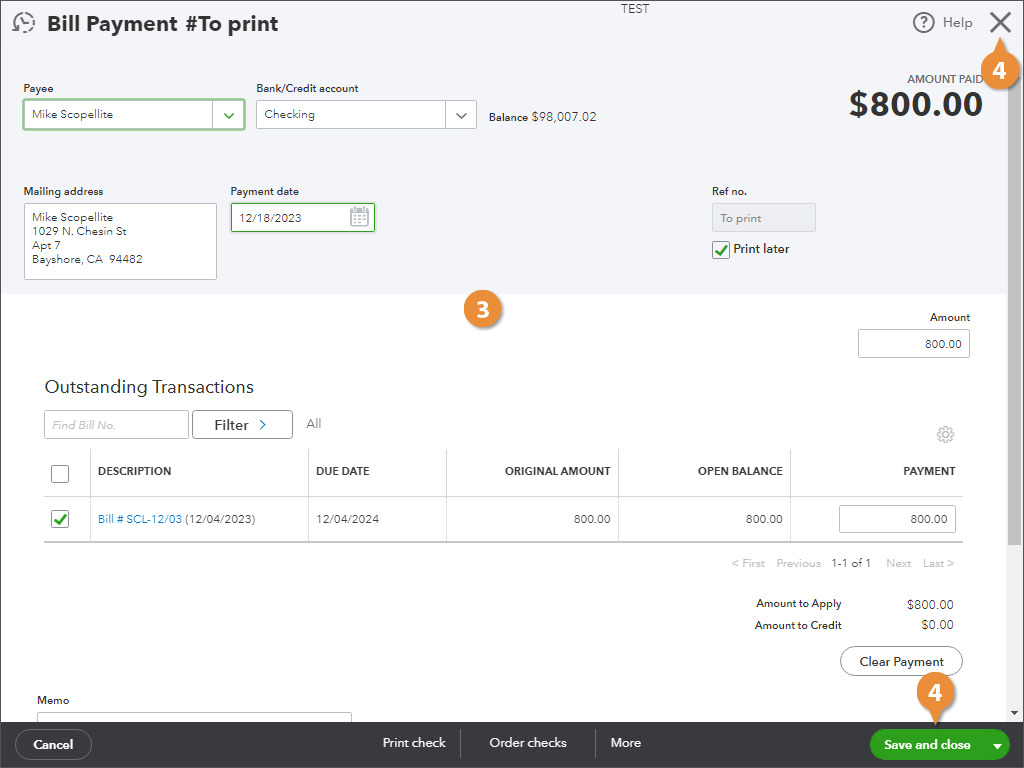
QuickBooks closes the transaction screen and brings you back to the account register.