Print and Email Invoices
Prepare invoice PDFs, batch-email customers, and keep delivery records for a streamlined billing workflow
Try this Course with a Free Trial


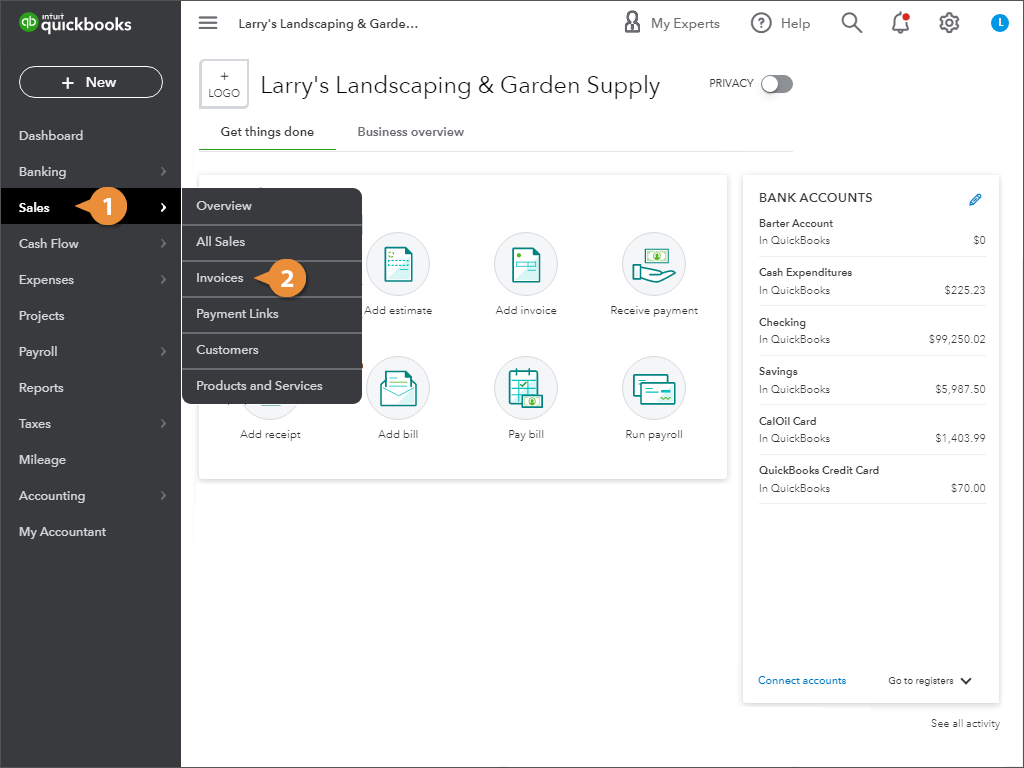
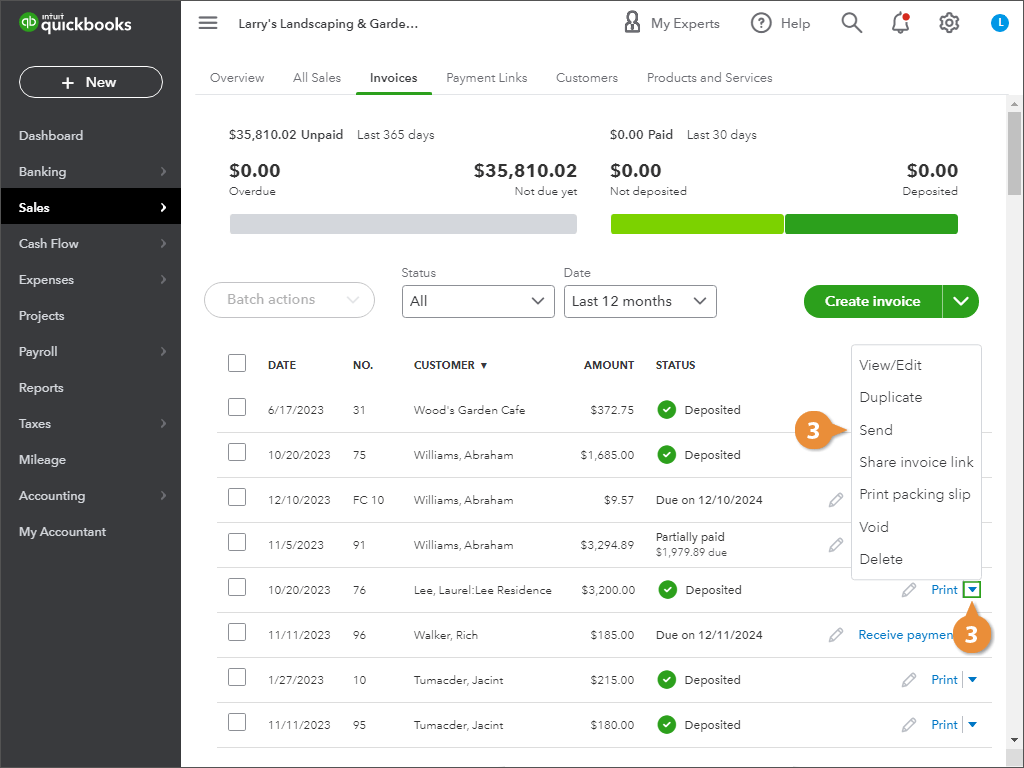
You can print or email your invoices individually or in batch.
Print or Send an Invoice
Batch Print or Send Invoices
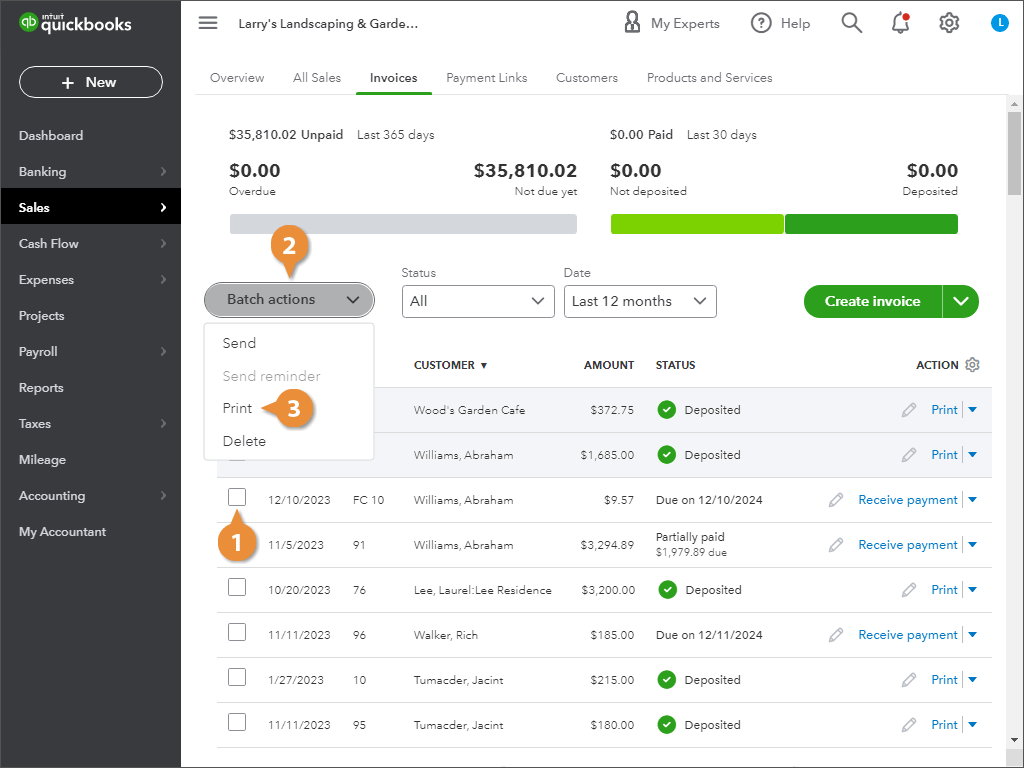
- Click the checkboxes next to the invoices you want to send or print.
- Click Batch actions.
- Select Send or Print.
- Send: Enter any email addresses and click Send.
- Print: Click the browser’s Download or Print icon.