

Accounts Receivable Aging
Track accounts receivable aging to spot overdue invoices, prioritize follow-ups, and improve cash flow
Try this Course with a Free Trial


An accounts receivable aging report is very important if your company lets your clients pay their invoices later, as it shows the unpaid invoice balances along with how late they are.
Run an Accounts Receivable Aging Report
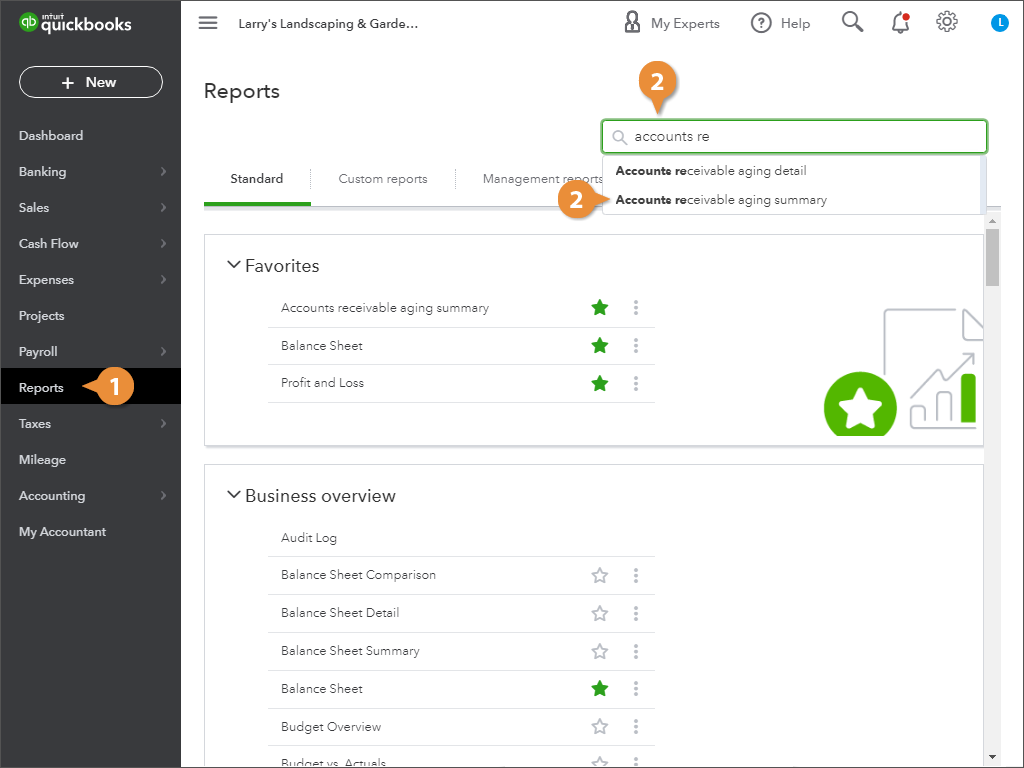
- Click Reports in the navigation bar.
- Find and click the Accounts receivable aging summary report.
- (Optional) Click any number in a report to view its details.
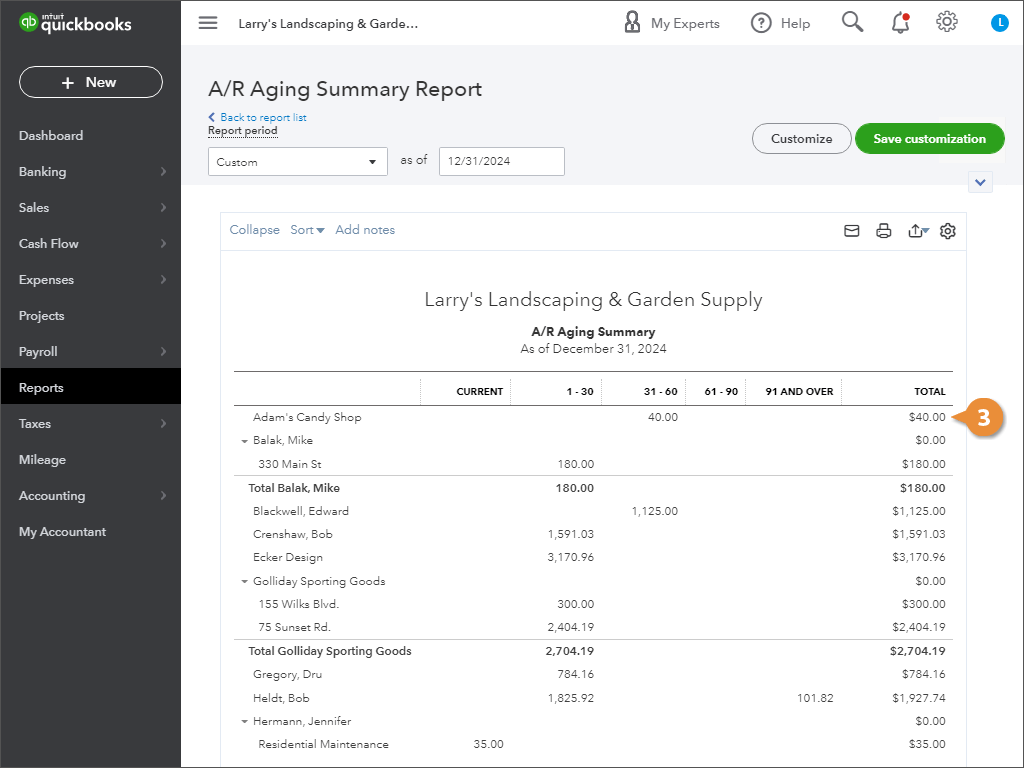
QuickBooks opens the Accounts receivable aging summary report; now you can see which clients owe you money and how overdue their payments are.