

Onenote Subpage
Use subpages in OneNote to structure your notes and group related content for better clarity
Try this Course with a Free Trial

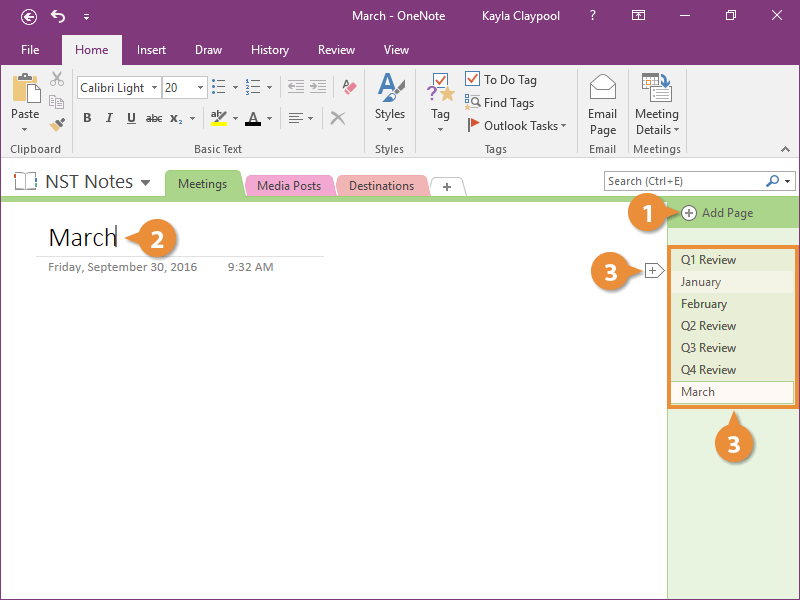
Add a Page
- Click the Add Page button.
New pages are automatically added at the bottom when you use the Add Page button.
- Type a page name.
- (Optional) Hover where you want to add a page and click the + button.
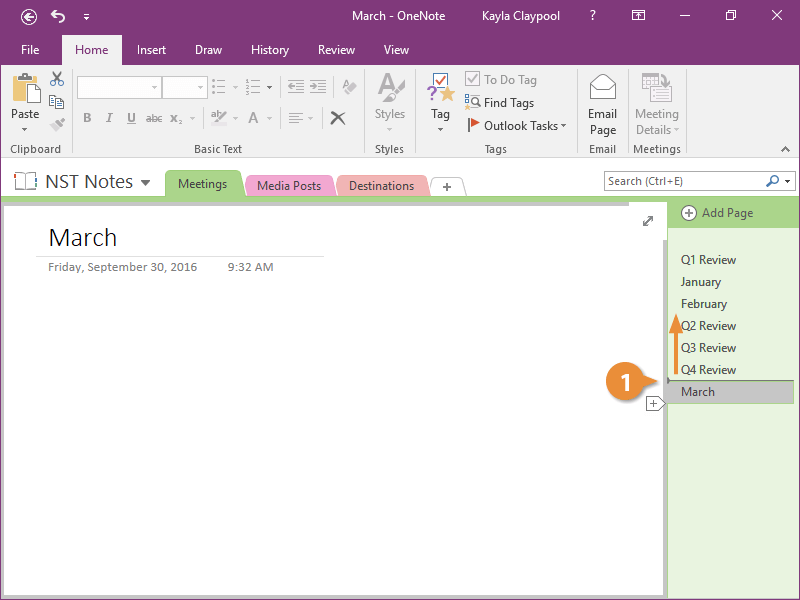
Move a Page
Create a Subpage
Once you've added a bunch of pages, it can be hard to keep track of them all. Luckily, subpages help with organization.
- Select one or more pages.
You can hold down the Shift key to select multiple pages.
- Right-click a selected page.
- Select Make Subpage.
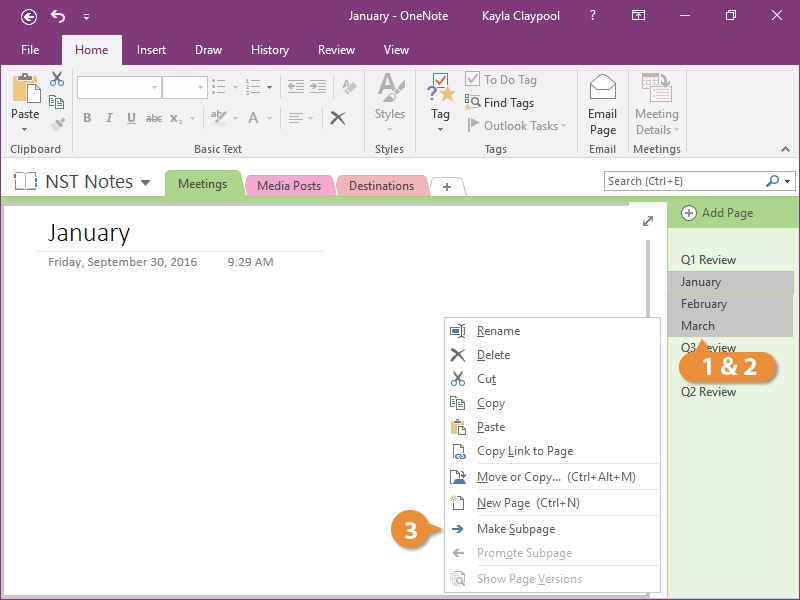
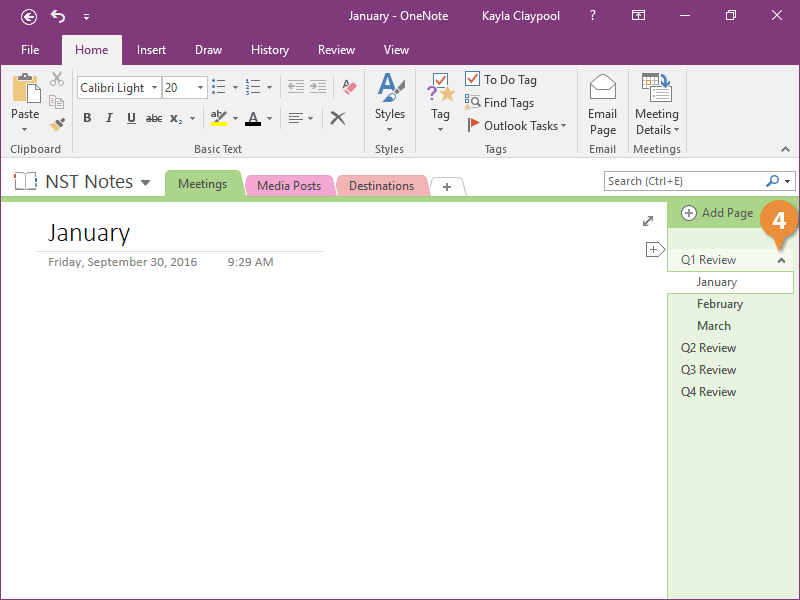
The pages are indented.
- Click the Collapse arrow to collapse the subpages.
Delete a Page
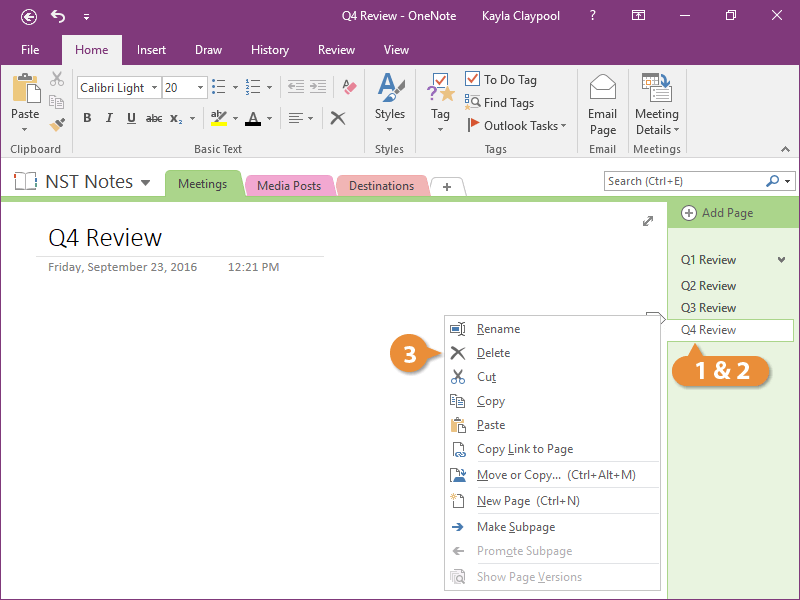
The page is gone from the section and it's moved to the recycle bin.