

Edit Written Notes
Revise, move, and format your handwritten or typed notes for clarity in OneNote
Try this Course with a Free Trial
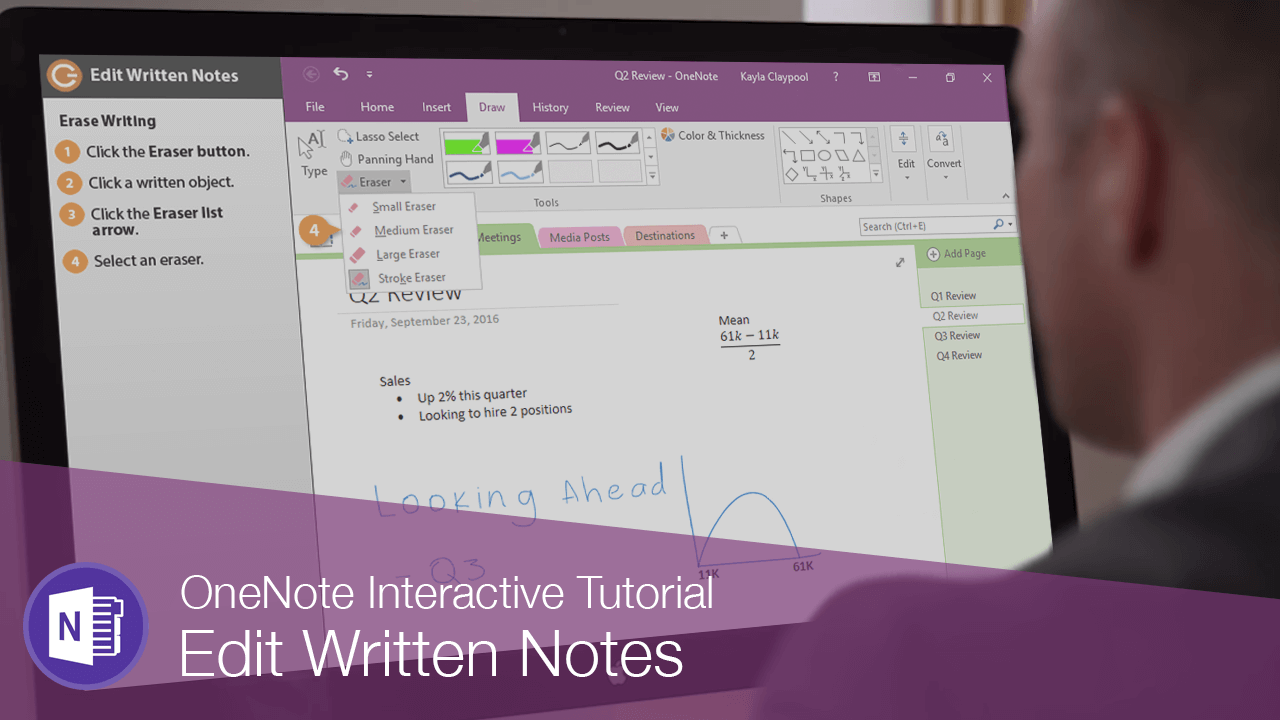
After you've written some notes with the pen tool, you may decide to make some changes.
Delete Writing
- Click the Draw tab.
If you have something really specific to select, you can use the Lasso Select tool to draw a selection circle around it. But for selecting things like a word or entire line, it's best to keep the Type tool selected.
- (Optional) Select an editing tool.
- Click an item to remove.
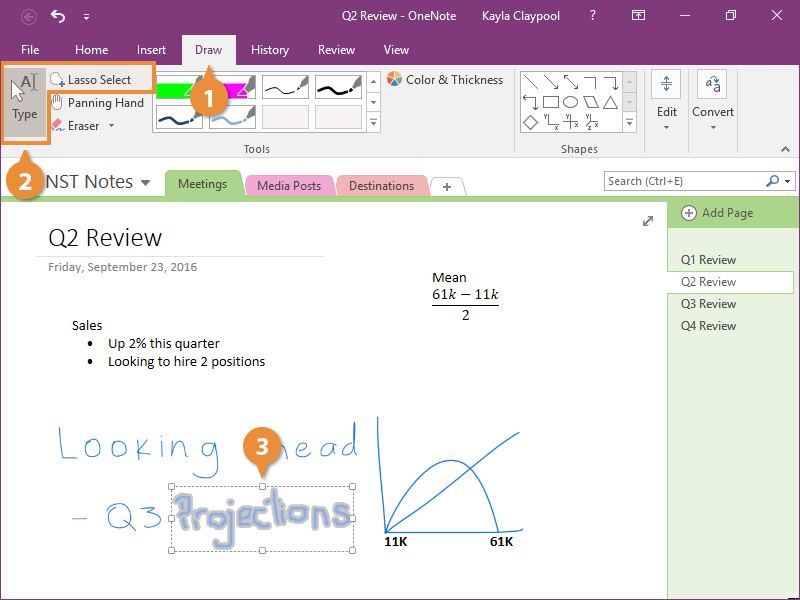
- Press the Delete key to remove it.
Edit Writing
- Click an item to edit.
When an item is selected, a toolbar appears.
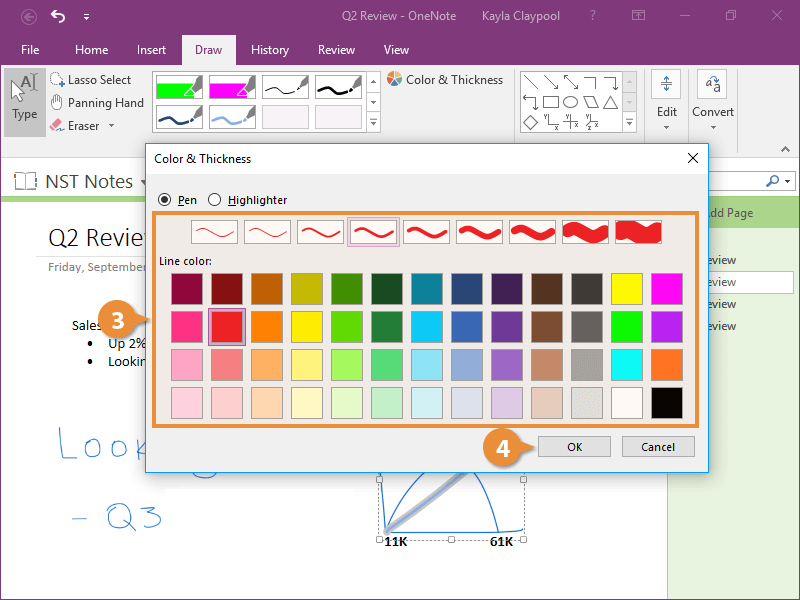
- Click Pen Properties.
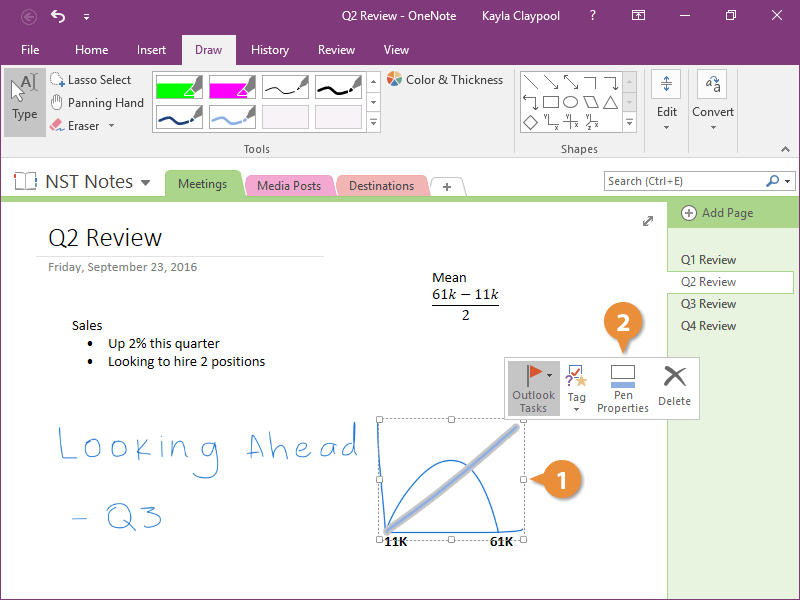
- Select a new width and/or color.
- Click OK.
Erase Writing
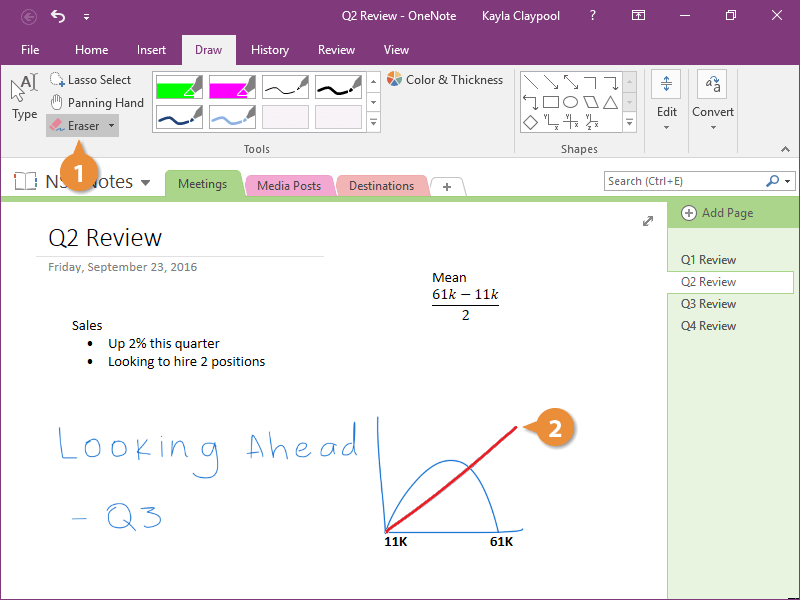
- Click the Eraser button.
The default eraser deletes entire pen strokes.
- Click a written object.
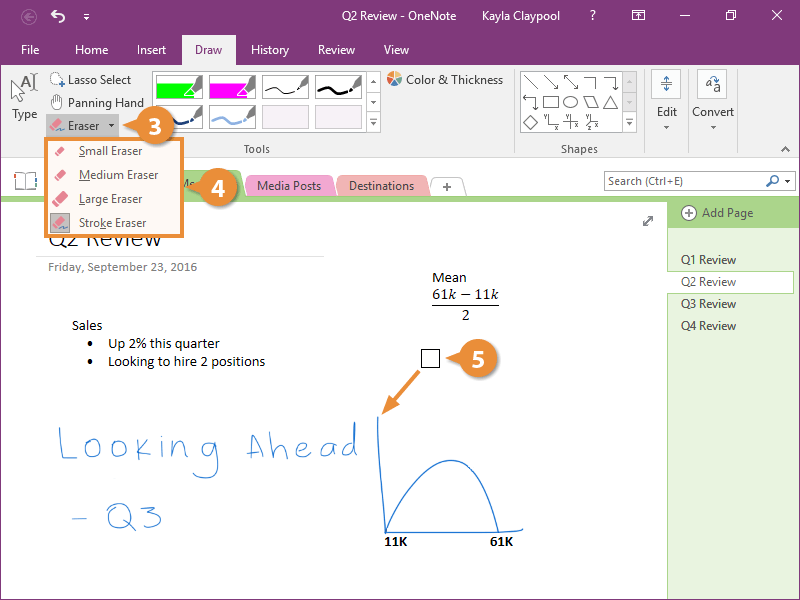
To remove just part of a line, select a different eraser.
- Click the Eraser list arrow.
- Select an eraser.
- Click and drag over an area to remove.
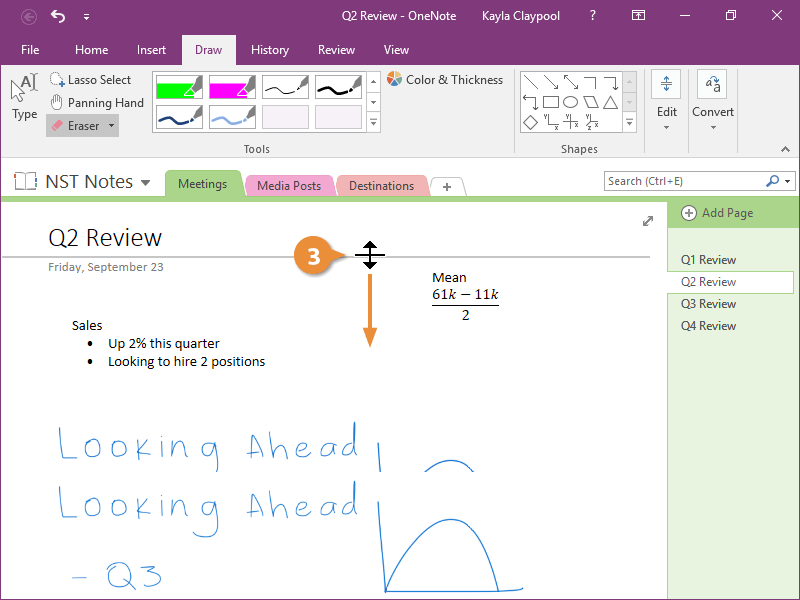
Insert Blank Space
- Expand the Edit group.
- Click Insert Space.
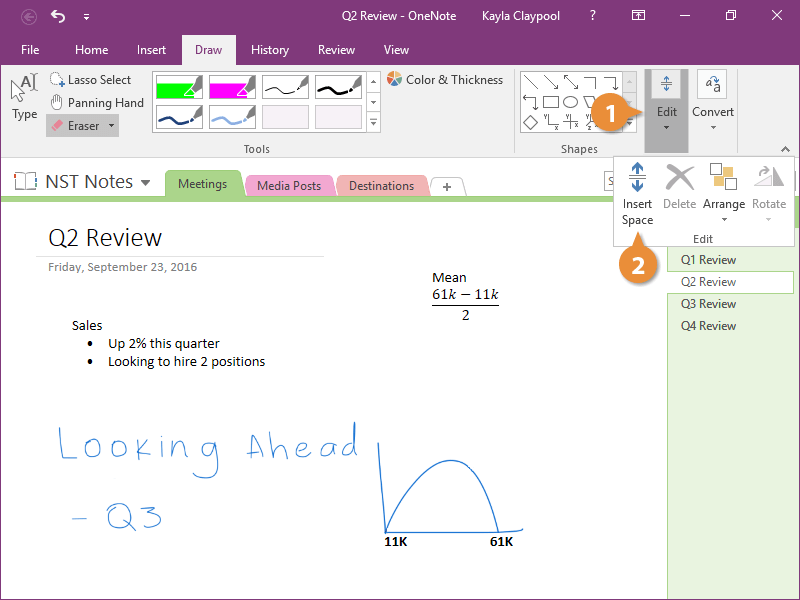
A gray line and arrow appear on the screen.
- Click where you want to add space and drag down or over.
Convert Writing to Text
One last tool that's really useful for working with written text is Ink to Text.
- Click the Type or Lasso Select tool.
- Select the writing you want to convert to type.
- Expand the Convert group.
- Click Ink to Text.
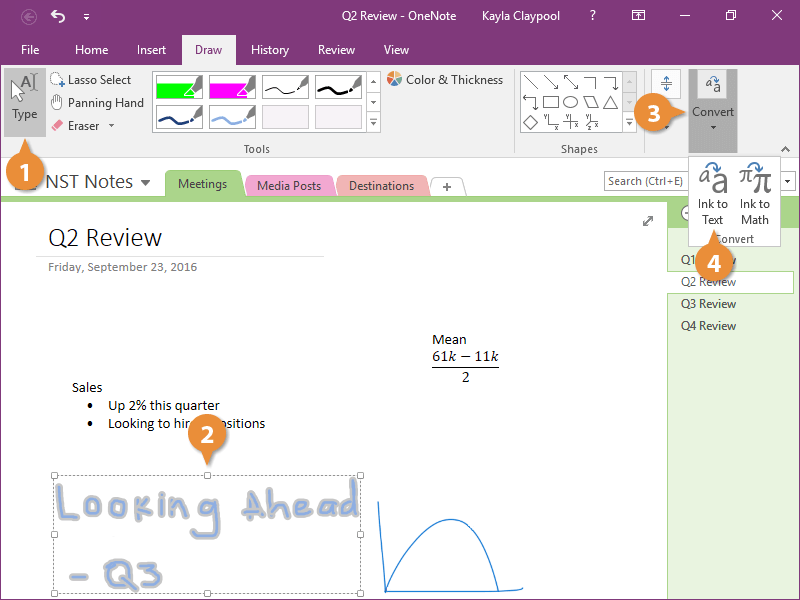
All of the writing is converted to type and even the pen color carries over.