

Google Slides Help
Find Answers and Troubleshooting Tips to Fix Issues in Google Slides
Try this Course with a Free Trial

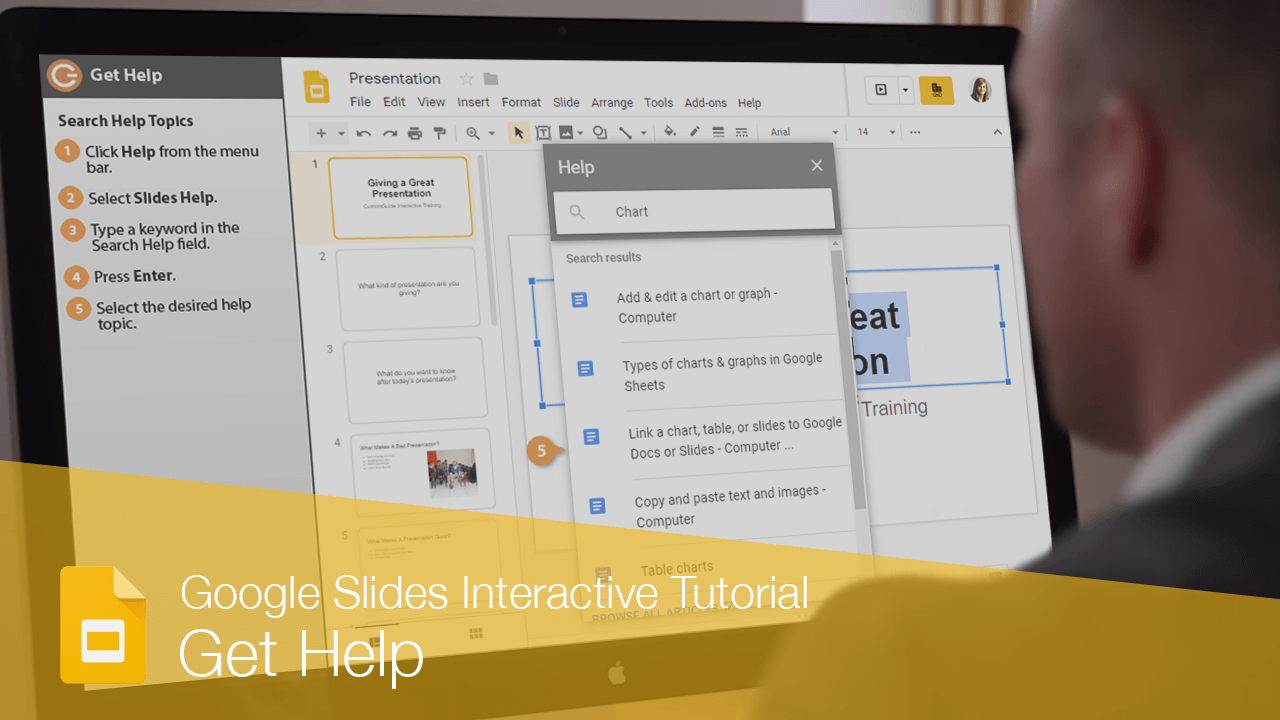
If you don't know how to do something in Google Slides, help is just a few clicks away. Google Slides has a lot of commands—so many that it can sometimes be challenging to remember what they all are. Fortunately, you can easily search for any menu item.
Search for a Command
- Click Help on the menu bar.
- Type what you're looking for in the Search the menus field.
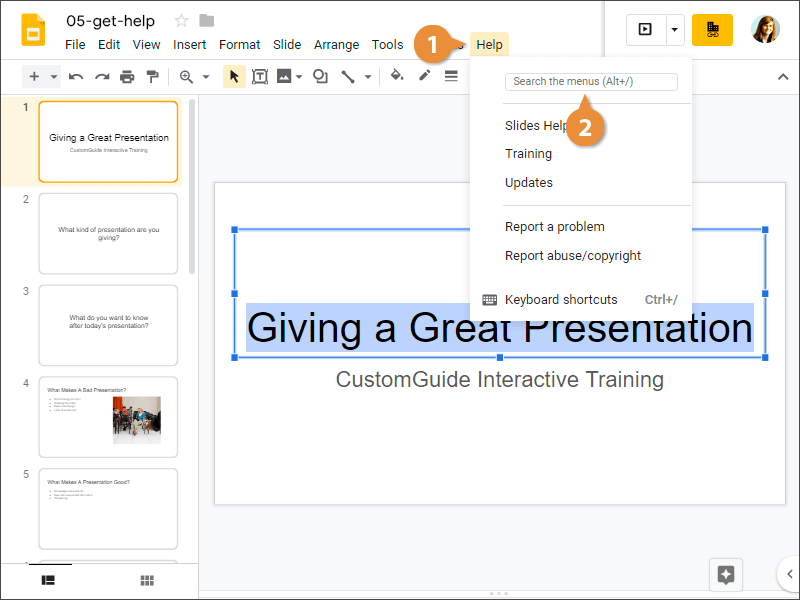
- Click the desired command.
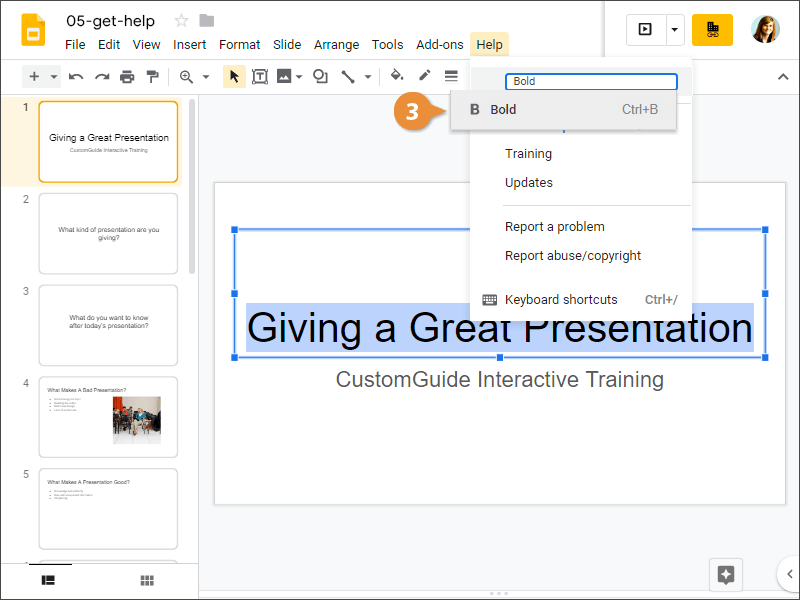
You can click the command you need directly from the results to carry out the command.
Search for Help Topics
You can also use Help to search for basic instructions.
- Click Help on the menu bar.
- Select Slides Help.
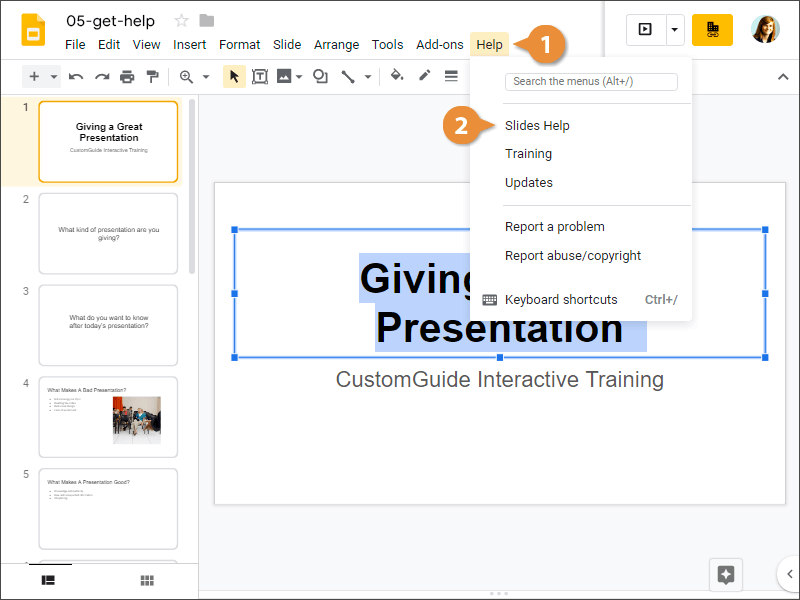
- Type a key word in the Search Help field.
- Press Enter.
- Select the desired help topic.
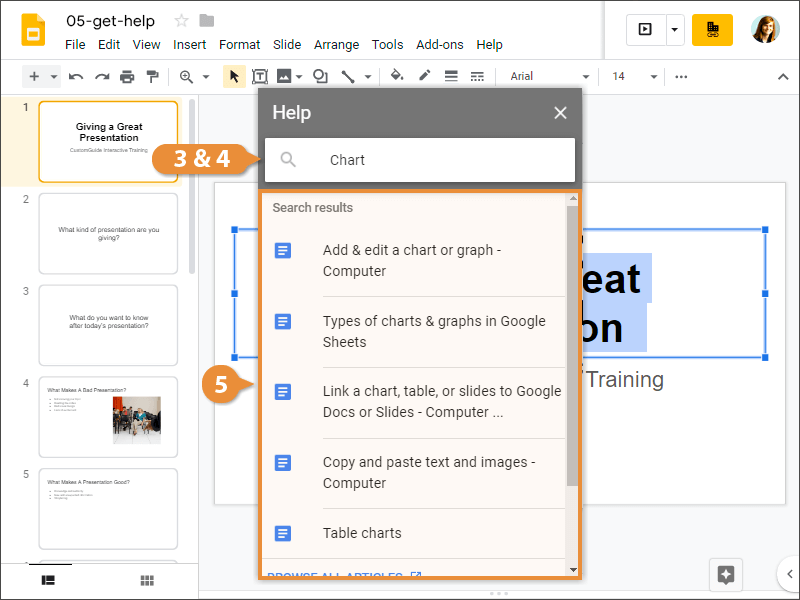
Google displays the help topic.
- Click the desired command.