

Insert Links
Add Hyperlinks in Google Sheets to Connect Cells to Websites, Files, or Other Sheets
Try this Course with a Free Trial
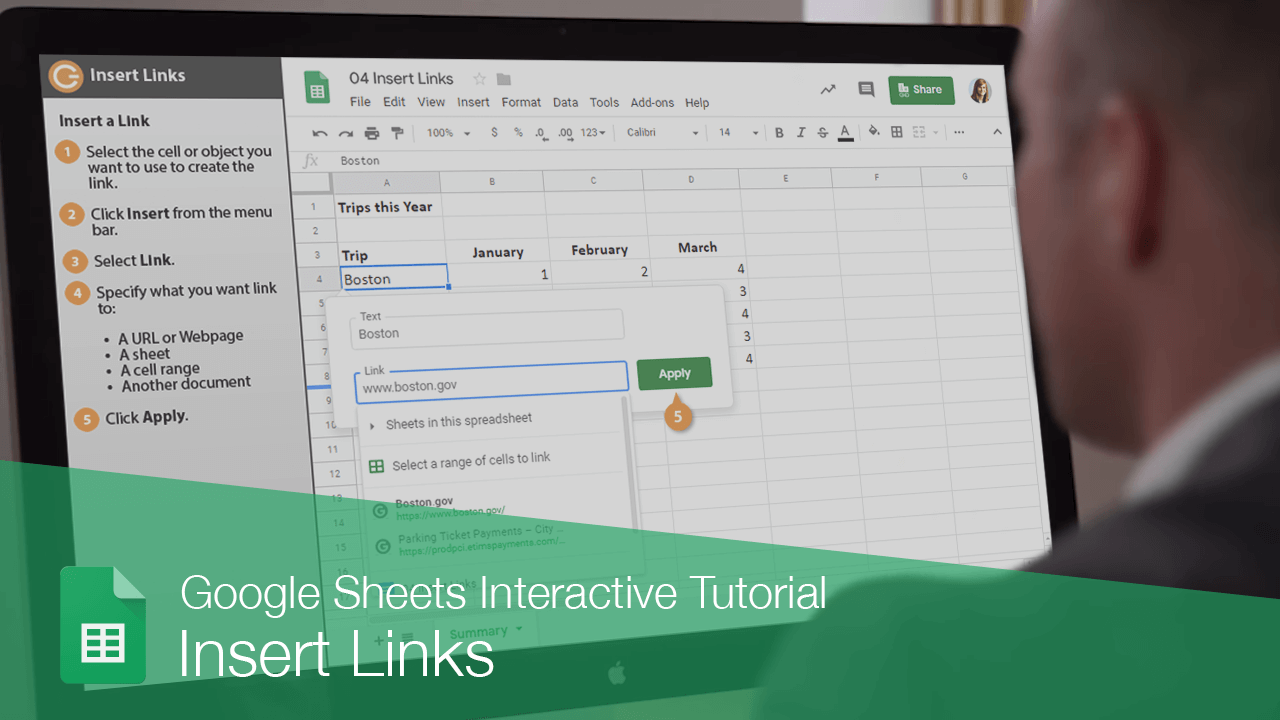
A link in a spreadsheet is just like one you see on the internet. When you link text or graphics, they become clickable and will connect you to outside information.
Insert a Link
- Select the cell or object you want to use to create the link.
- Click Insert on the menu bar.
- Select Link.
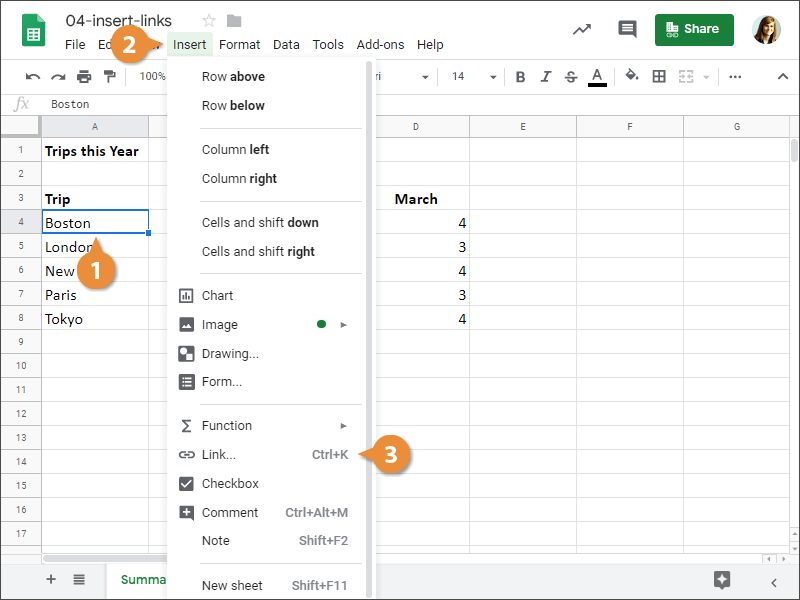
Press Ctrl + K
- Specify what you want to Link to:
- A URL or Webpage
- A sheet
- A cell range
- Another document
- Click Apply.
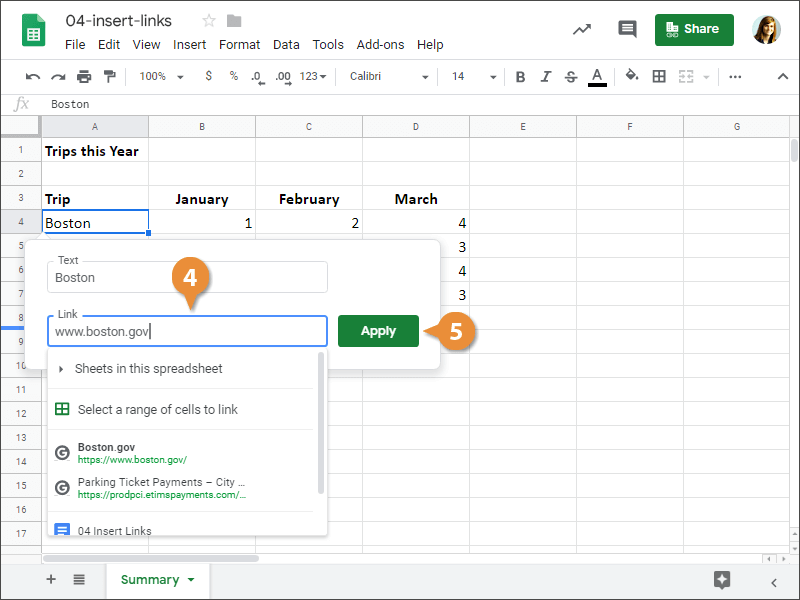
A link is added to the selected cell.
To edit a hyperlink, right-click the link or linked object and select Edit link.
Use a Link
Next, let's see how to open the link.
- Click the cell or object that contains the link.
A small label appears with the link destination.
- Click the link that appears.
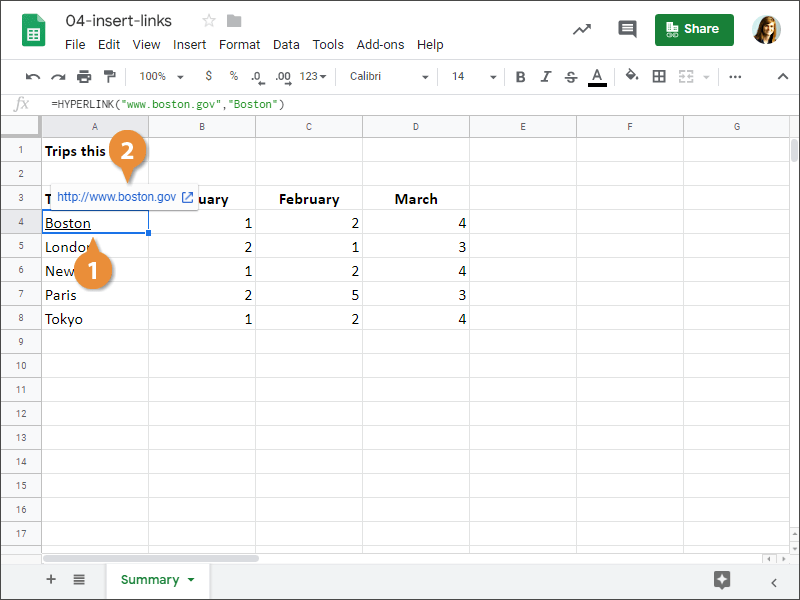
A new tab appears in your browser and displays the website that the link points to.
Remove a Link
You can remove a link if you no longer need it.
- Right-click the cell or object that contains the link.
- Select Unlink from the menu.
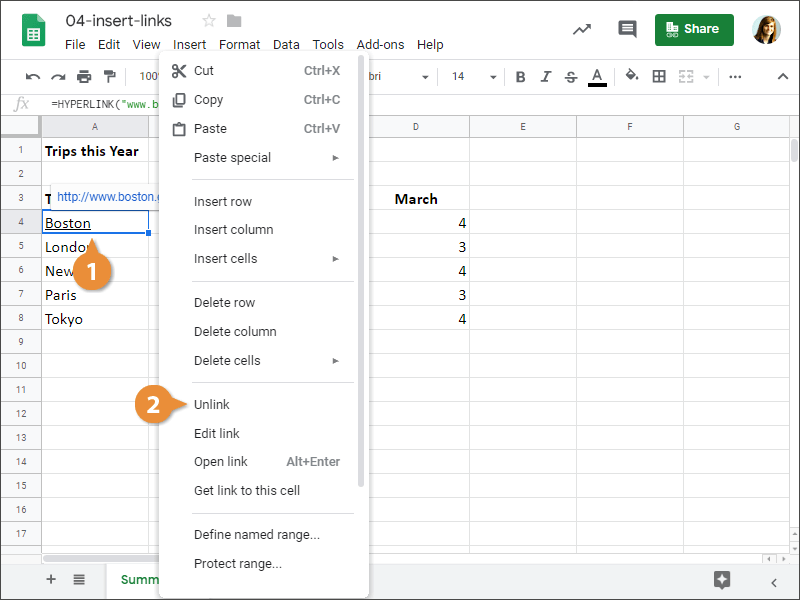
The link is removed from the selected cell or object.