

How to Sort in Google Sheets
Organize Your Data Efficiently by Sorting Columns and Rows in Google Sheets
Try this Course with a Free Trial

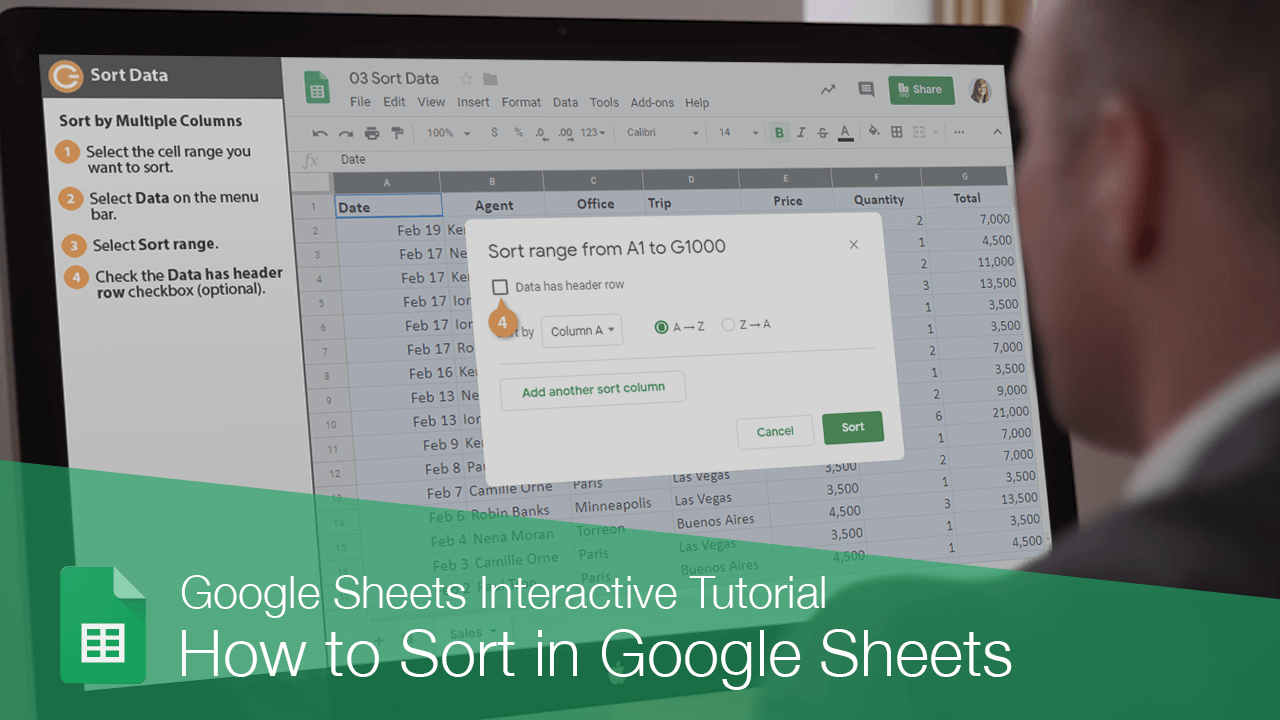
When you sort the data in your sheets, it's easier to quickly find what you're looking for.
Sort by One Column
Let's first check out how to sort by a single column.
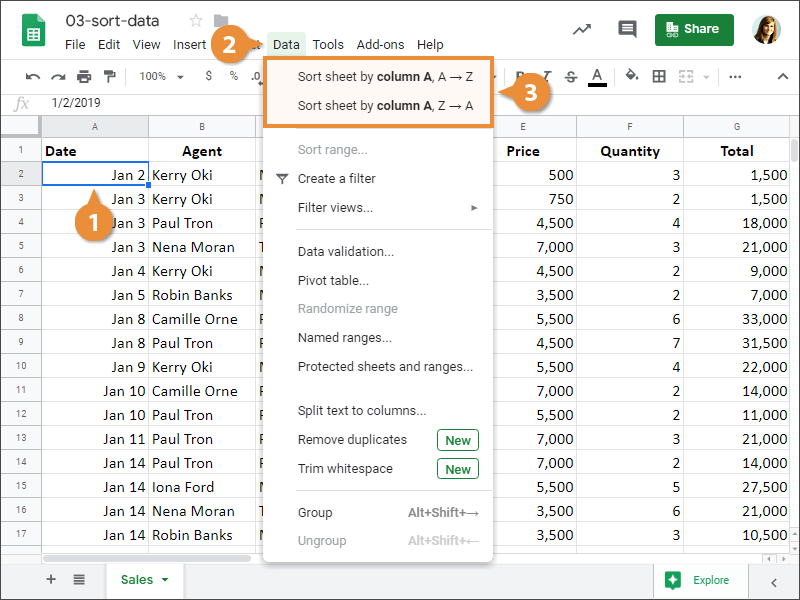
- Select a cell in the column you want to sort.
- Select Data on the menu bar.
- Select a sort order.
- Sort A to Z: Sorts the column in ascending order.
- Sort Z to A: Sorts the column in descending order.
The column's data is sorted.
Sort by Multiple Columns
You can also sort data within multiple columns.
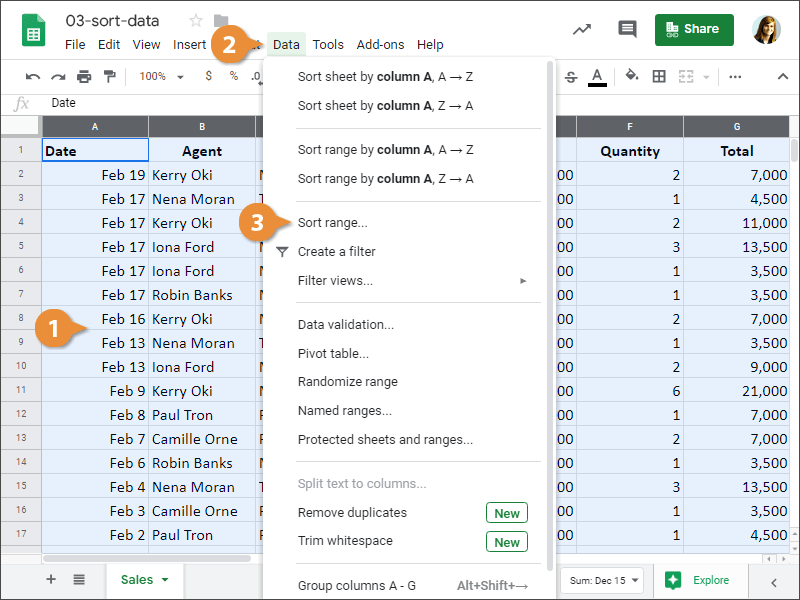
- Select the cell range you want to sort.
- Select Data on the menu bar.
- Select Sort range.
- (Optional) Check the Data has header row check box.
- Select the first column you want to sort by and select a sort order.
- Click Add another sort column to sort by additional columns.
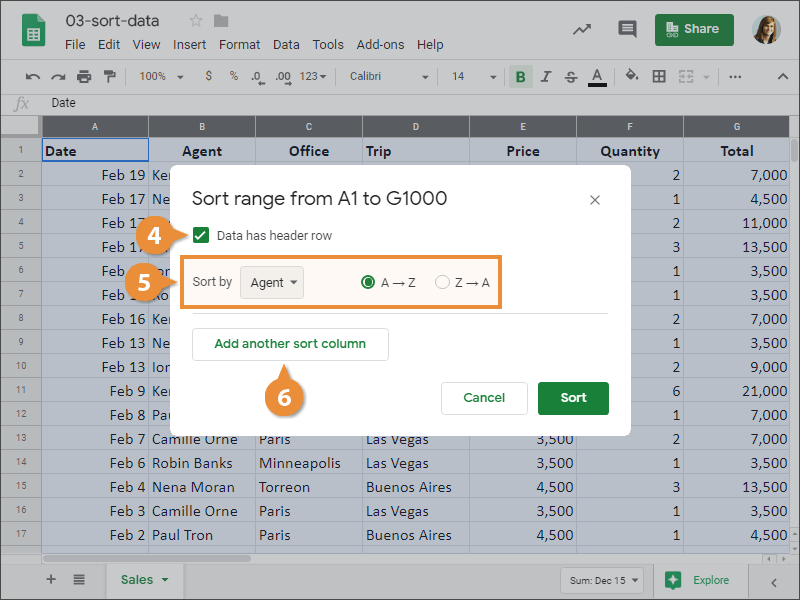
- Click Sort.
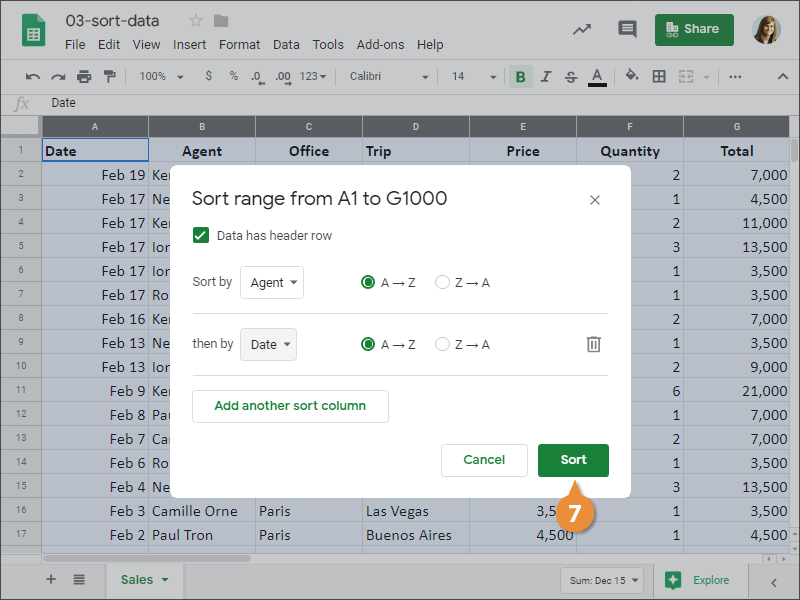
The Sort range dialog box opens. Here, we have to specify which column we want to sort the range by.
The data is sorted within the selected columns.