How to Find and Replace in Google Sheets
Quickly Locate and Update Data Using Find and Replace in Google Sheets
Try this Course with a Free Trial
Sometimes you'll have a word or number you need to find somewhere in your spreadsheet, but you're not sure where it is. Luckily, you can search a spreadsheet using the Find feature.
Find Text
The Find feature makes it very easy to find specific words and values in a spreadsheet.
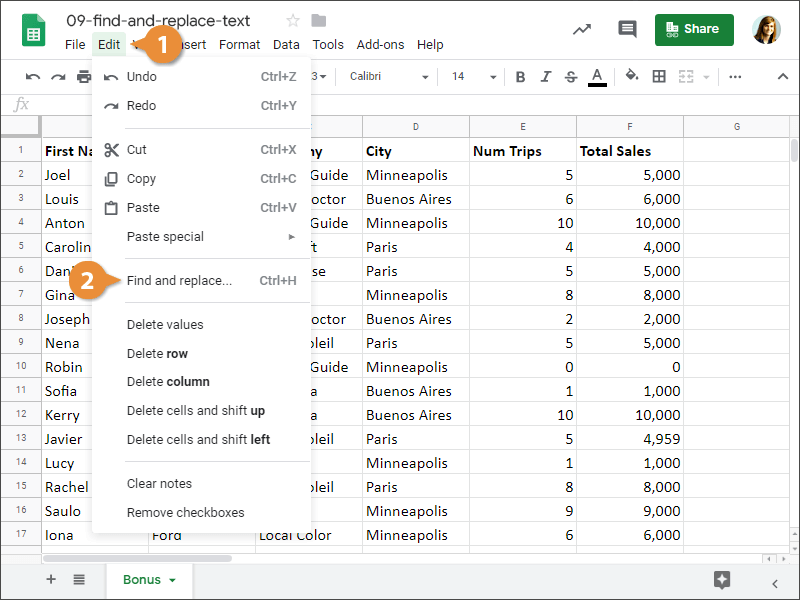
- Click Edit on the menu bar.
- Select Find and Replace.
Press Ctrl + F.
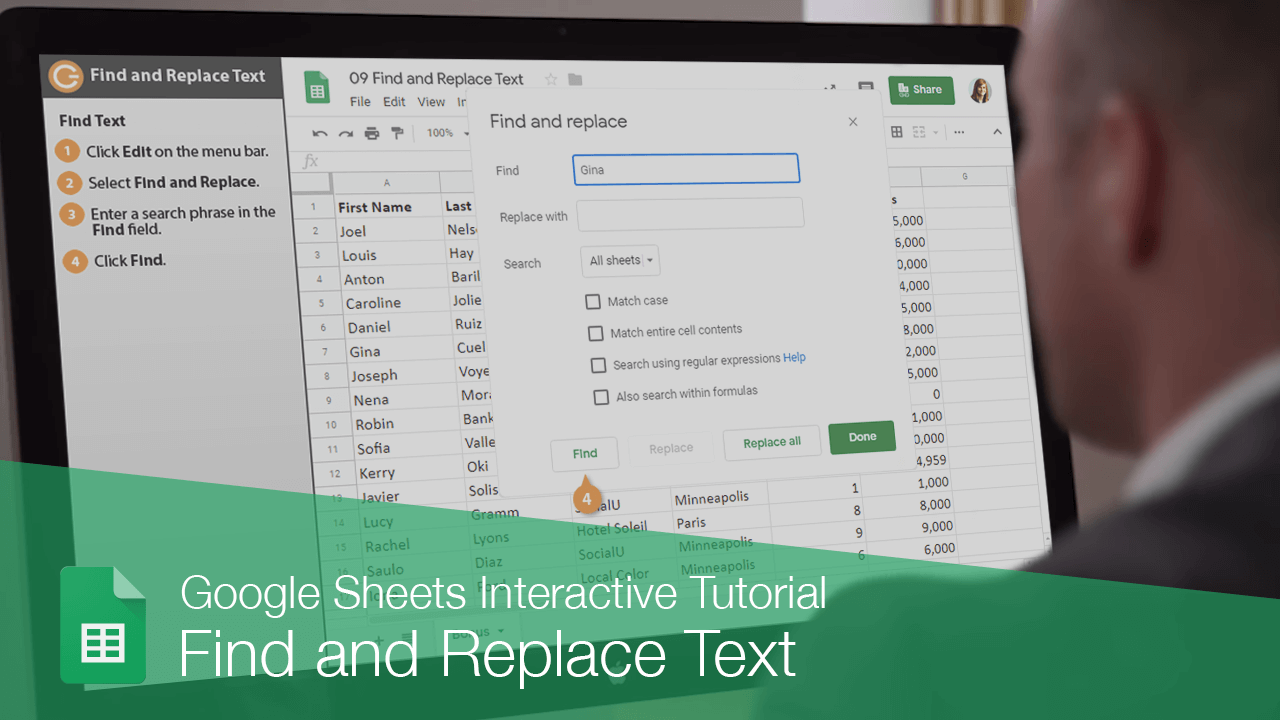
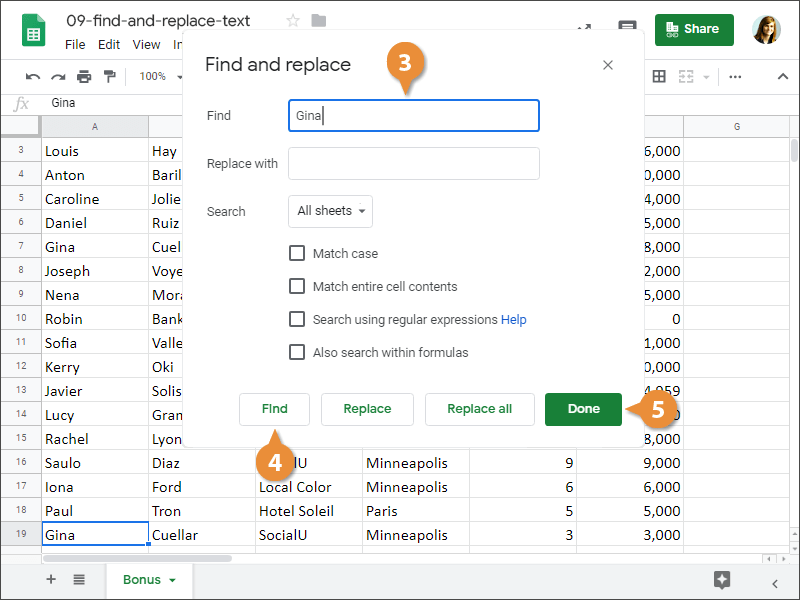
- Enter a search phrase in the Find field.
- Click Find.
The first instance of the search phrase is selected.
Click Find again to highlight the next instance and continue moving through the spreadsheet.
- Click Done when you're finished.
Find and Replace Text
If you have a word that appears throughout a spreadsheet that needs to be replaced, you don't have to go cell-by-cell updating it.
- Click Edit on the menu bar.
- Select Find and Replace.
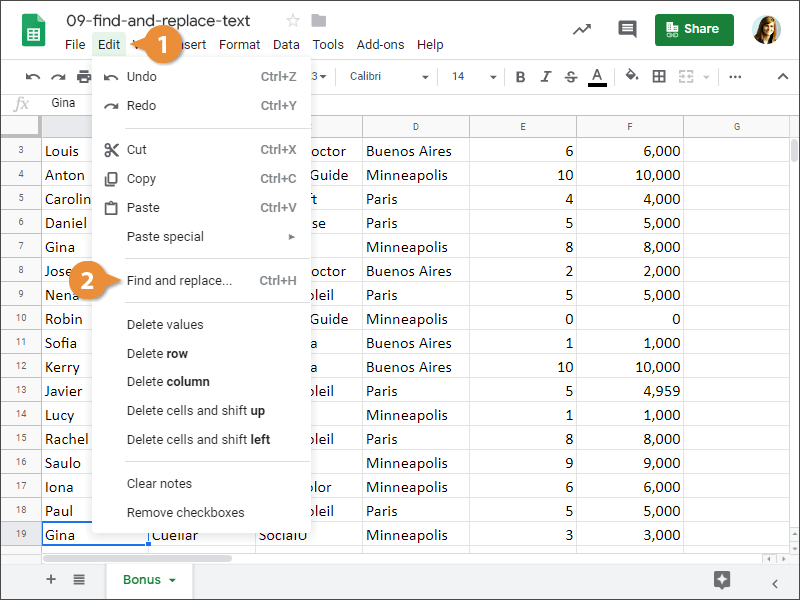
Press Ctrl + H.
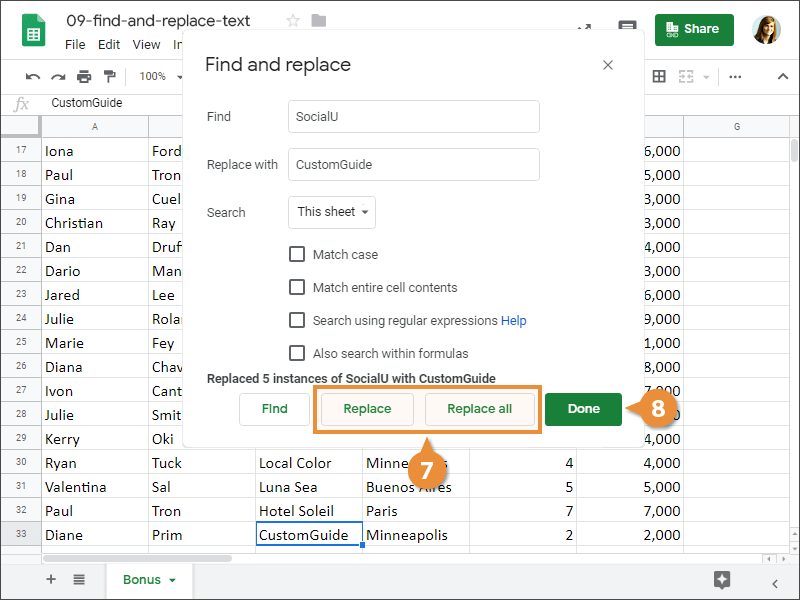
- Enter a search phrase in the Find field.
- Enter a replacement phrase in the Replace with field.
- (Optional) Customize search settings.
Here, you can choose which sheets to search in your spreadsheet.
Other options include matching the case of a search, or matching the entire contents of a cell.
- Click Find.
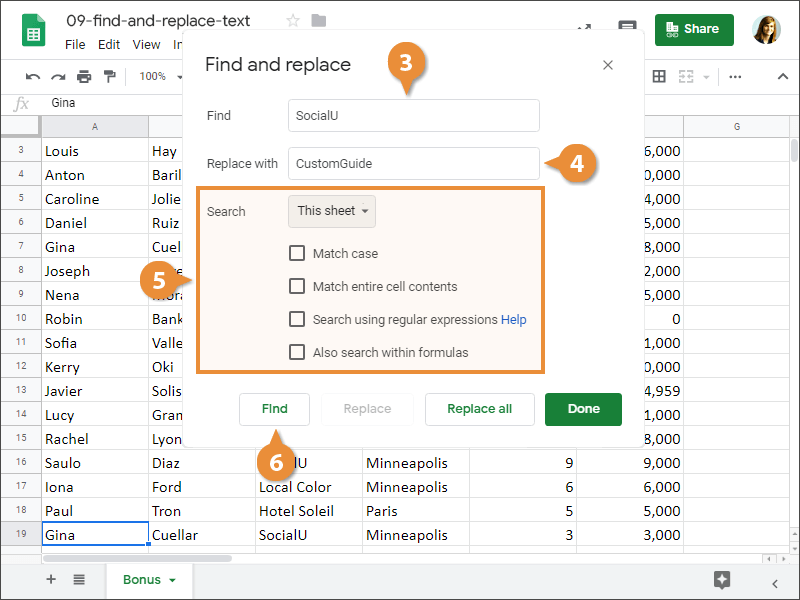
- Click Replace or Replace all.
- Click Done.