
Download Google Sheets
Save and Export Your Google Sheets as Excel, PDF, or CSV Files for Offline Use
Try this Course with a Free Trial
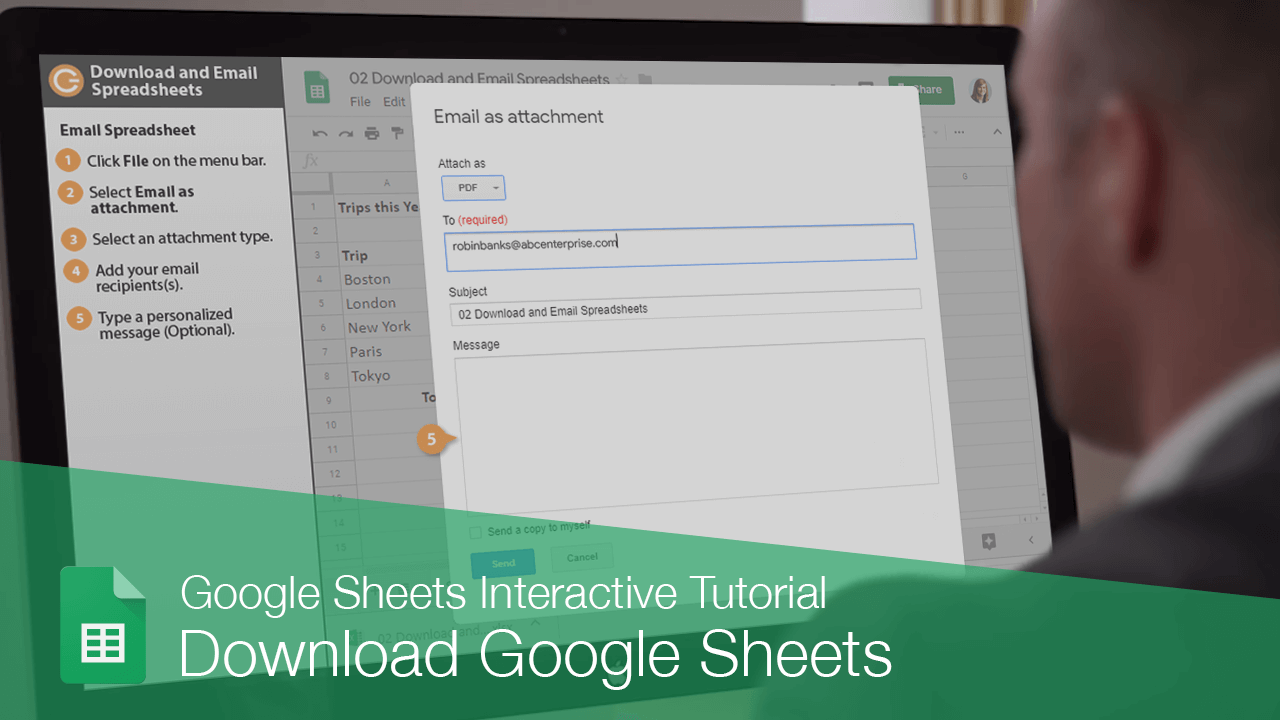
You can distribute your spreadsheets by either downloading a copy, or by sending them via email.
Download a Spreadsheet
When you download a spreadsheet to your computer, it's available offline in a format you can edit in another program.
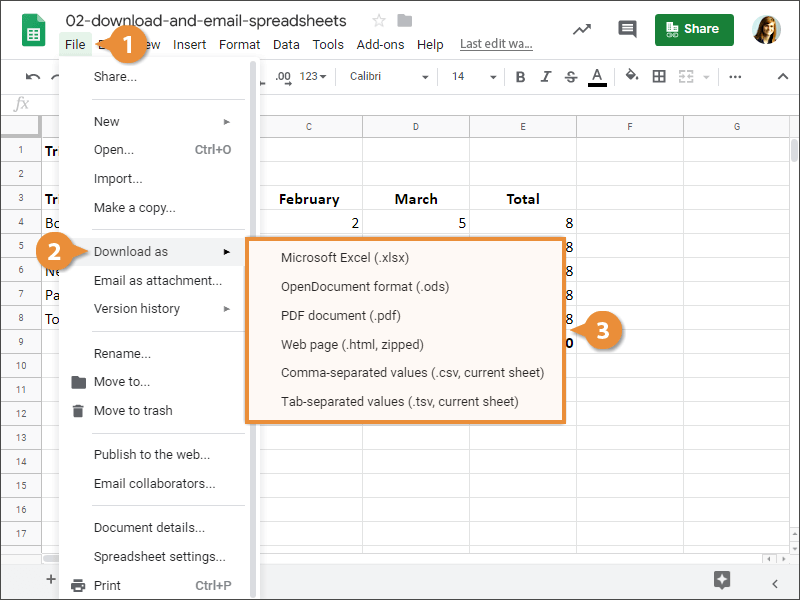
The spreadsheet is converted and saved to your Downloads folder.
Email Spreadsheet
If instead you want to send a copy of the spreadsheet directly to someone, you can email it.
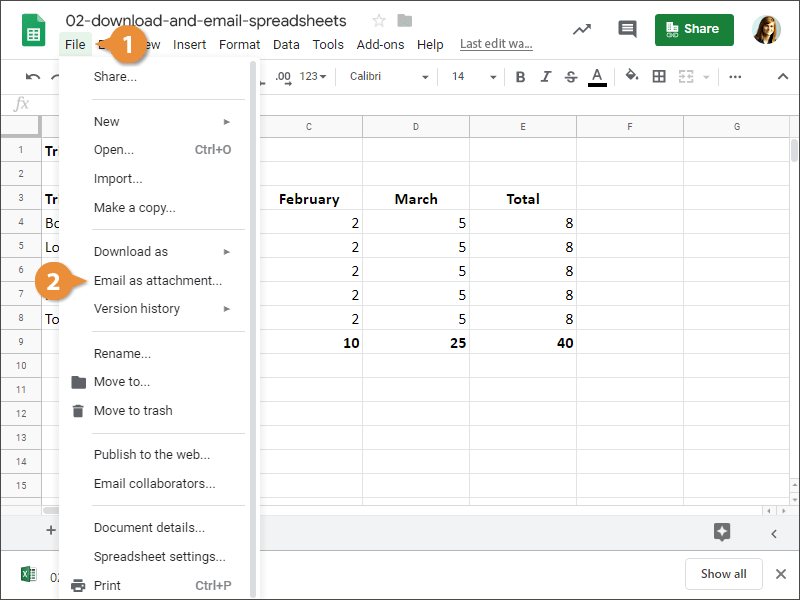
- Click File on the menu bar.
- Select Email as attachment.
- Select an attachment type.
- Add your email recipient(s).
- (Optional) Type a personalized message.
- Click Send.
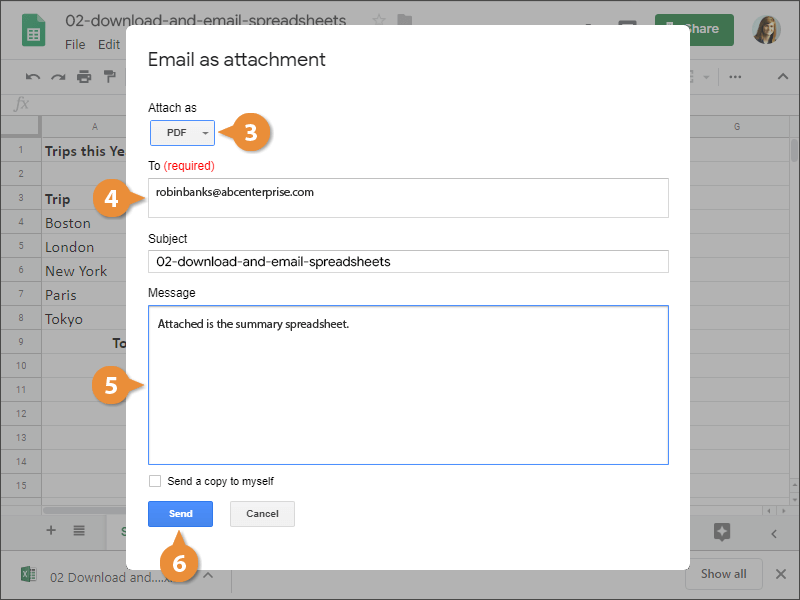
The spreadsheet is sent as an email attachment.