
How to Delete Cells in Google Sheets
Remove Unwanted Cells and Clean Up Your Spreadsheets in Google Sheets
Try this Course with a Free Trial
If you later decide you no longer need a group of cells, columns, or rows, you can delete them. Deleting a cell differs from clearing a cell's content, as a "hole" is created by the deleted cell(s) and adjacent cells will move to fill that hole.
Delete Cells
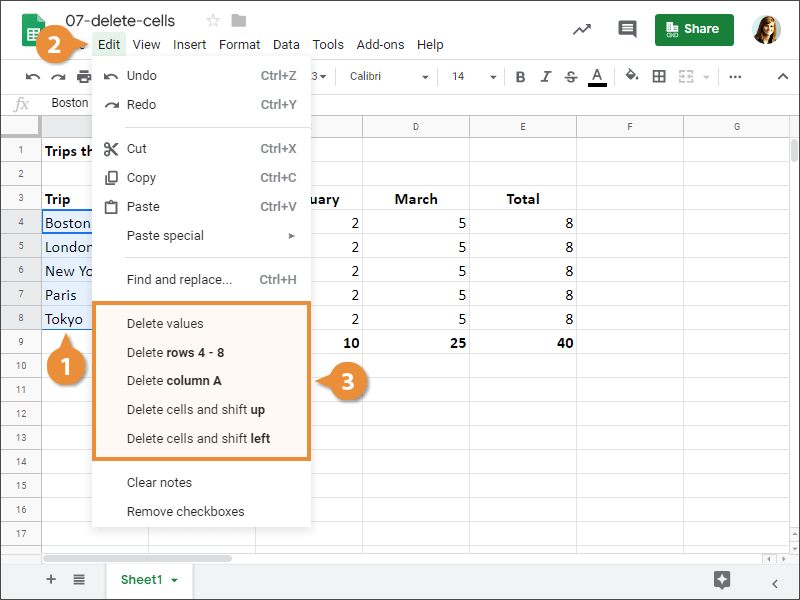
- Select the cell or cell range you want to delete.
- Click Edit on the menu bar.
- Select a delete option.
- Delete values: Deletes the values(s) from a cell or cell range.
- Delete row: Deletes the selected row(s).
- Delete column: Deletes the selected column(s).
- Delete cells and shift up: Deletes the selected cells and shifts the cells below it up.
- Delete cells and shift left: Deletes the selected cells and shifts the cells to the right of it to the left.
The cell(s) are deleted.
You can also delete cells by right-clicking the selected cell(s) and selecting Delete from the contextual menu.
Delete Rows and Columns
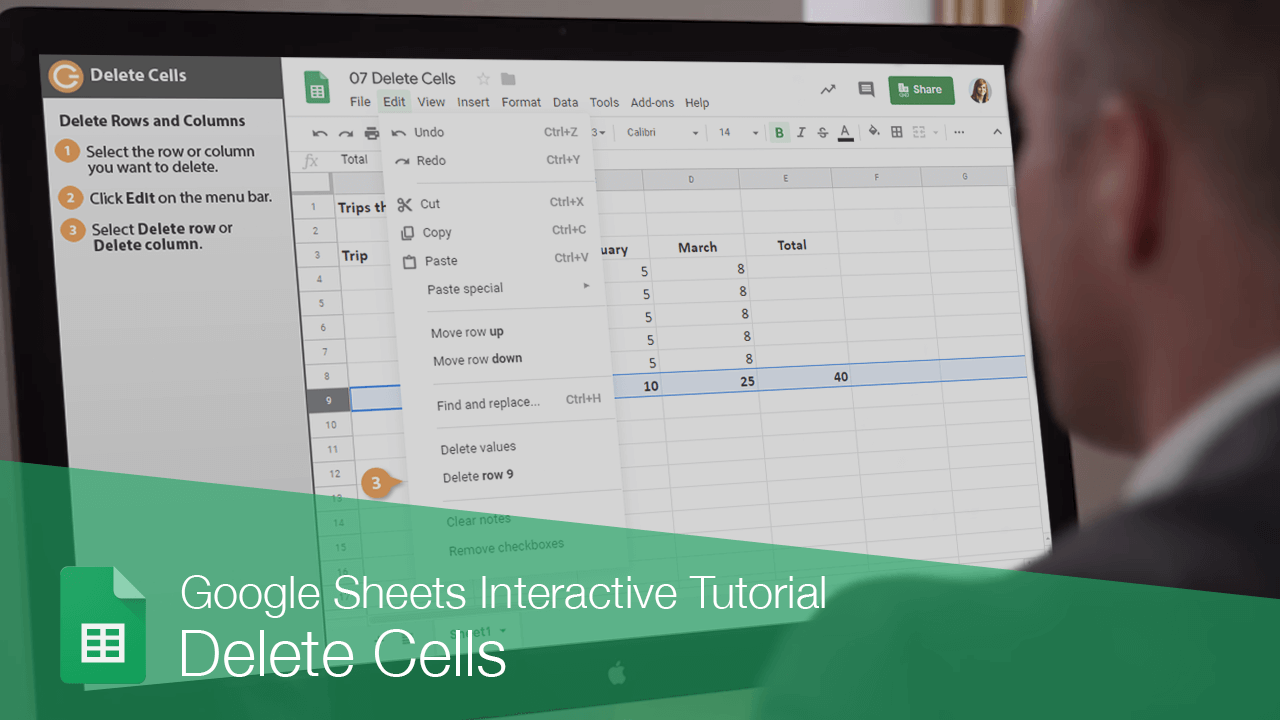
- Select the row or column you want to delete.
- Click Edit on the menu bar.
- Select Delete row or Delete column.
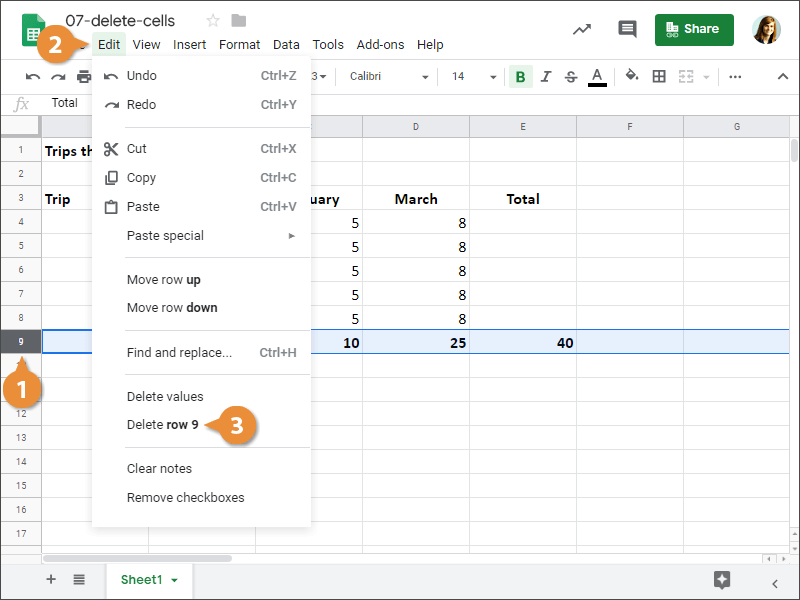
The rows or columns are deleted. Remaining rows are shifted up, while remaining columns are shifted to the left.