
Communicate with Others
How to Communicate and Collaborate with Teachers and Classmates in Google Classroom
Try this Course with a Free Trial
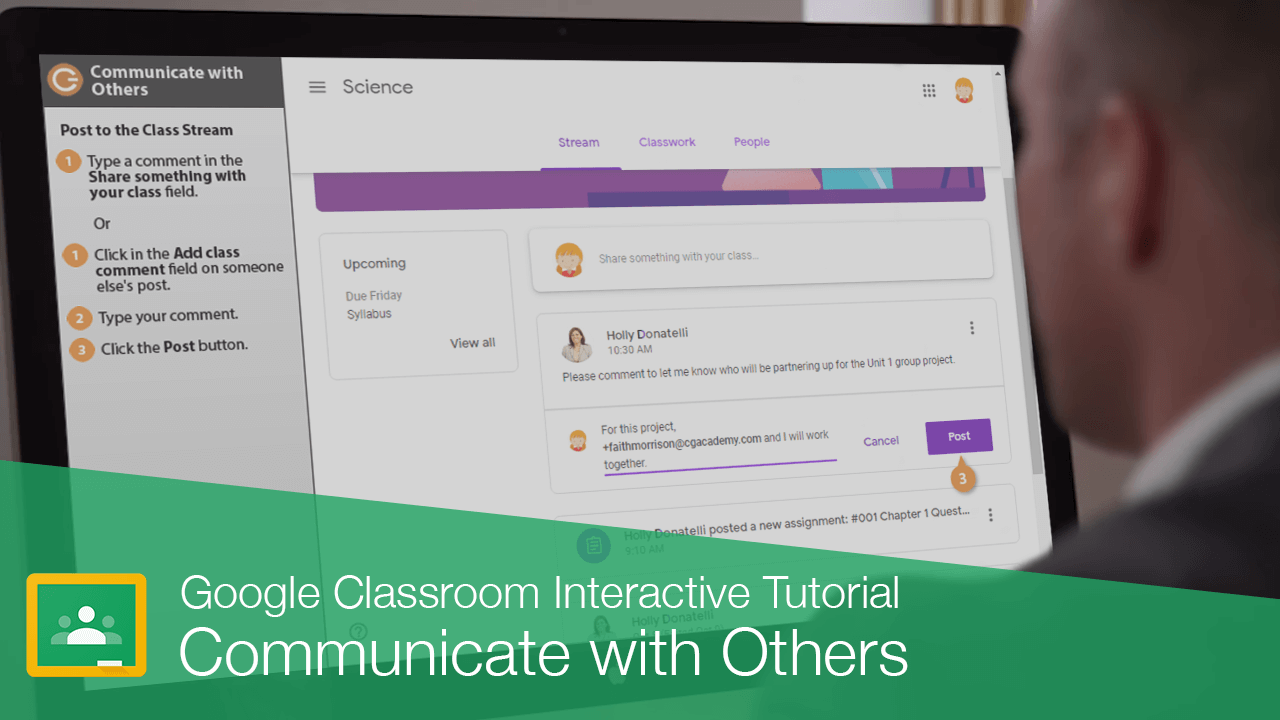
There are a few different ways to connect with your teacher and other students in the class.
Post to the Class Stream
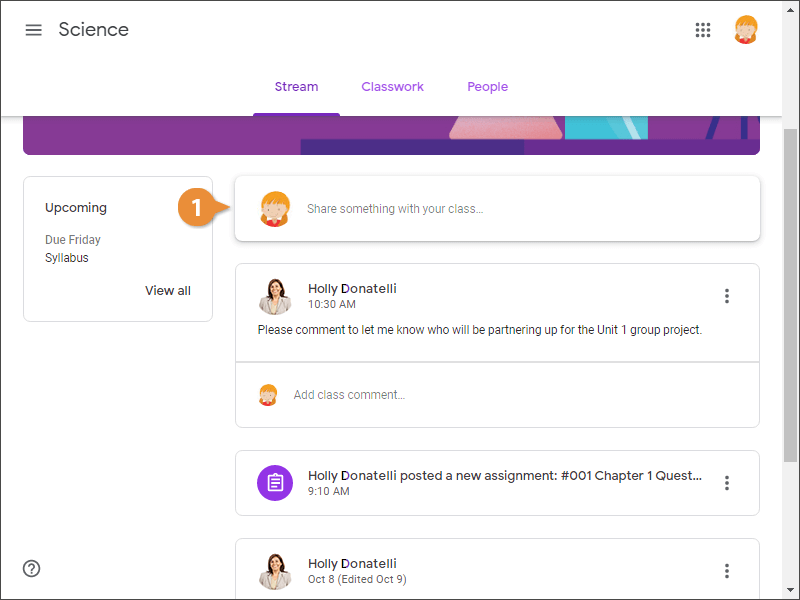
If your teacher has allowed students to post to the Stream, you can either use the Share something with your class field to type a comment, or reply to posts by others.
Or...
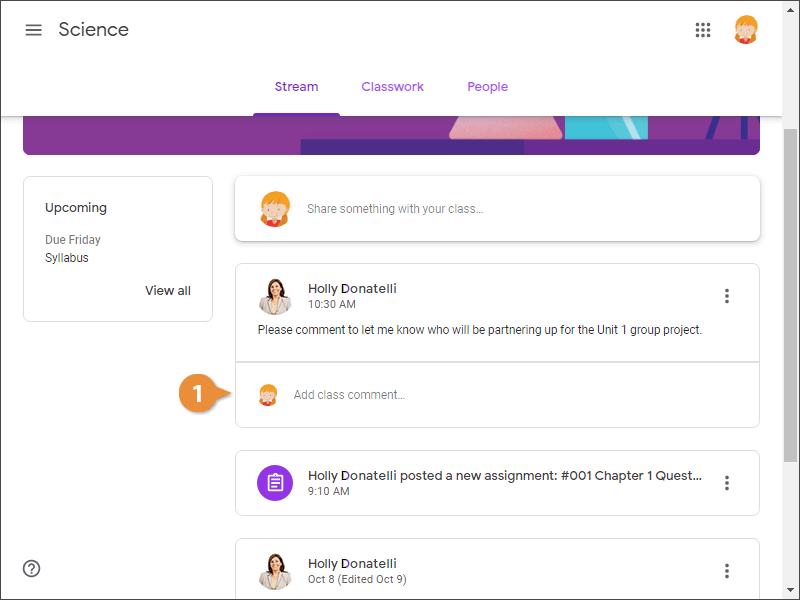
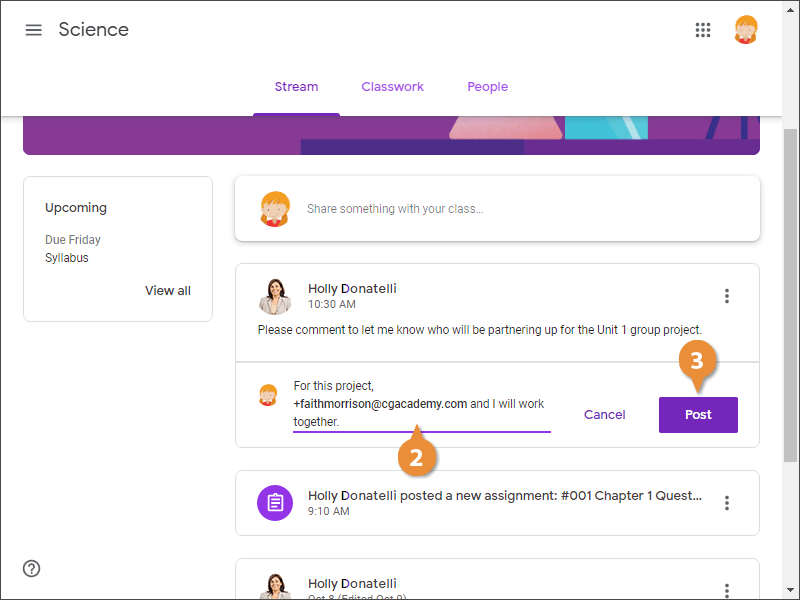
Your comment is added and the other student is tagged in the post.
Email Teachers or Classmates
You can also communicate with the teacher or other students privately by sending an email.
- Click the People tab.
- Click the Email button for the person you want to send a message to.
- Type the email subject and message.
- Click Send.
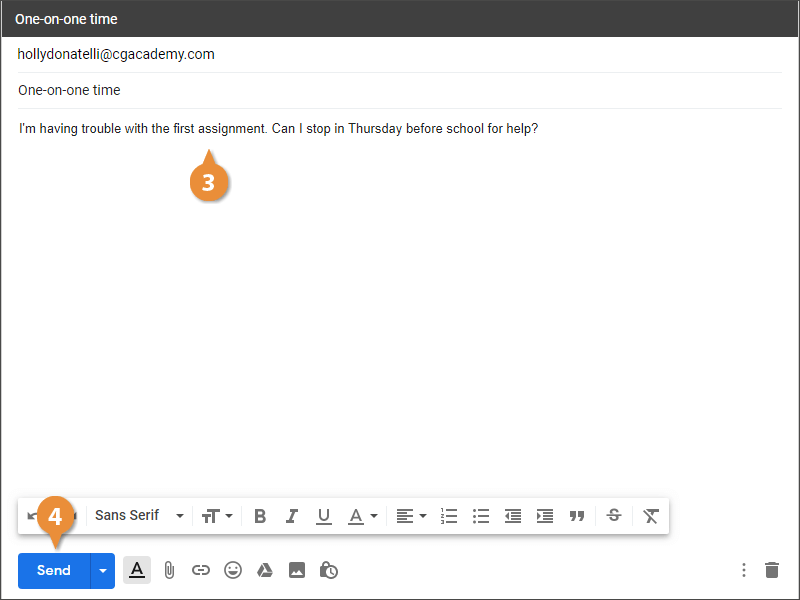
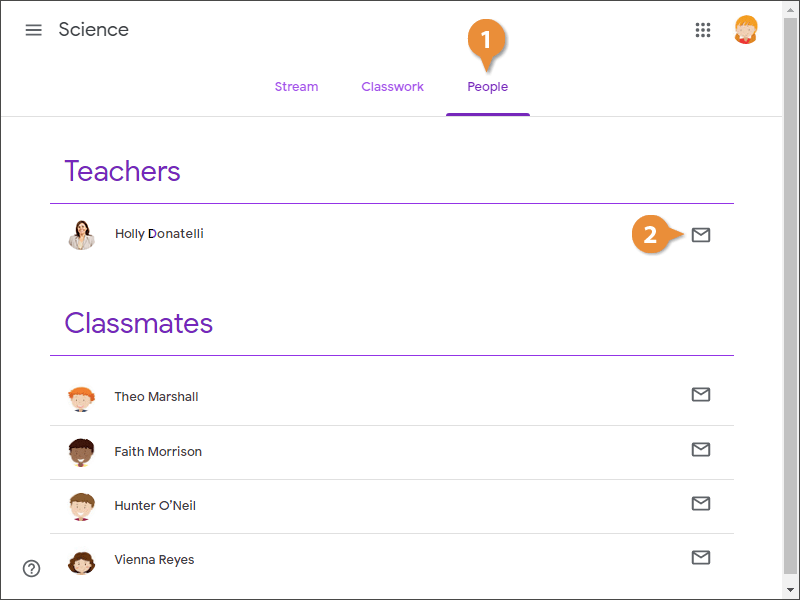
A new browser tab opens and the email is already addressed to the teacher. Just fill in the email subject.
The message is sent to the teacher and you return to Google Classroom.