How to Print Your Google Calendar

Learn How to Print Google Calendar Events and Schedules for Easy Viewing, Sharing, and Planning

  • Get Certified · CPD Accredited
  • Learn by Doing
  • 4.9 2708 students
How to Print Your Google Calendar

If you need a physical copy of your calendar, you can print either the whole calendar grid or just individual events.
Print

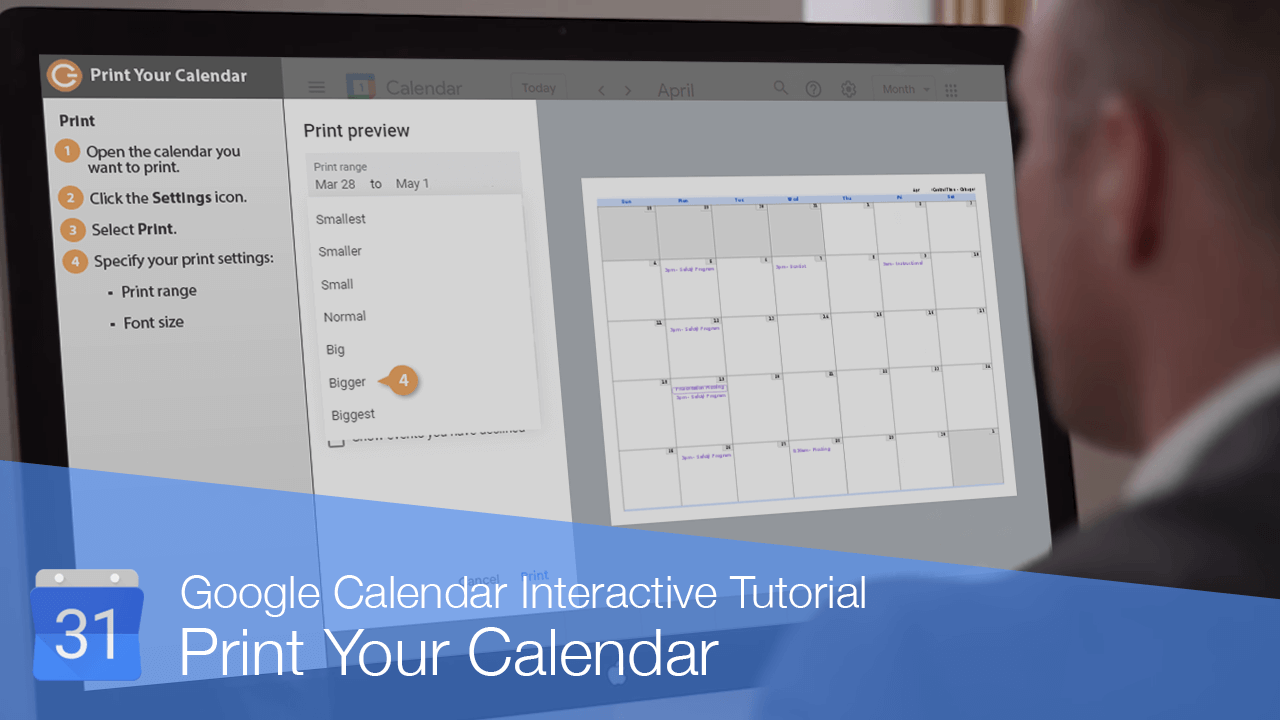
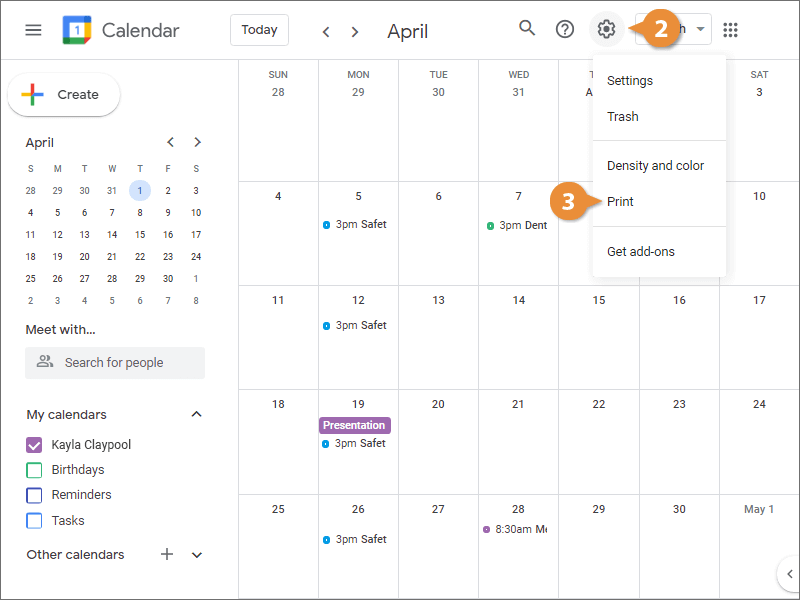
  1. Open the calendar you want to print.
  2. Click the Settings icon.
  3. Select Print.
    Print
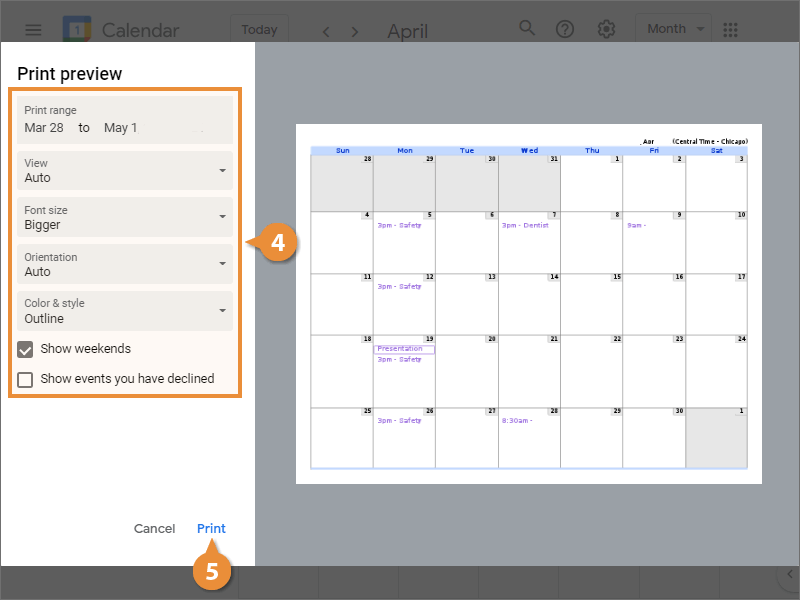
  4. Specify your print settings.
    • Print range
    • Font size
    • Orientation
    • Show events you've declined
  5. Click Print.
    Print
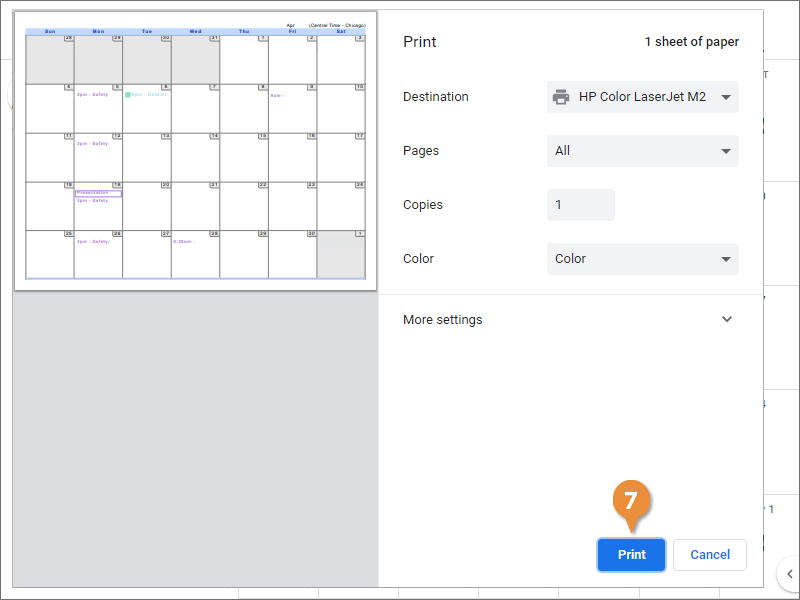
  6. Customize the printer settings.
  7. Click Print.
    Print

Print an Event

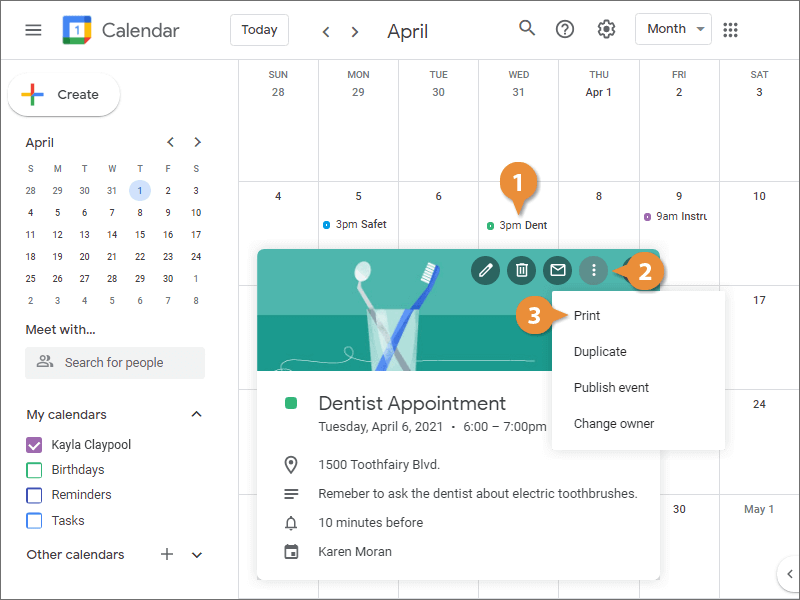
  1. Select an event.
  2. Click the Options button.
  3. Select Print.
    Print an Event
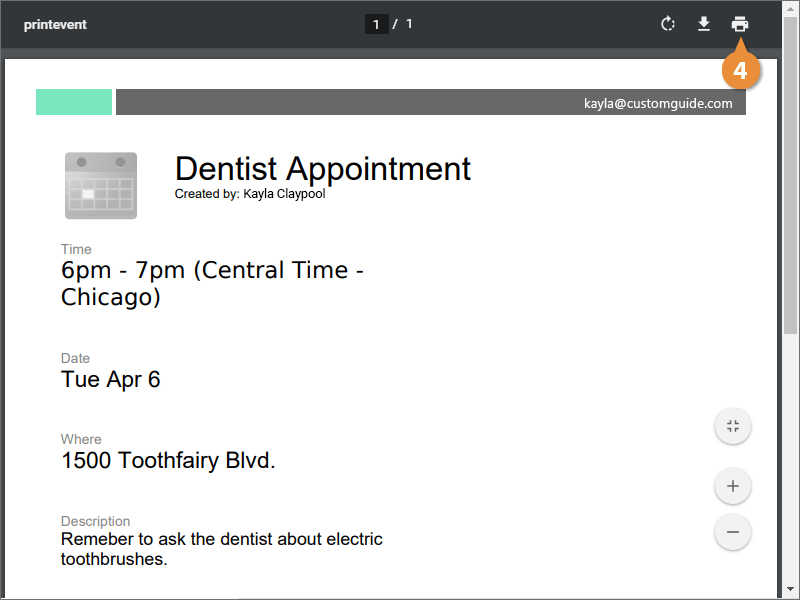
  4. Click the Print button.
    Print an Event
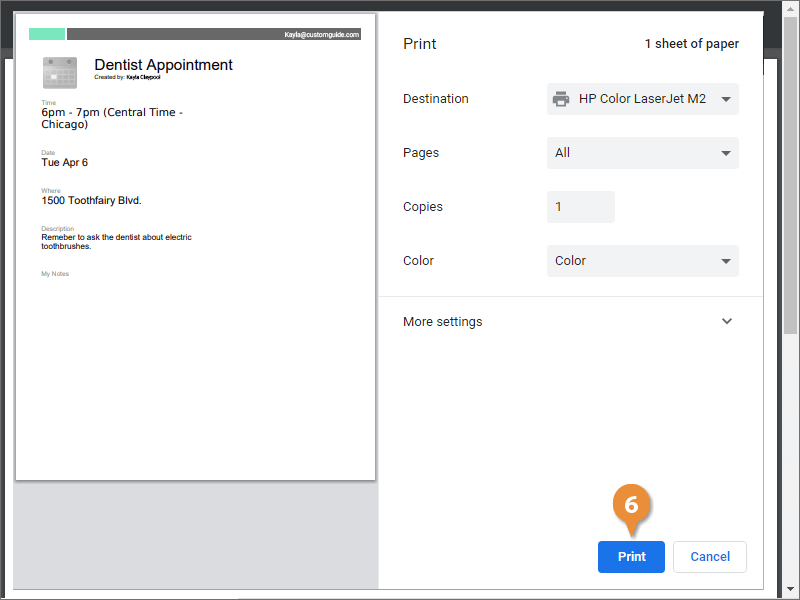
  5. Customize the printer settings.
  6. Click Print.
    Print an Event