

Insert Links into Emails
Learn How to Insert Links into Gmail Emails to Share Websites, Documents, and Resources Easily
Try this Course with a Free Trial

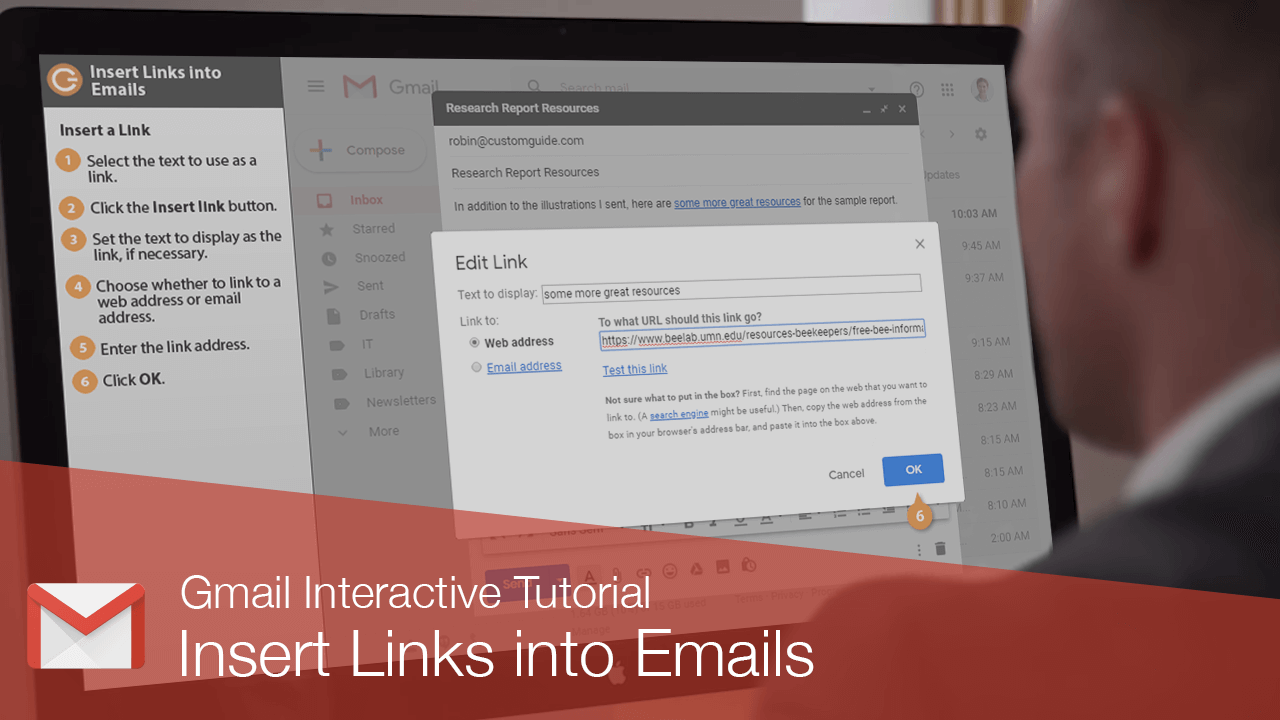
You can insert a links in your email message, directing recipients to a web address.
Insert a Link
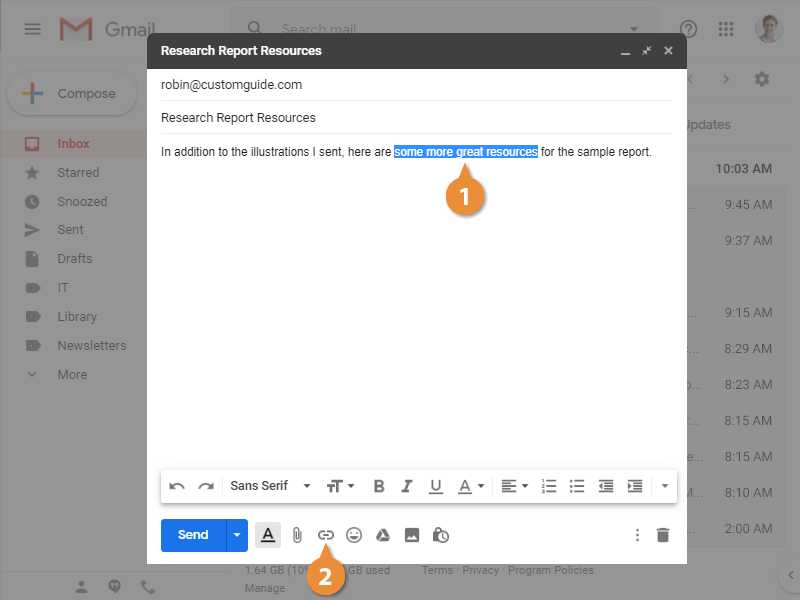
- Select the text to use as a link.
- Click the Insert link button.
The Edit Link dialog box opens, where you can set up the link.
- Set the text to display as the link, if necessary.
The Text to display field starts with the selected text already filled in, which means that text will be the clickable part of the link.
- Choose whether to link to a web address or email address.
- Enter the link address.
- Click OK.
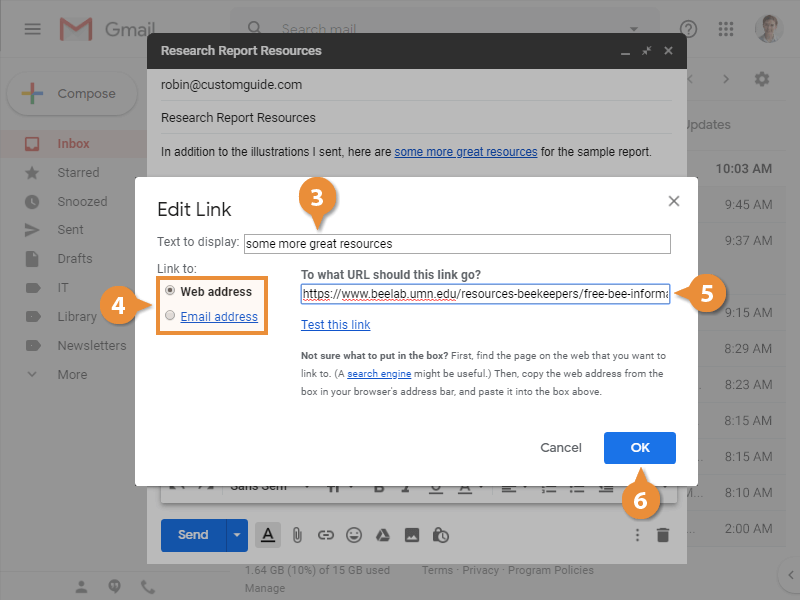
The link is inserted onto the selected text that, when clicked, will open the linked address.