

Change Gmail Settings
Customize Gmail Settings to Manage Your Inbox Layout, Filters, and Email Preferences Efficiently
Try this Course with a Free Trial

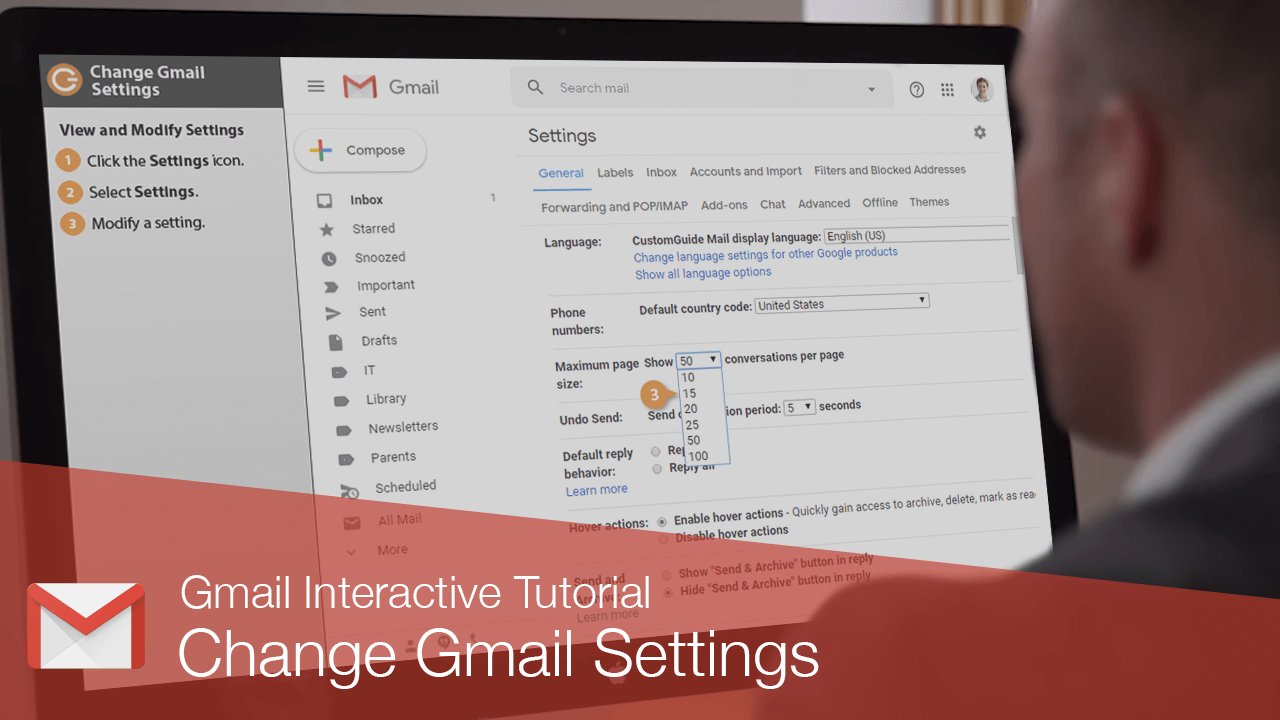
The Gmail settings screen is where you'll find a variety of settings that control how email is sent, received, and appears in your inbox.
View and Modify Settings
- Click the Settings icon.
- Select Settings.
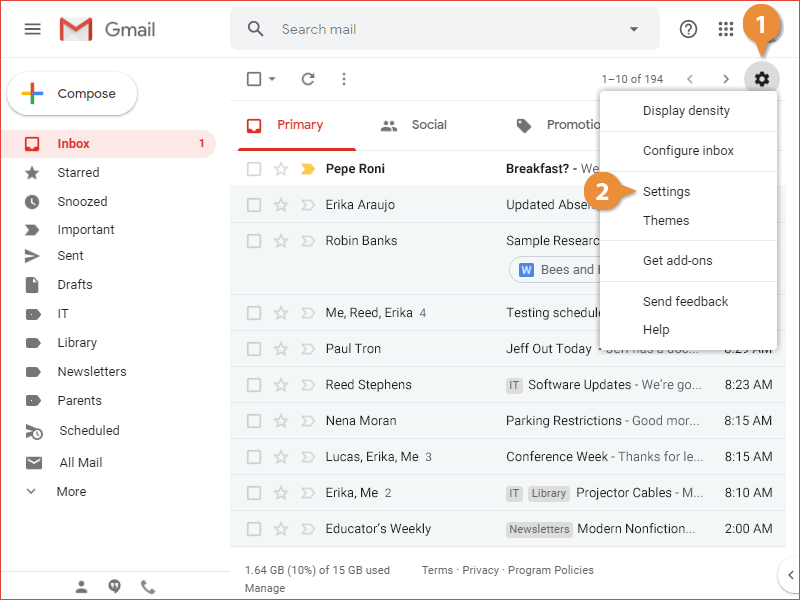
The settings screen opens, with the categories broken up into several tabs at the top.
Settings Categories
| Settings Category | Description |
|---|---|
| General | This section covers a variety of general settings that don’t fit in the other categories. It includes some of the most commonly-changed settings, such as how many emails to display per page, spelling, grammar, and autocorrect settings, your email signature, and vacation autoresponses. |
| Labels | This page lets you manage the labels you’ve created, and control which labels appear in the left pane and in the Labels menu. |
| Inbox | This page lets you change which categories appear at the top of the inbox, as well as whether importance markers are used. |
| Accounts and Import | This settings category is where you can change your account settings, including your password. It's also where you can link another email account to access it from Gmail. |
| Accounts and Import | This category lets you manage all of the filters that you've created and the email addresses that you've blocked. |
| Filters and Blocked Addresses | This page is where you set up email forwarding, as well as configure server settings to use Gmail with other email clients. |
| Forwarding and POP/IMAP | This page is where you set up email forwarding, as well as configure server settings to use Gmail with other email clients. |
| Add-ons | This settings page is where you manage the add-ons you've installed. |
| Chats | This page contains a toggle for enabling or disabling chat. |
| Advanced | This settings page contains a variety of more advanced settings, such as custom keyboard shortcuts and message templates. |
| Offline | These settings let you toggle, and learn more about, offline access to Gmail. |
| Themes | This settings page is another place to change your inbox's theme. |