

Excel Left Function
Use the LEFT Function in Excel to Extract Text or Numbers from the Beginning of a Cell Value
Try this Course with a Free Trial

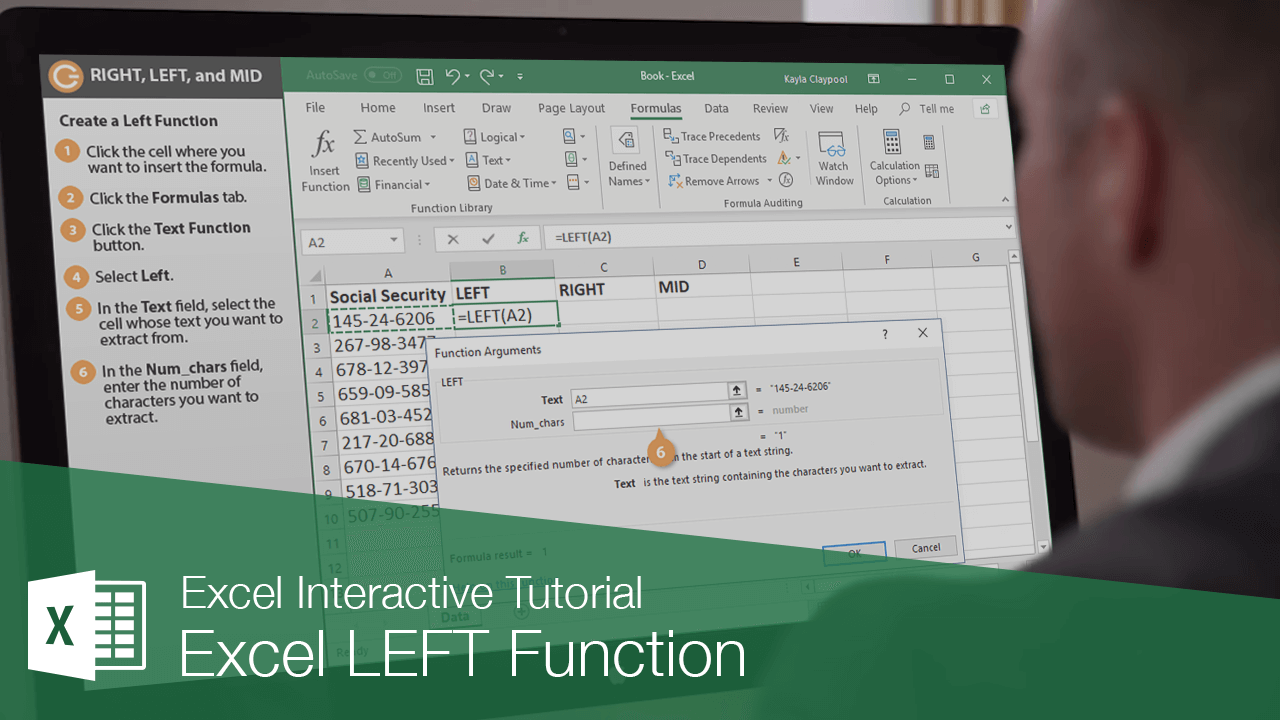
Excel's RIGHT, LEFT, and MID functions are used to extract a specific number of characters from a text string.
The LEFT Function
The LEFT function returns the specified number of characters from the start, or the left, of a text string. The syntax for the LEFT function looks like this: =LEFT(text, [num_chars]).
- Click in the cell where you want to insert the function.
- Click the Formulas tab.
- Click the Text Function button.
- Select LEFT.
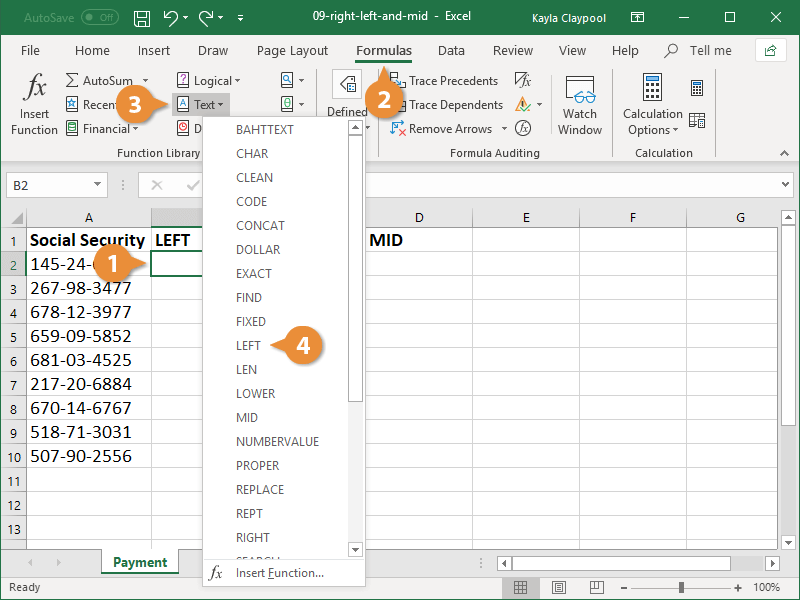
The Function Arguments dialog box opens where you specify the parameters.
- In the Text field, select the cell containing text you want to extract.
- In the Num_chars field,enter the number of characters you want to extract.
- Click OK.
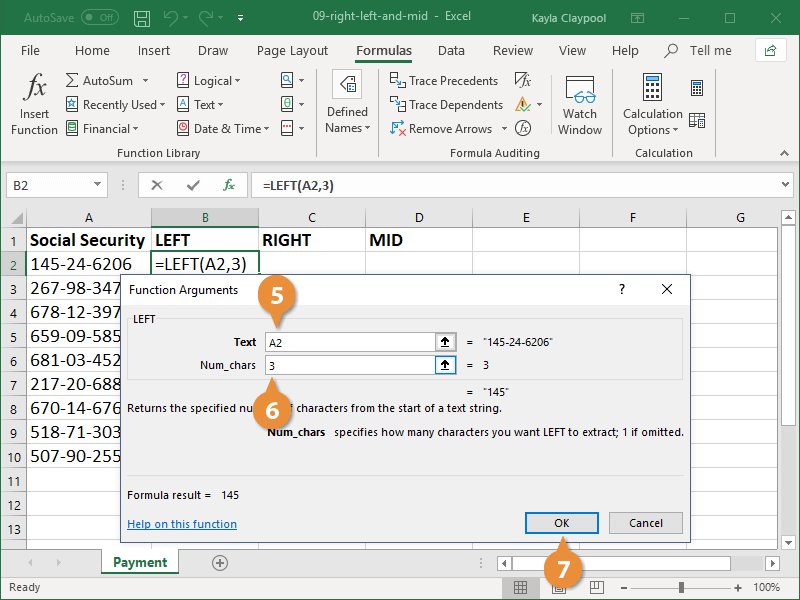
The text is extracted and the specified number of characters from the left of the text string are placed in the current cell.
The RIGHT Function
The RIGHT function returns the specified number of characters from the end, or the right, of a text string. The syntax for the RIGHT function looks like this: =RIGHT(text, [num_chars]).
- Click in the cell where you want to insert the function.
- Click the Formulas tab.
- Click the Text Function button.
- Select RIGHT.
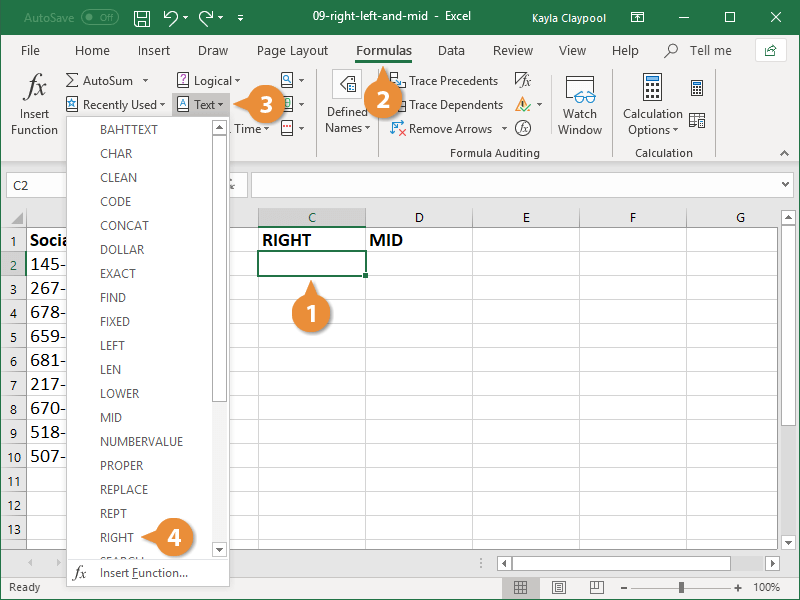
The Function Arguments dialog box opens where you specify the parameters.
- In the Text field, select the cell containing text you want to extract.
- In the Num_chars field,enter the number of characters you want to extract.
- Click OK.
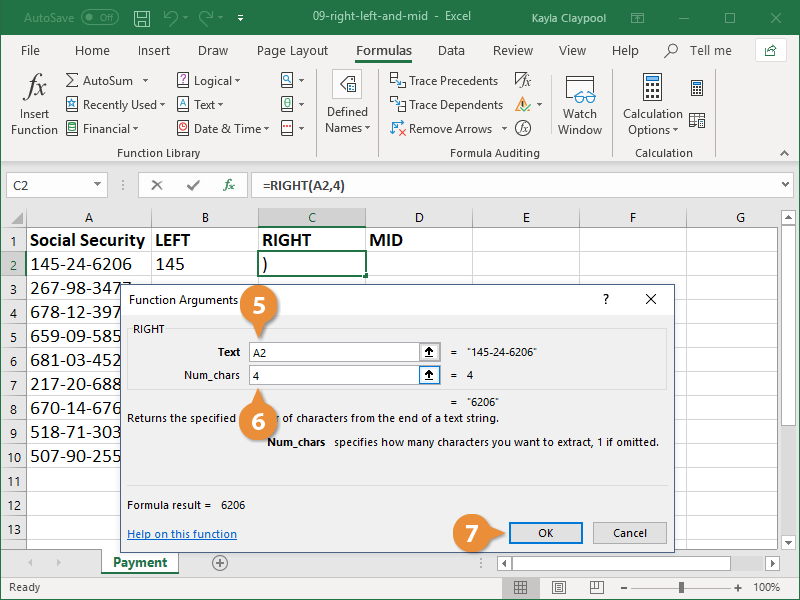
The text is extracted and the specified number of characters from the right of the text string are placed in the current cell.
The MID Function
The MID function is the trickiest of these text functions. It returns the specified number of characters from the middle of a text string. The syntax for the MID function looks like this: =MID(text, start_num, num_chars).
- Click in the cell where you want to insert the function.
- Click the Formulas tab.
- Click the Text Function button.
- Select MID.
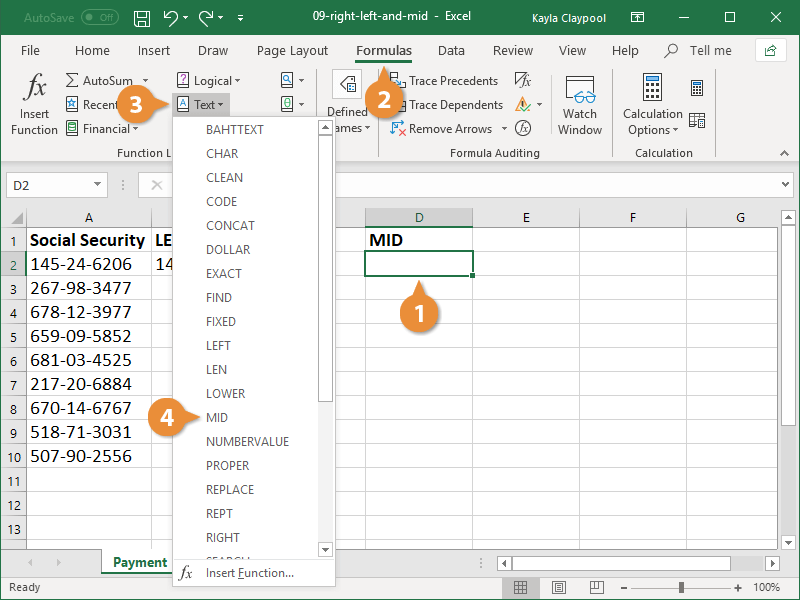
The Function Arguments dialog box opens where you specify the parameters.
- In the Text field, select the cell containing text you want to extract.
- In the Start_num field,enter the position of the first character you want to extract.
- In the Num_chars field,enter the number of characters you want to extract, starting with the character specified in the previous field.
- Click OK.
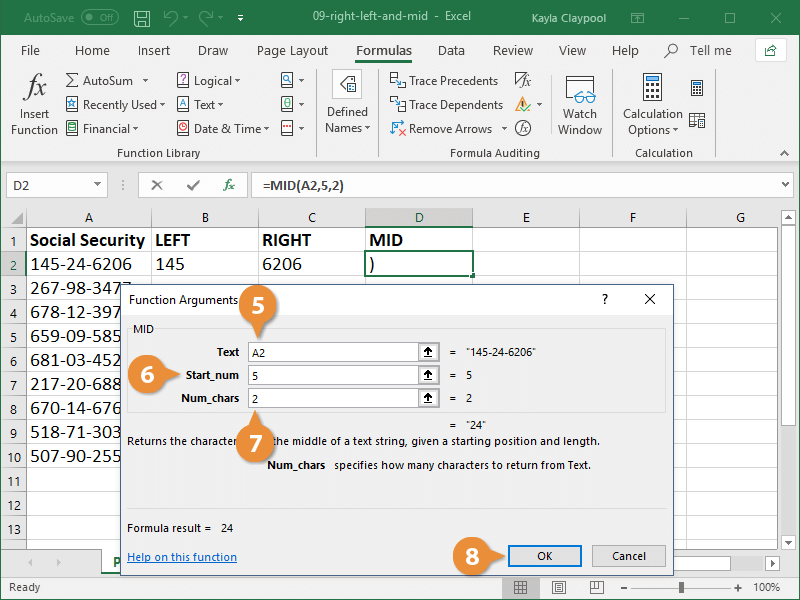
The text is extracted and the specified number of characters from the middle of the text string are placed in the current cell.