

Captivate Question Pool
Build dynamic quizzes by organizing and randomizing questions in a Captivate pool
Try this Course with a Free Trial

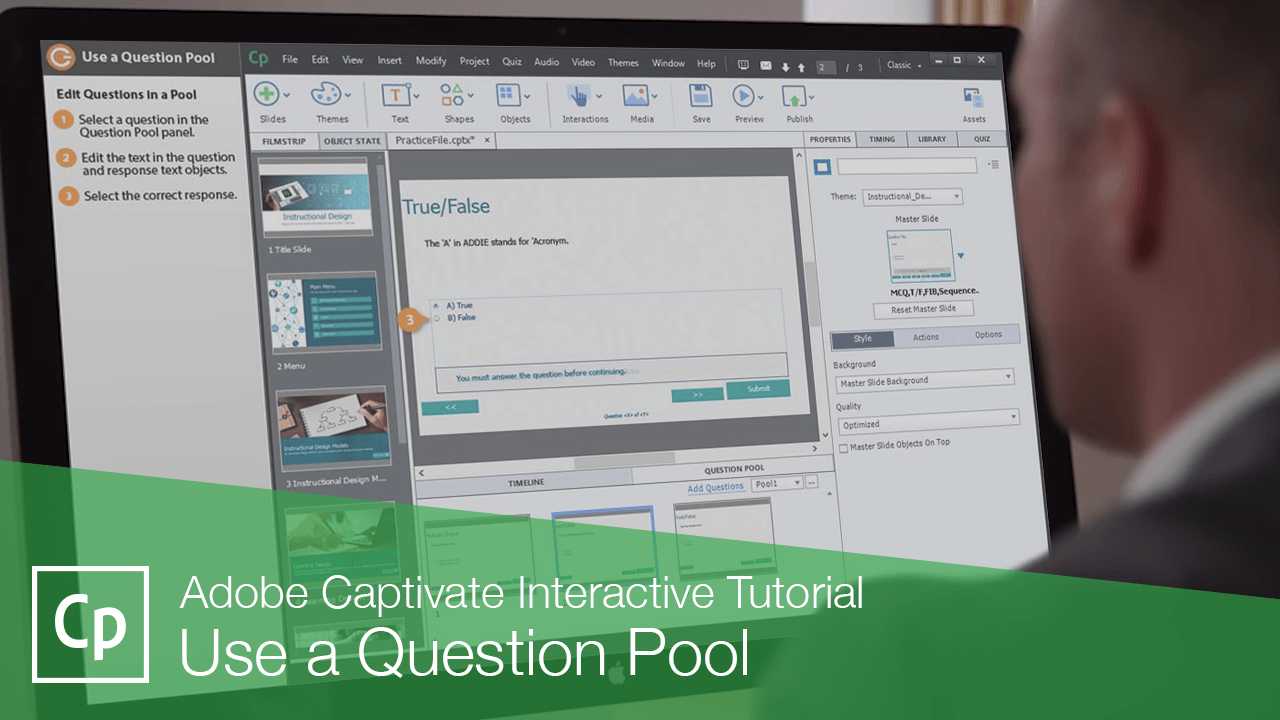
Question pools are collections of quiz questions that you can set up, either ahead of time or while working on a project, and use to create a quiz. You can even set a question slide to pull a random question out of a pool when the user takes the course.
Add Questions to a Pool
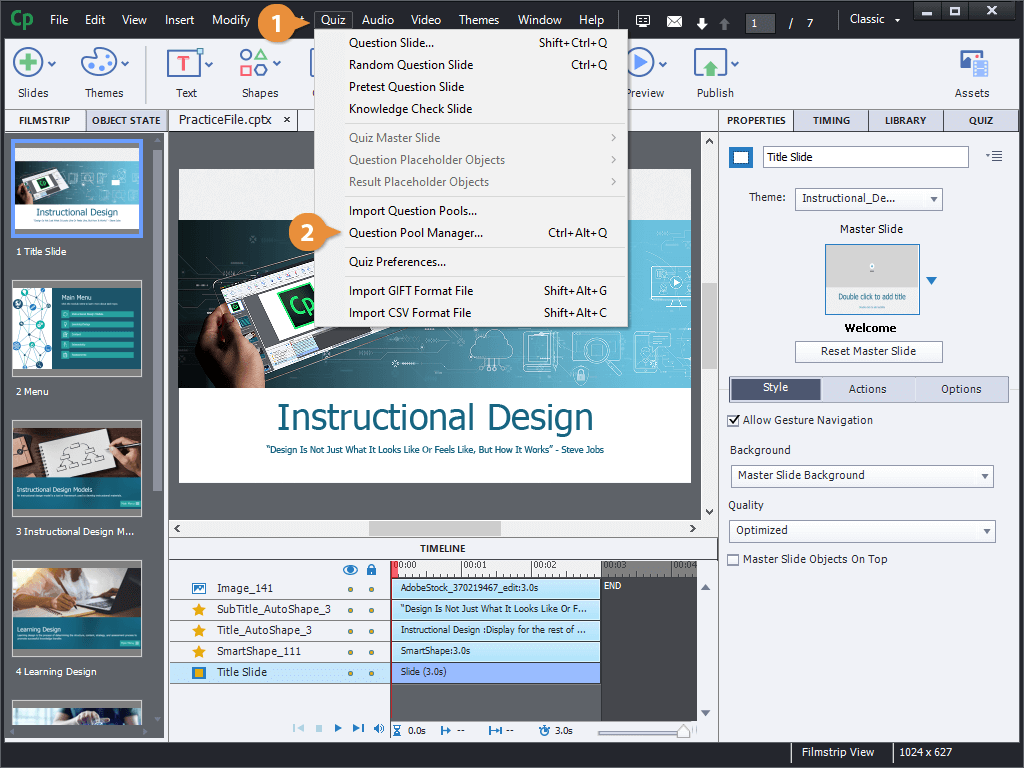
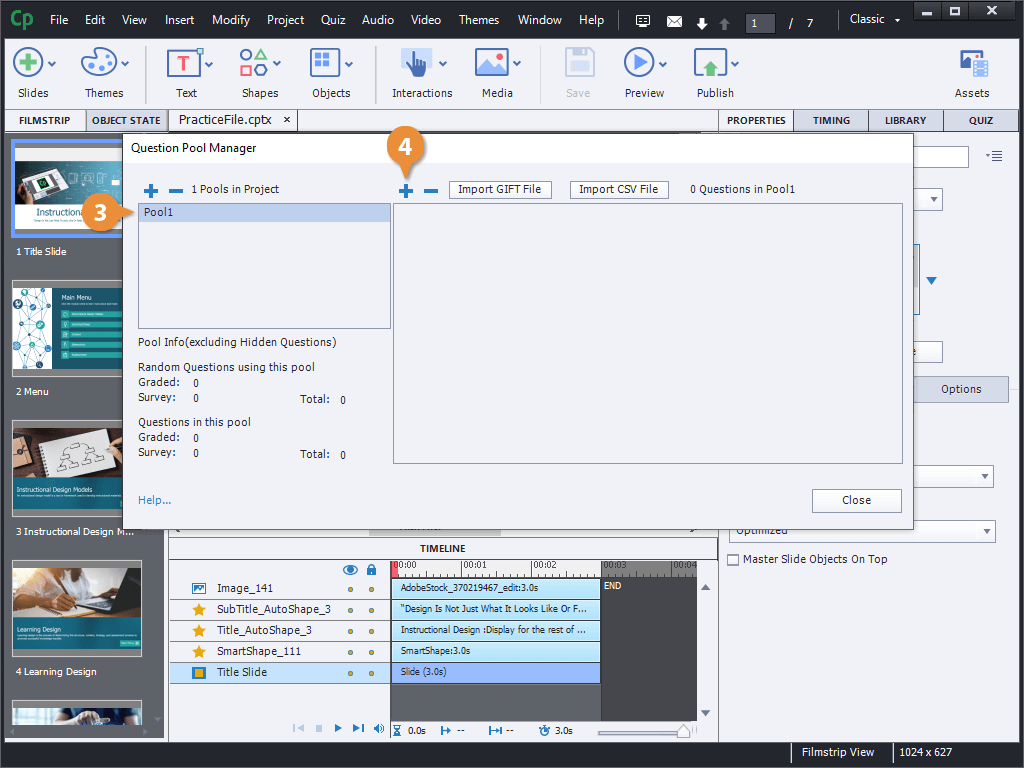
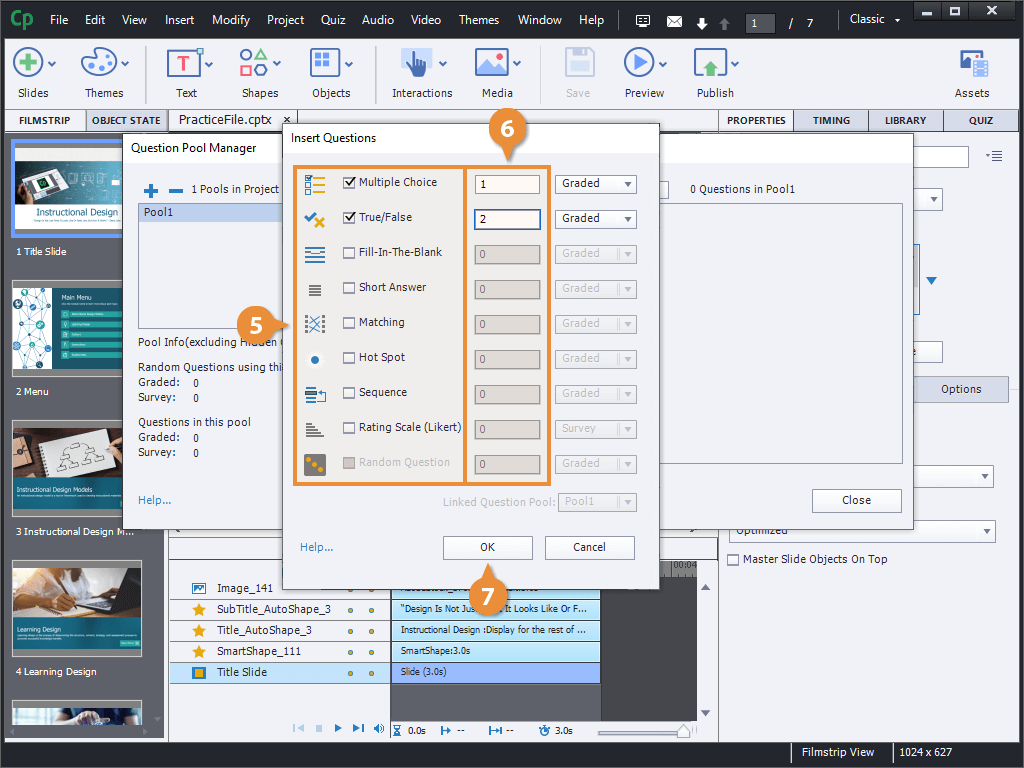
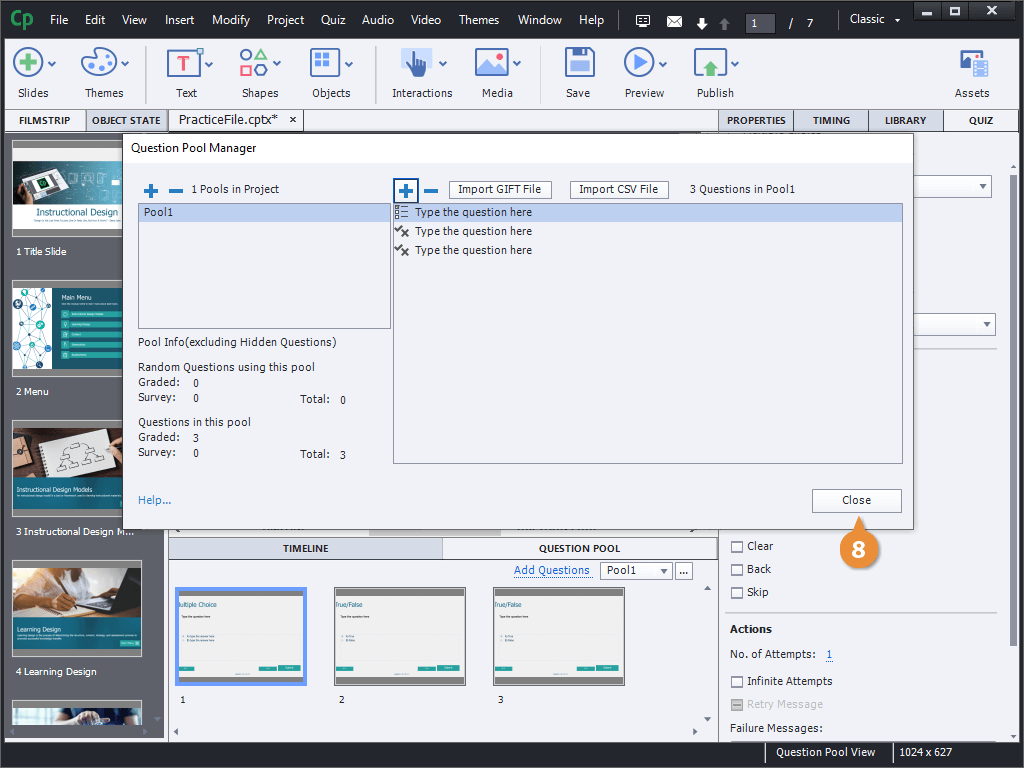
Edit Questions in a Pool
- Select a question in the Question Pool panel.
- Edit the text in the question and response text objects.
- Select the correct response.
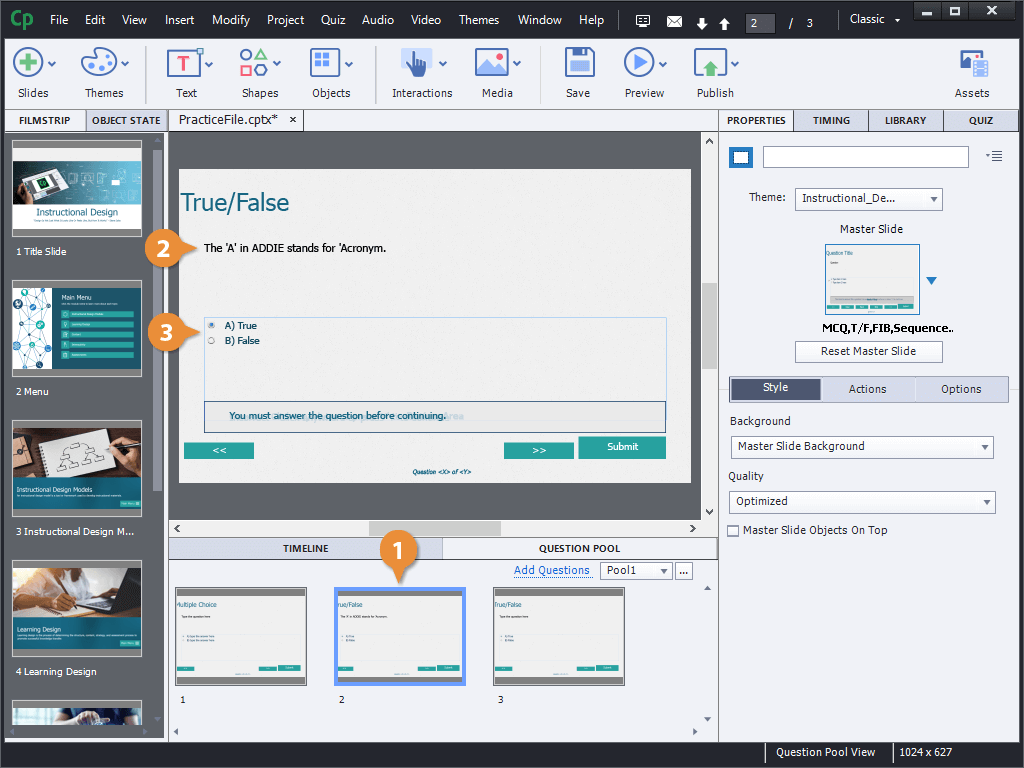
We can also add more questions to this pool by clicking Add Questions, or edit the questions in a different pool using the Pool menu here.
Insert a Random Question Slide
Once you have some questions in a pool, you can insert question slides that will automatically pull a random question from that pool.
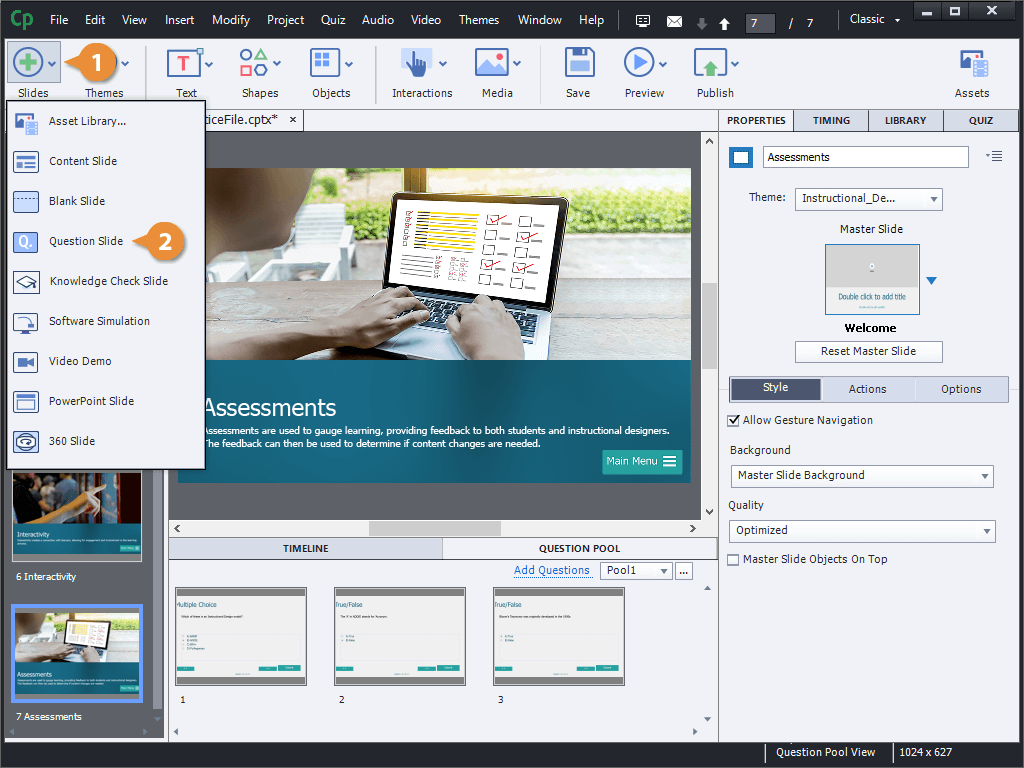
- Click the Slides button on the toolbar.
- Select Question Slide.
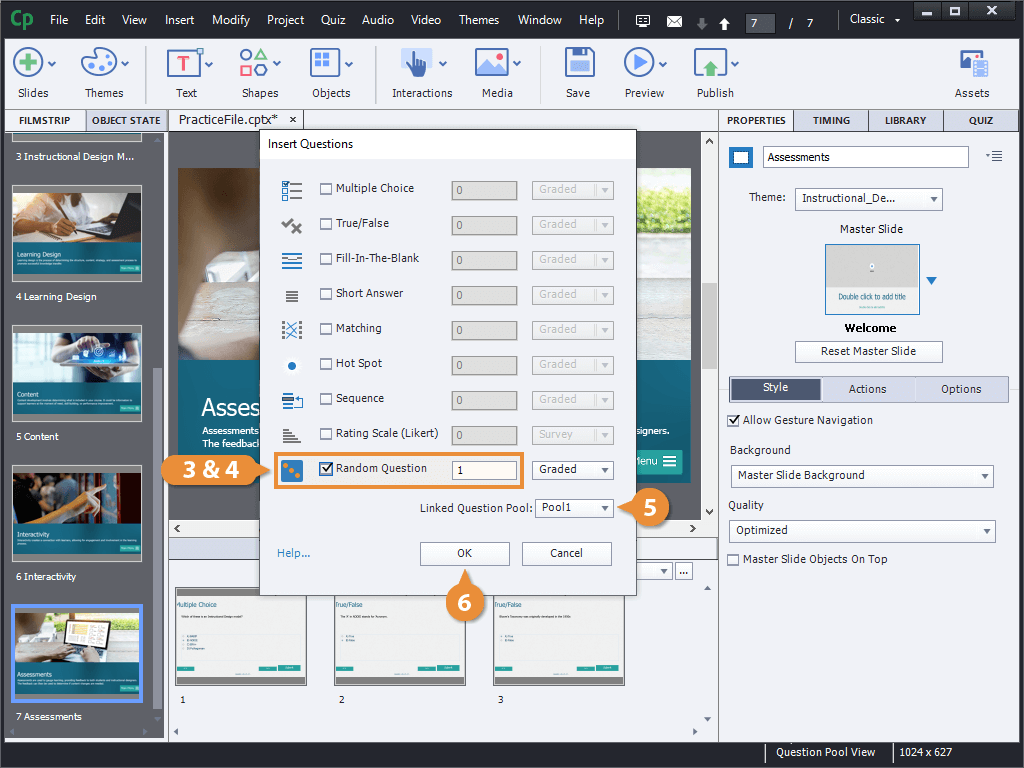
- Check the Random Question checkbox.
- Set the number of random questions to insert.
- Select the pool of questions to insert from.
- Click OK.
A placeholder slide is inserted, and when the course is taken, a random question from the pool will be displayed.