

Plan a Database
Learn how to design tables and define relationships for an effective Access database
Pruebe este curso con una prueba gratuita

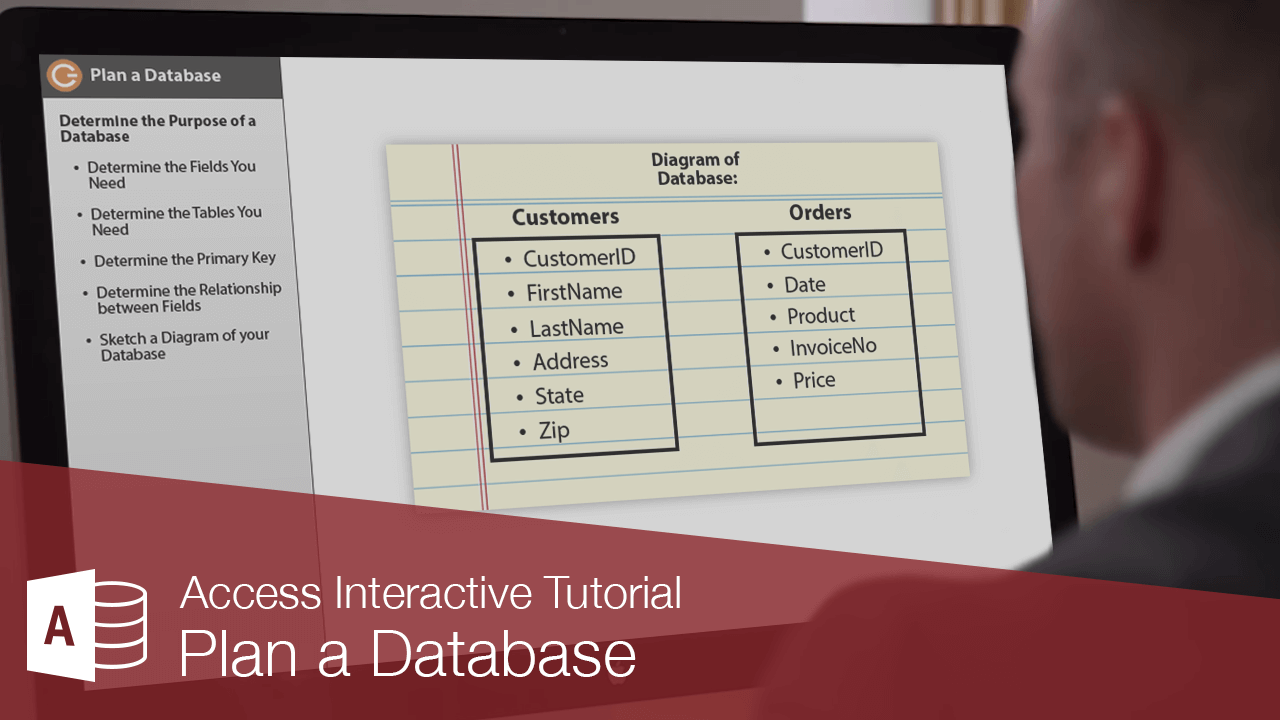
Although you can always make changes to a database, a little upfront planning before you create a database can save you significant time and headaches later on.
Here are some planning steps and guidelines for creating a well-designed database.Determine the Purpose of a Database
Guidelines for Good Database Design
Each field or column should contain the same type of information
This makes the table more meaningful, more organized, and easier to understand.
Try to break up information as much as possible
This gives you more power to sort, filter, and manipulate the list.
Use multiple tables so that you don’t duplicate information in the same table
Organize your information into several tables—each one containing fields related to a specific subject—rather than one large table containing fields for a wide range of topics.
Don’t use duplicate field names
Duplicate field names can cause problems when entering and sorting information.