

How to Add a New Record in Access
Easily enter and save new records using forms or datasheets in Access
Try this Course with a Free Trial

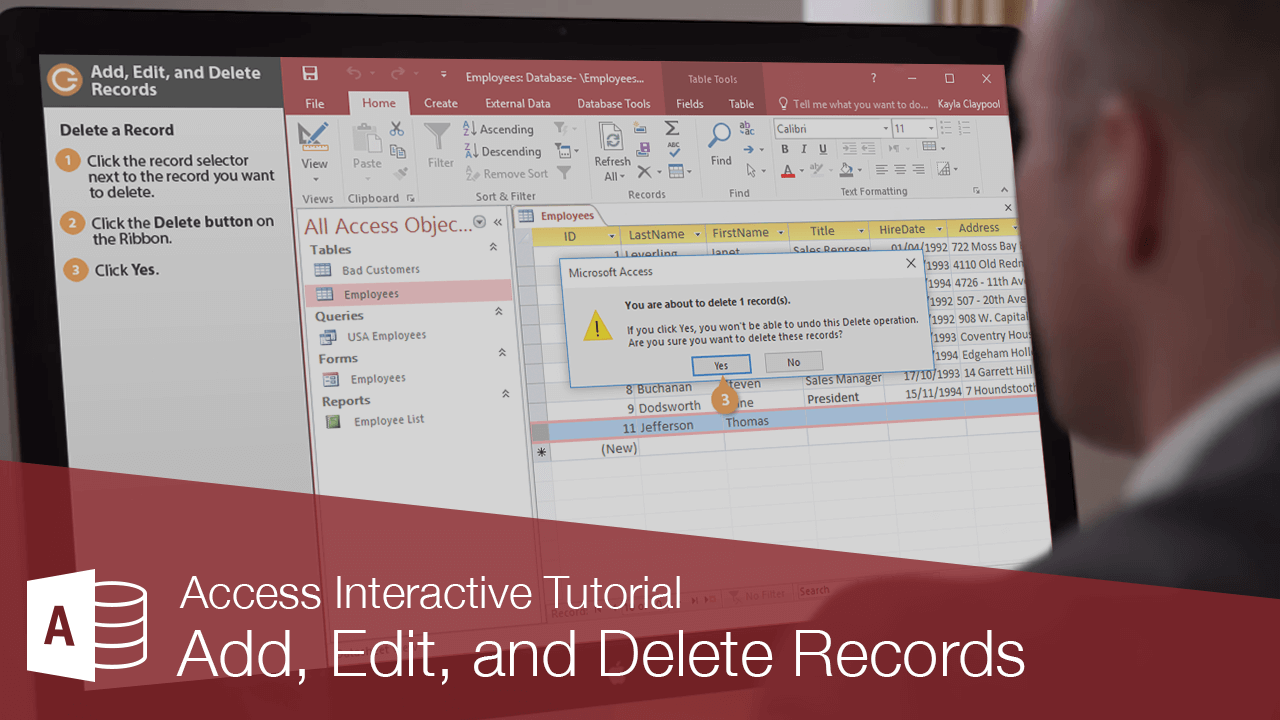
Add a Record
- Click the New Record button on the Record Navigation bar.
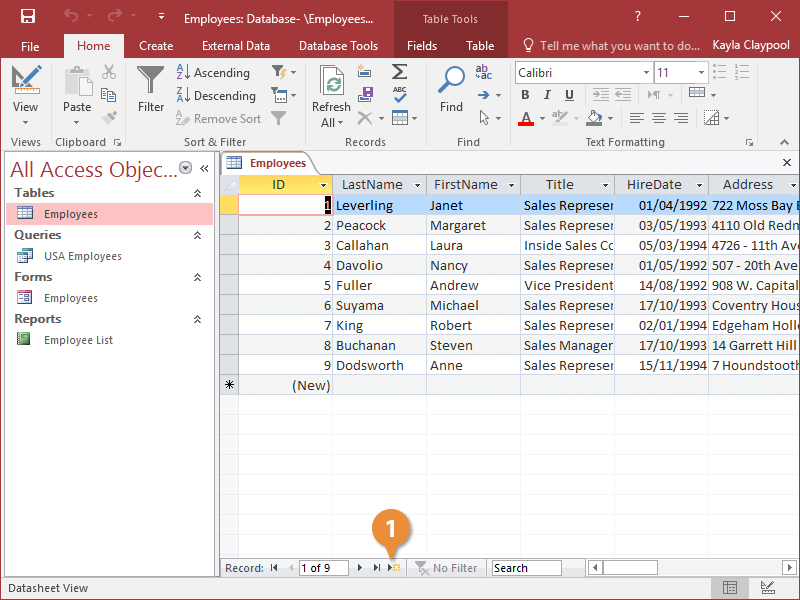
You can also add a new record by entering it in the New record row—the last row in the table.
- Click the Delete button on the ribbon.
- Click a field value in the new record and enter data as desired.
As you enter data, you don’t have to click a Save button to save the information—Access automatically saves the information as you enter it.
Press Tab to move to the next field value in a record, or press Shift+ Tab to move back to the previous field value in a record.
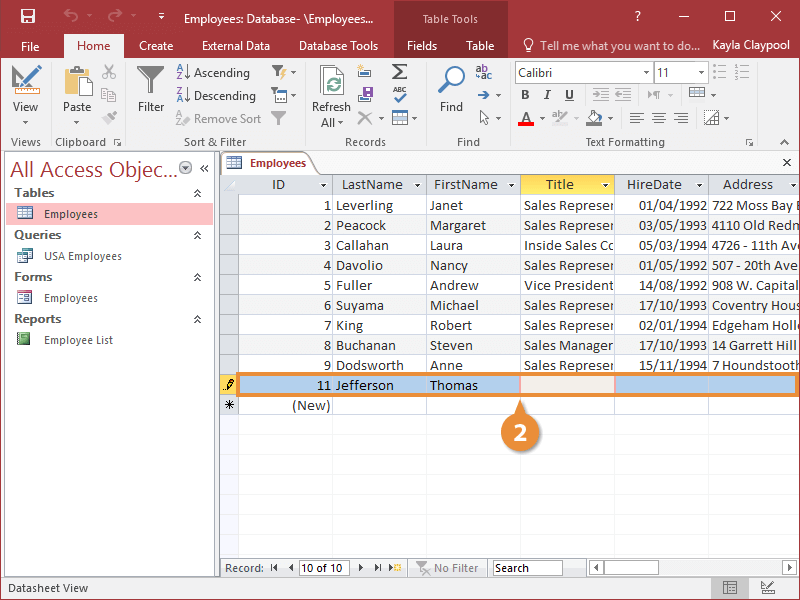
Edit a Record
You can also make changes to the records in a table at any time.
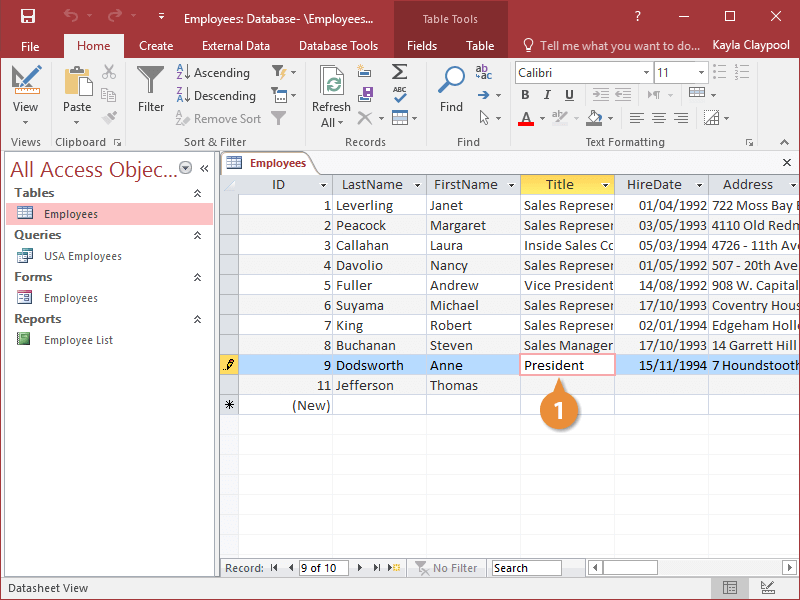
Delete a Record
You can permanently delete records that you no longer need from a table.
- Click the record selector next to the record you want to delete.
- Click the Delete button on the ribbon.
- Click Yes to confirm the deletion.
You can also delete a record by clicking the record selector next to the record you want to delete, pressing the Delete key, and clicking the Yes button.
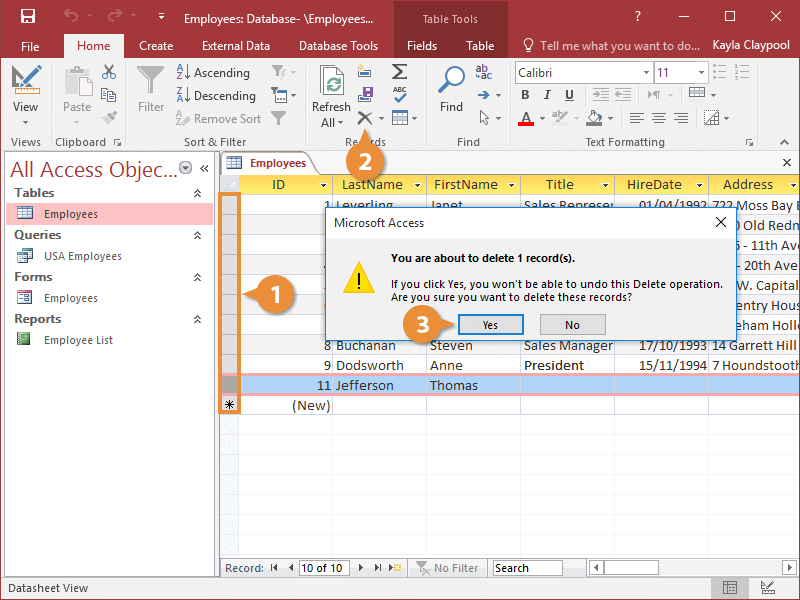
The record is deleted from the table.