Interactive Tutorial
Record Content
Record and save audio notes in OneNote to capture meetings and ideas hands-free
-
Learn by Doing
-
LMS Ready
-
Earn Certificates


Try this Course with a Free Trial
If you have a presentation to attend and want to capture everything the speaker says, use an audio or video recording.
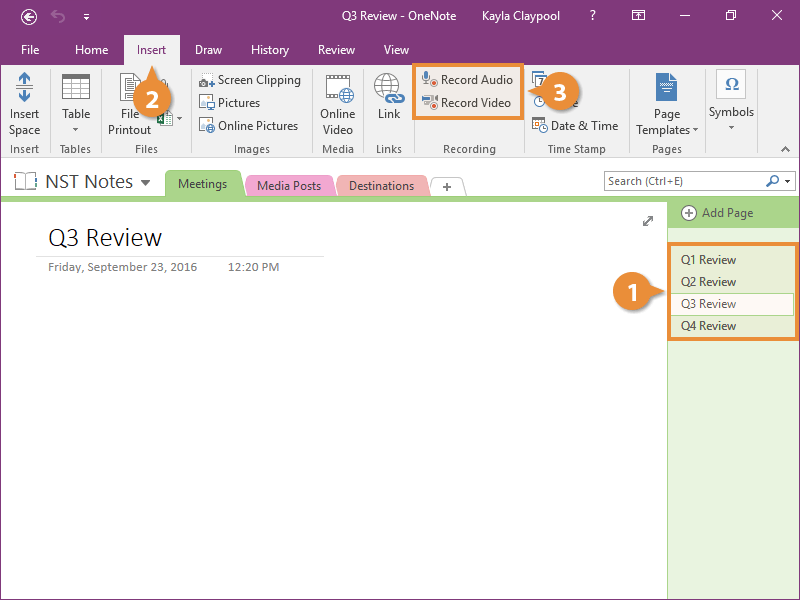
- Select a page to place the recording.
- Click the Insert tab.
You can record video into OneNote, but you'll need to first make sure you have a video device correctly configured with your computer. You can experiment with that in your OneNote environment.
- Select Record Audio or Record Video.
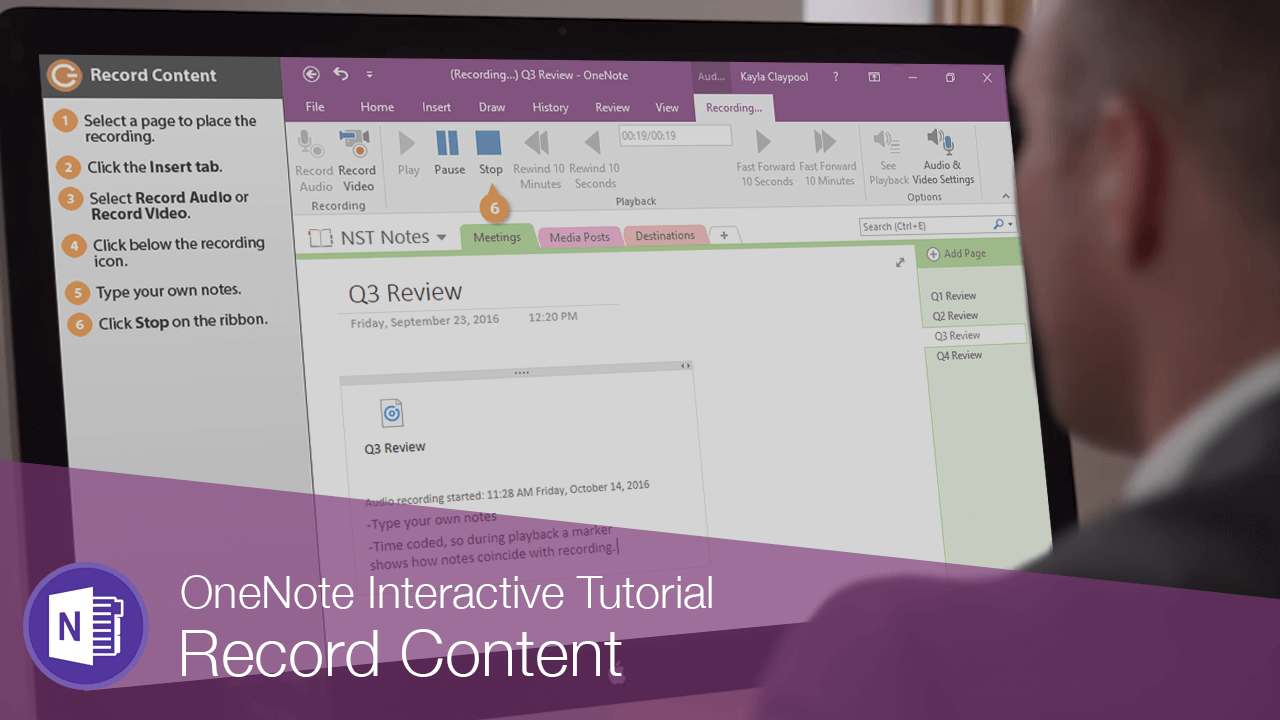
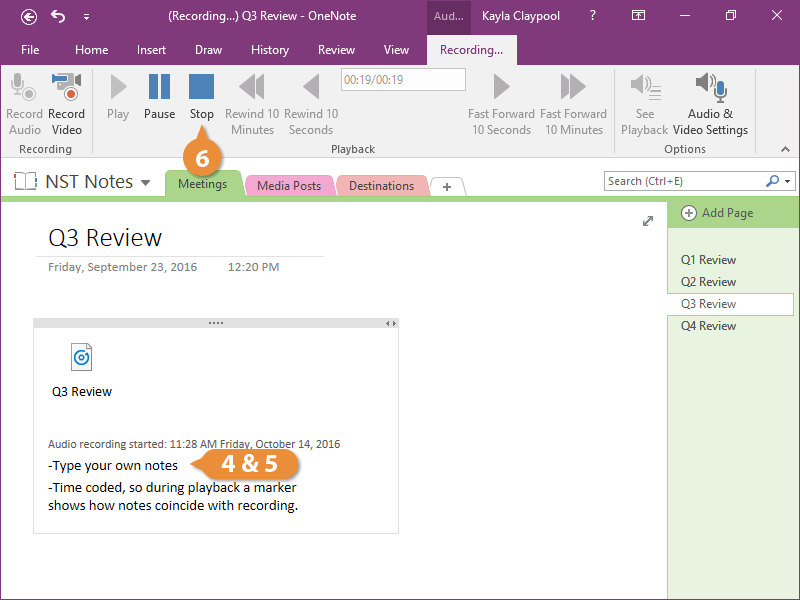
A tab appears on the ribbon and you can see that you are now recording.
- Click below the recording icon.
- Type your own notes.
The notes you take are time-coded. When played back, a marker shows when during the recording they were taken.
- Click Stop on the ribbon.
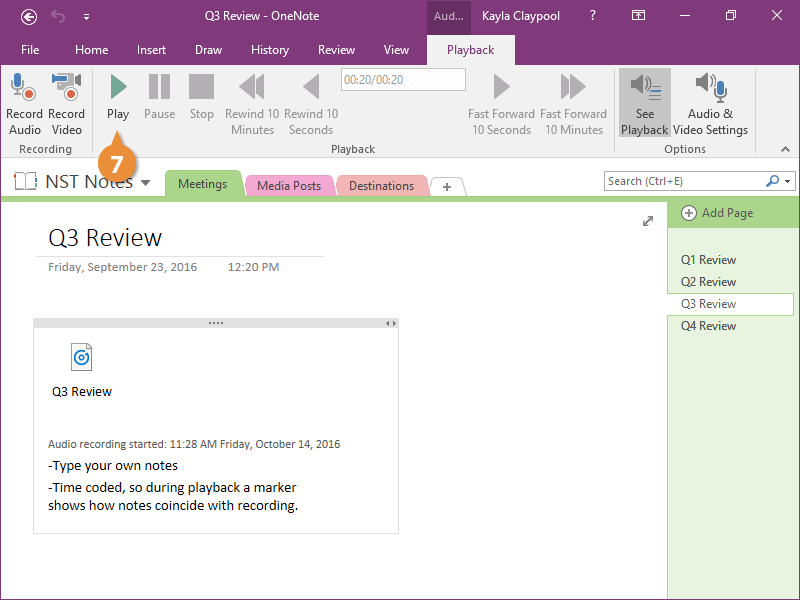
- Click Play to hear the recording.
You can use the other controls in the Playback group to find a specific piece of audio or video.